Contents(10)
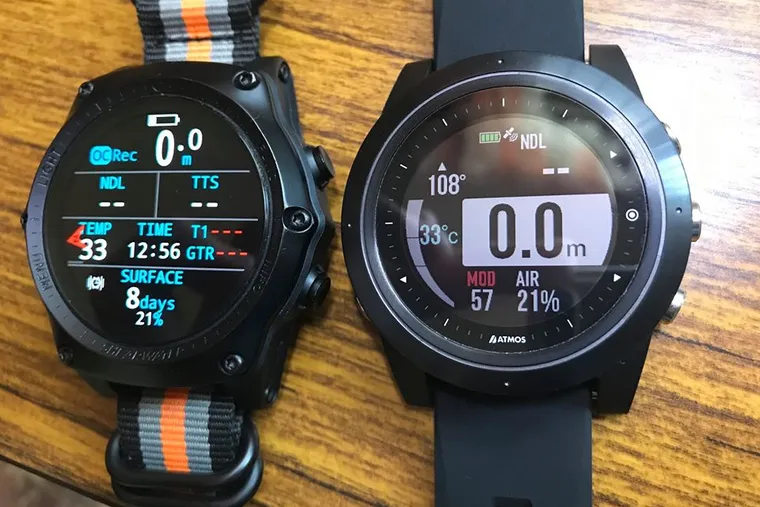
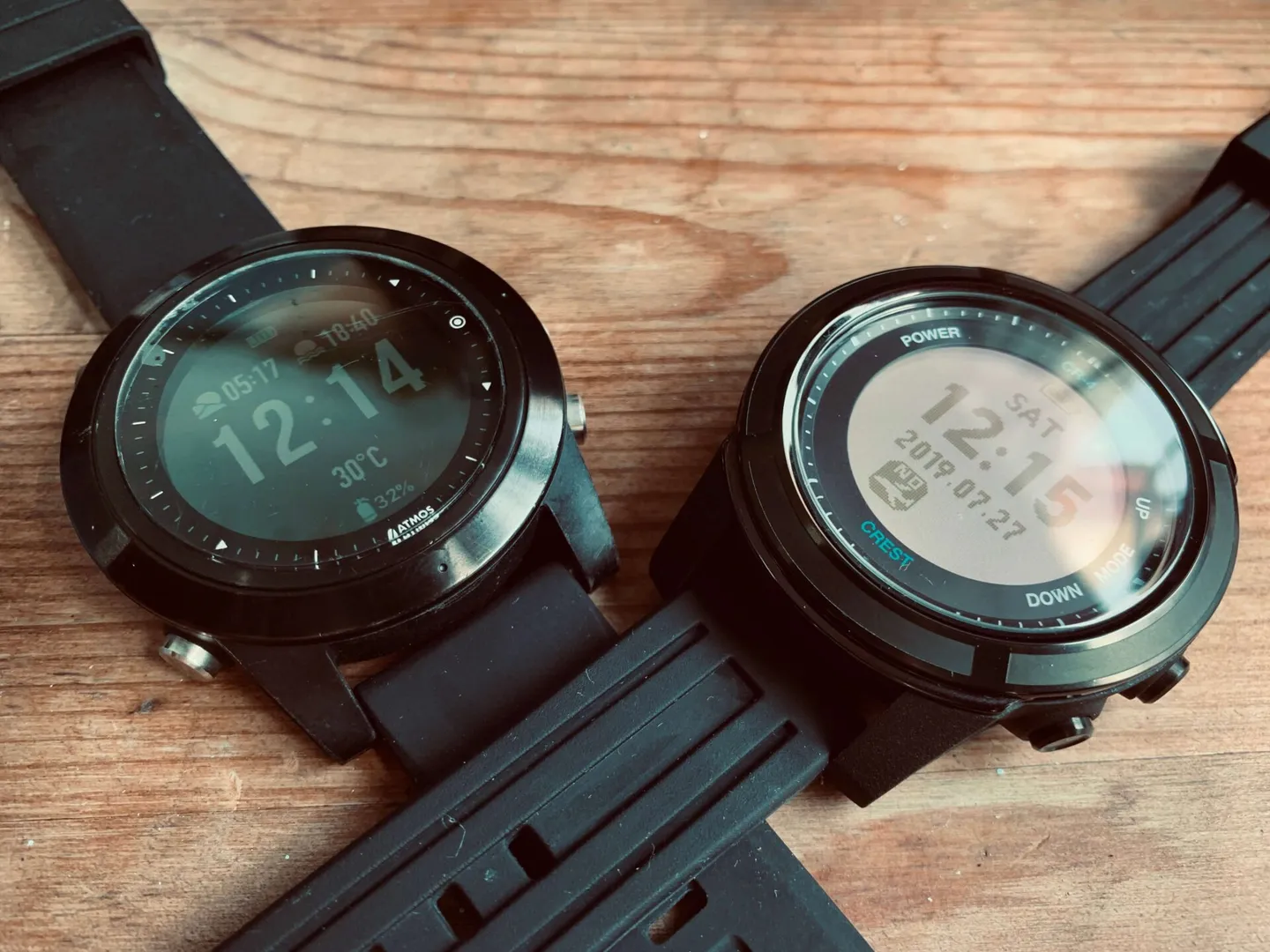
I recently picked up the ATMOS Mission dive computer, and a friend happened to purchase another popular model that came out this year — the Crest CR4. So I borrowed it to compare the two side by side. There is a price difference between them: the ATMOS Mission retails at NT$13,500, while the Crest CR4 is priced at NT$5,980. They're clearly in different tiers. But since they launched around the same time, I figured plenty of people would be curious about both.
Appearance
Appearance is a fairly subjective matter — beauty is in the eye of the beholder. Holding both watches in hand, you can immediately feel that the CR4 has more design details: textured strap imprints, a matte body finish, a slightly recessed watch face that should reduce the chance of scratching the glass, and a large logo on the caseback. The overall build quality feels quite good.


Buttons
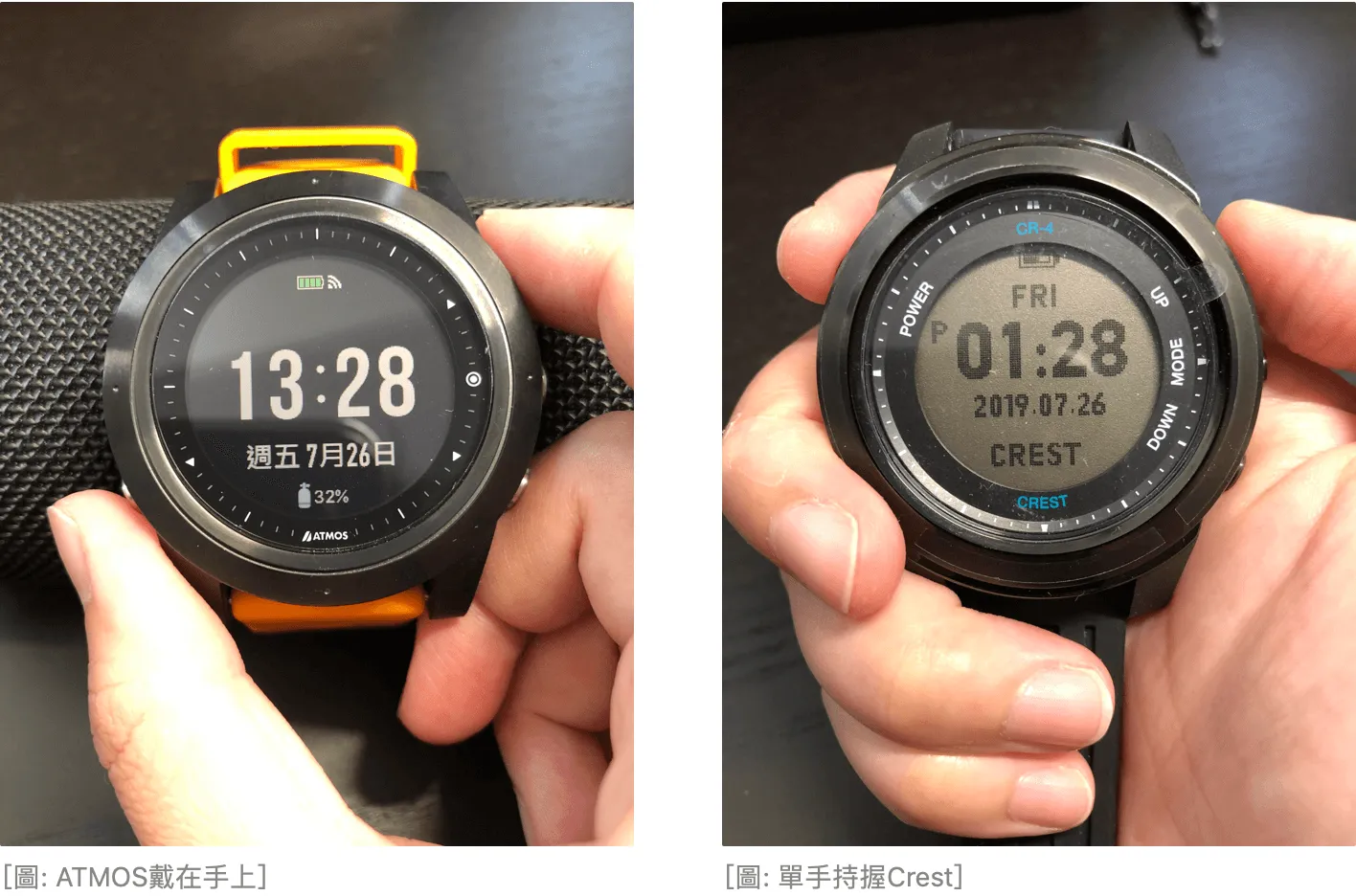
In terms of button feel, the Crest's buttons are softer than the ATMOS's. Personally, I prefer the tactile feedback of the ATMOS buttons. Both the ATMOS and the Crest have a button on the left side of the case — it's just that on the ATMOS it's at the bottom, while on the Crest it's at the top. What's interesting is that if you take the watch off and hold it in one hand, the Crest's button placement feels more natural — it sits right where your index finger can easily reach it, somewhat like pressing a chronograph button.
But once you put the watch on your left wrist, you'll find that the ATMOS button position is actually the more sensible one. Since you're wearing the watch on your wrist most of the time, the lower-left button ends up right where your right thumb naturally rests.
Beeps and Vibration
The Crest's beep is a little quiet — in a noisy environment you might not hear it at all. During a dive with the Crest on my wrist, I didn't notice any audible or vibration alerts. The ATMOS is quite loud on the surface, which is fine, and its vibration underwater is very noticeable. Because the vibration is so clear, I didn't pay much attention to the sound at all.
Screen
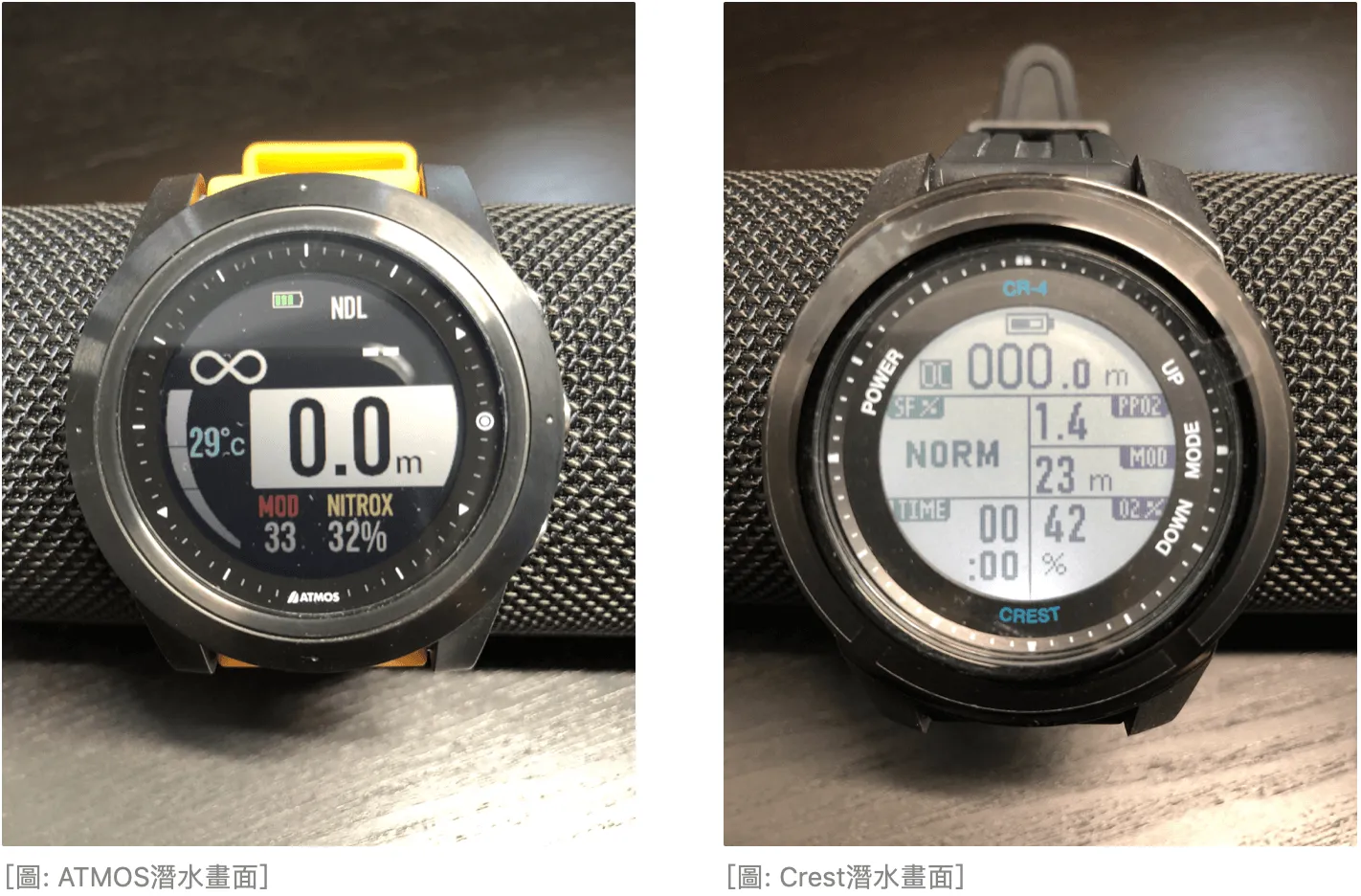
The Crest's display is somewhat reminiscent of a calculator's LCD. After sitting still for a while, the screen goes completely blank and reappears when you give it a shake. I assume turning off the display is a power-saving measure. The ATMOS, on the other hand, uses a display technology similar to Garmin sports watches — the watch face information remains visible at all times even without the backlight on, which I really appreciate.
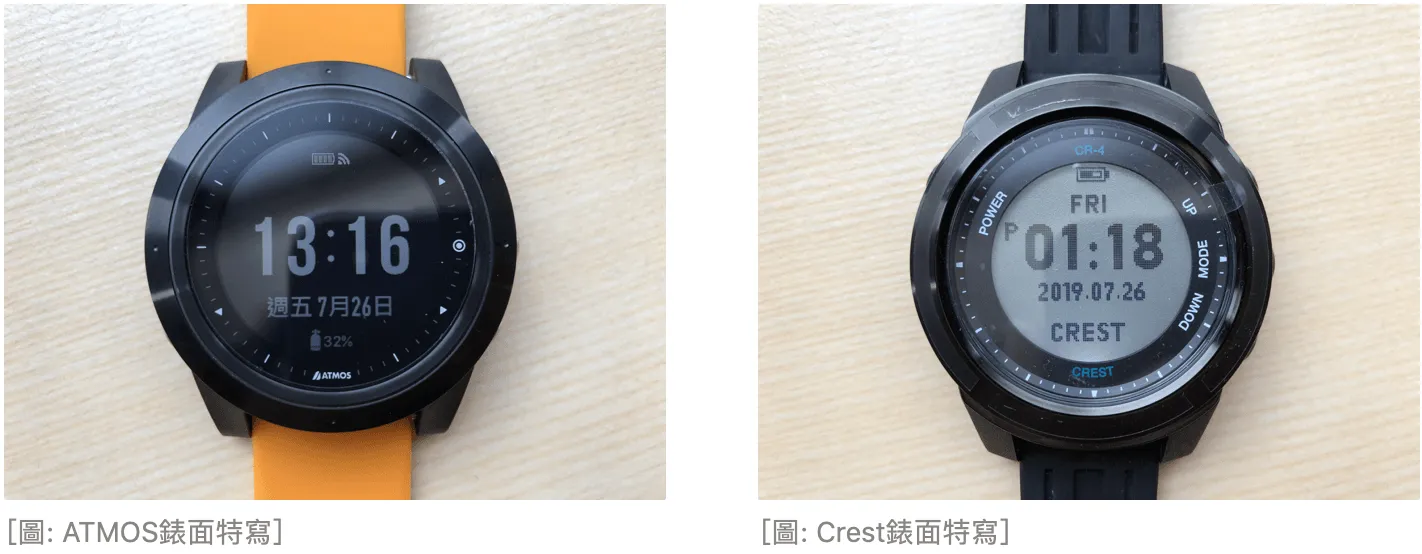
The ATMOS's visible display area is slightly larger than the Crest's, making the information feel less cramped. The display resolution also appears higher, with a sharper, finer image — the Crest's display looks a bit more pixelated by comparison.
Firmware
Firmware is essentially the software running on the watch. I won't attempt to compare the decompression algorithms — that's beyond my expertise. After all, I'm just a humble Advanced Open Water Diver (PADI cert). When it comes to decompression theory, I trust that any reputable dive computer company will have it covered.
Watch Interface
The ATMOS offers a fully Traditional Chinese menu interface. A recent firmware update added Japanese and Korean language support on top of the existing Traditional Chinese, Simplified Chinese, and English options. The Crest uses an all-caps English menu, and some parameters appear to be abbreviated due to character length limits. If you get the Crest, you may need to spend a little more time getting used to the interface. That said, a dive computer's basic functions are fairly limited in number, and I'm sure most of you will figure out what the abbreviations mean after a bit of button-pressing.
Dive Alerts
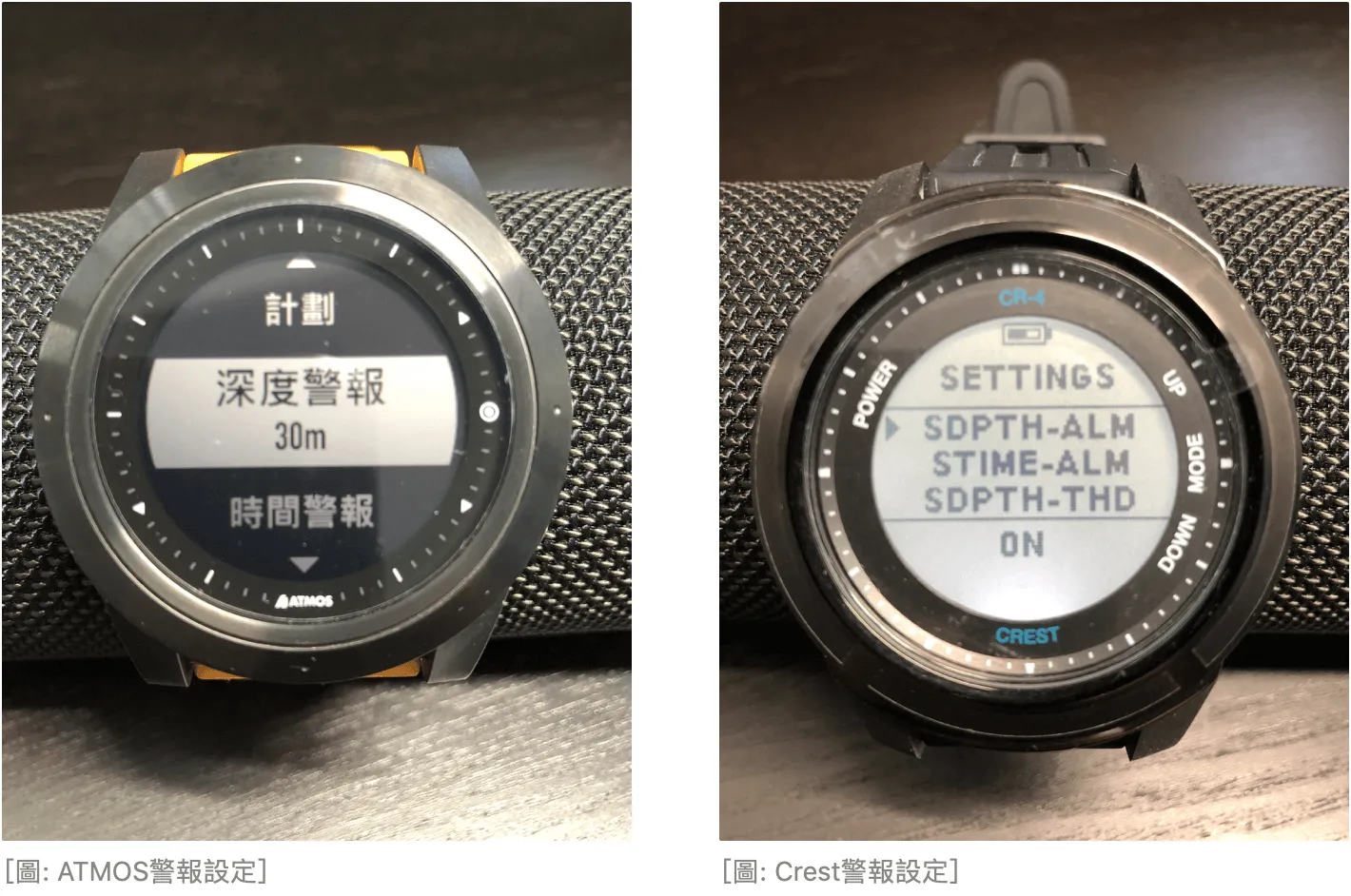
When I bought the ATMOS, the vibration dive alert feature was actually what drew me to it most. In addition to the standard alerts that come with any dive computer — no-decompression limit, ascent rate warning, MOD alert, and so on — the ATMOS also vibrates when a safety stop begins and ends. This means you don't have to stare blankly at your watch during the safety stop; you can use that time to enjoy the underwater scenery or take selfies and blow bubbles with your dive buddy. There's also a customisable depth and time alert. For example, if you're conserving air and know that around 40 minutes is roughly when you should start heading back, you can set a time alert to remind yourself not to lose track of time while taking photos. It's a genuinely useful feature.
After carefully looking through the Crest's menu, I found SDEPTH-THD and STIME-THD, which appear to be depth and time alert settings. The corresponding xxx-ALM options are probably for enabling or disabling each alert. I didn't pay close attention to these alerts during my last dive, so I'll try to observe them more carefully when I get another chance.
Dive Log Screen
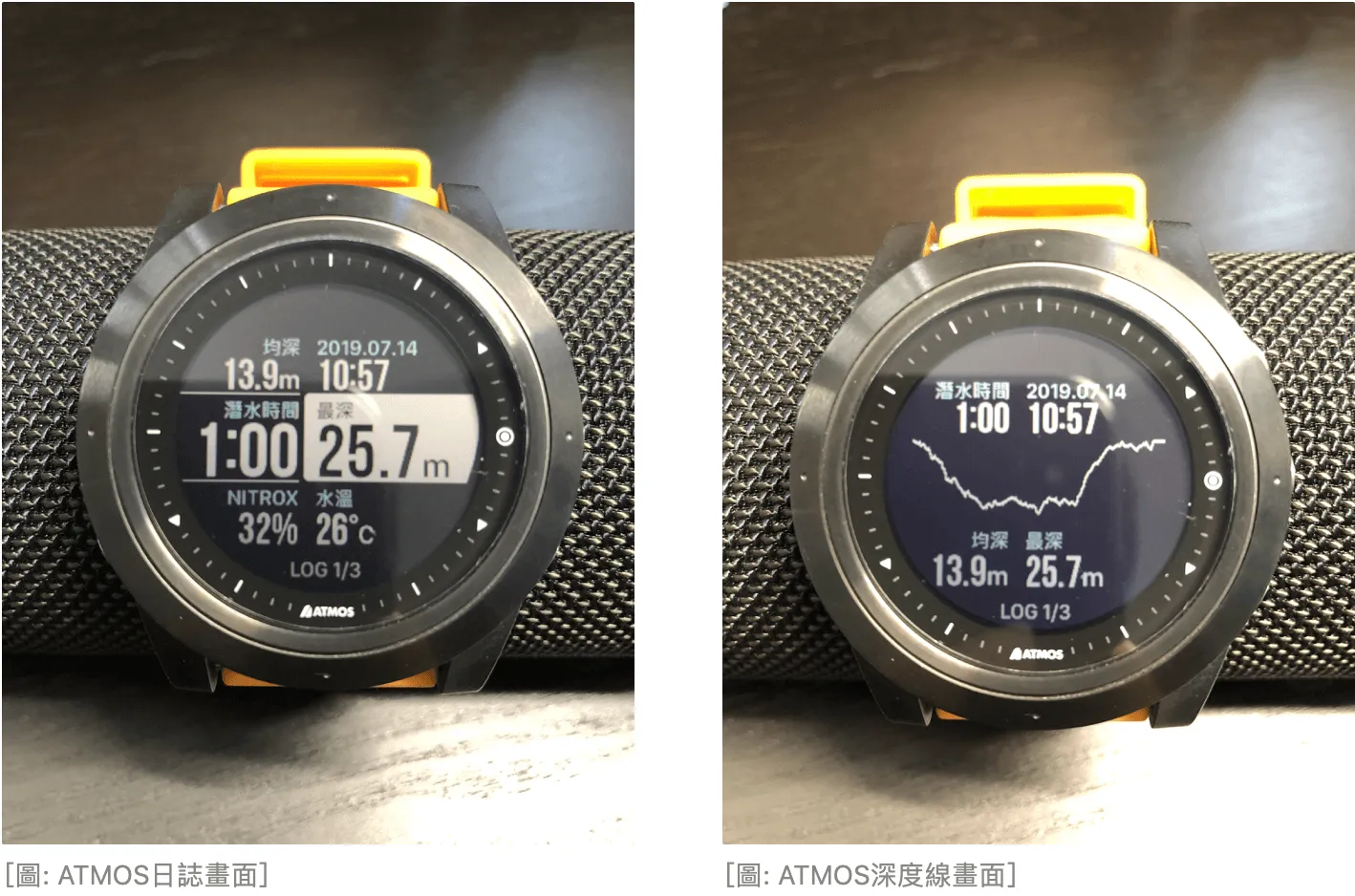
Each dive log entry on the ATMOS can be viewed in detail directly on the watch, complete with a depth profile graph. The presentation is very clear and easy to read.
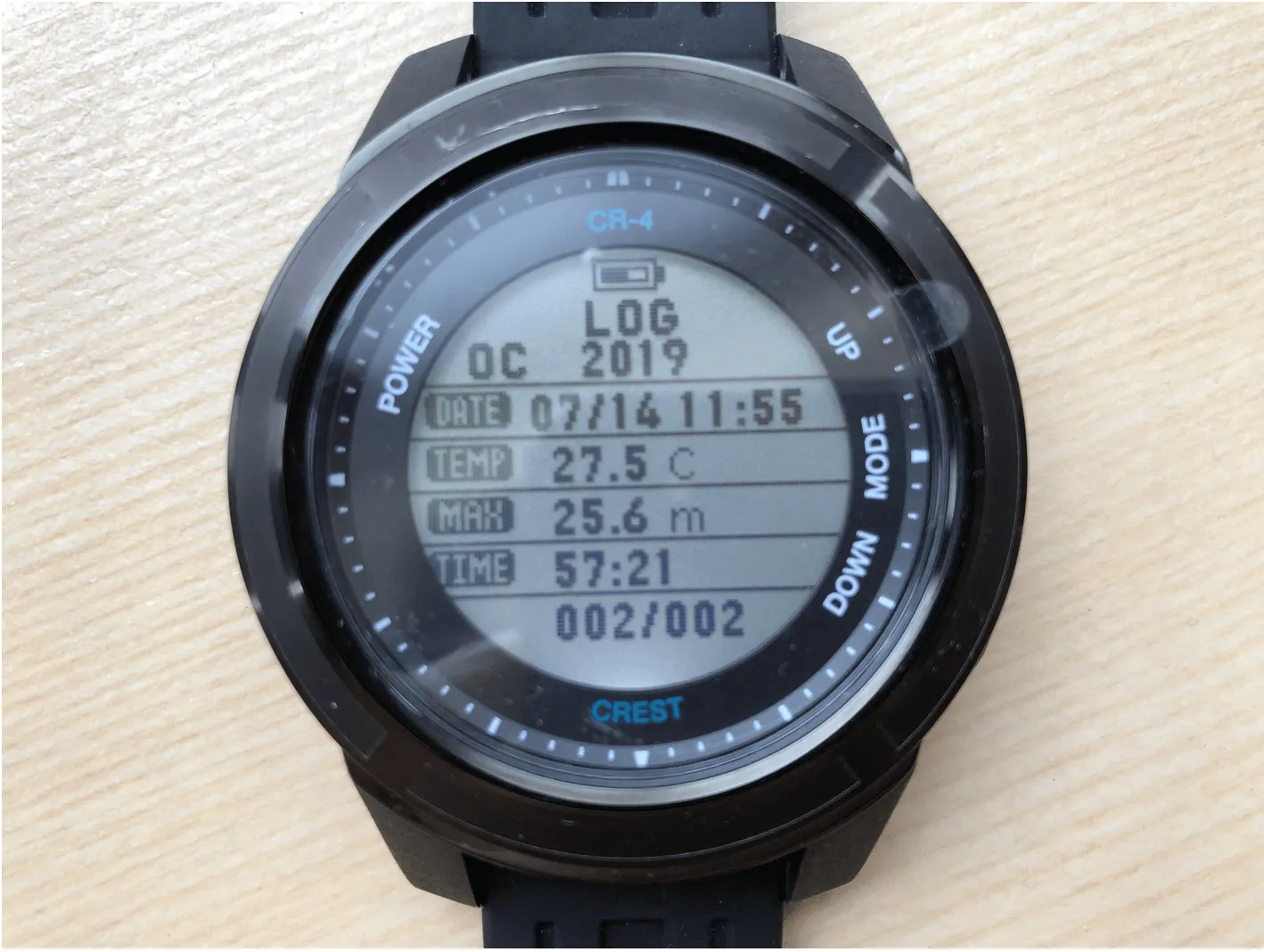
The Crest also has an on-watch dive log display, but the presentation is comparatively harder to read, and some fonts look a bit odd — the unit labels for °C and m are extremely tiny compared to the other characters, and I'm not sure why. On top of that, given how densely packed the interface is, the labels on the left side of the Crest's log screen are almost impossible for me to make out with my current eyesight.
App
At the moment, Crest only has an Android app, so I haven't been able to try it. The ATMOS app is available on both platforms, though its features are still quite basic. If you ask me about dive computer apps, Deepblu's dive log remains the best of the bunch. Both teams, keep at it!
Conclusion
There is a price gap between these two models, and naturally their feature sets reflect that difference. Beyond the comparisons made above, the ATMOS also includes GPS-based dive site features and the ability to display smartphone push notifications — making it a dive computer that comes closer to what we'd call a modern smartwatch.
The purpose of this article isn't to crown a winner. It just so happened that I had both watches on hand at the same time, so I wanted to share my hands-on impressions and first-hand experience. Since the two are priced quite differently, I hope this information gives those of you still on the fence something useful to consider.
Related links: