

Contents(11)
- What's Inside the DIVEROID Box?
- 3 Steps to Complete Before Using DIVEROID
- DIVEROID Activation Step 1 – Register and Pair Your Device via the App
- DIVEROID Activation Step 2 – Pair Your Underwater Housing and Dive Computer Mini
- DIVEROID Activation Step 3 – Pre-Dive Checklist
- DIVEROID Is Both a Smartphone Underwater Housing and a Dive Computer
- DIVEROID's AI Photo Enhancement — Almost Putting Underwater Photographers Out of a Job
- DIVEROID Functions as a Full Dive Computer
- After All That Praise — Does DIVEROID Have Any Shortcomings?
- What Does the Future Hold for DIVEROID?
- 2 Types of Divers Who Are Perfect for DIVEROID
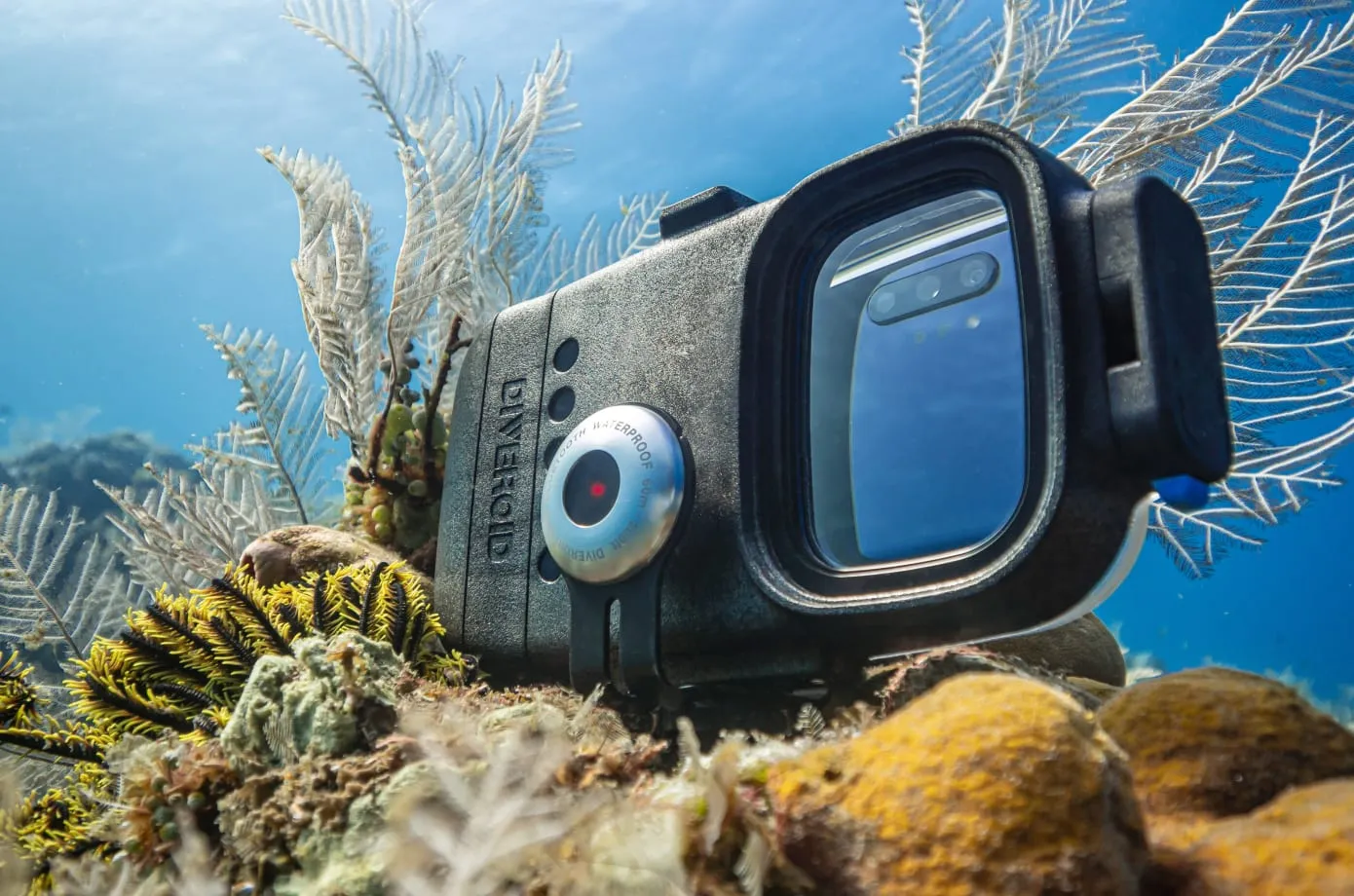
The Editor usually hauls a full camera rig on every dive trip — shore diving feels like a weight-training session, hunching over all that gear and ending up with an aching back. So this time, the Editor is unboxing a smartphone underwater housing brand called DIVEROID. The concept of combining a smartphone underwater housing with a dive computer is nothing new, but what practical new elements has DIVEROID introduced with this latest release? And from the Editor's perspective, what types of divers is a product like this actually suited for?
What's Inside the DIVEROID Box?
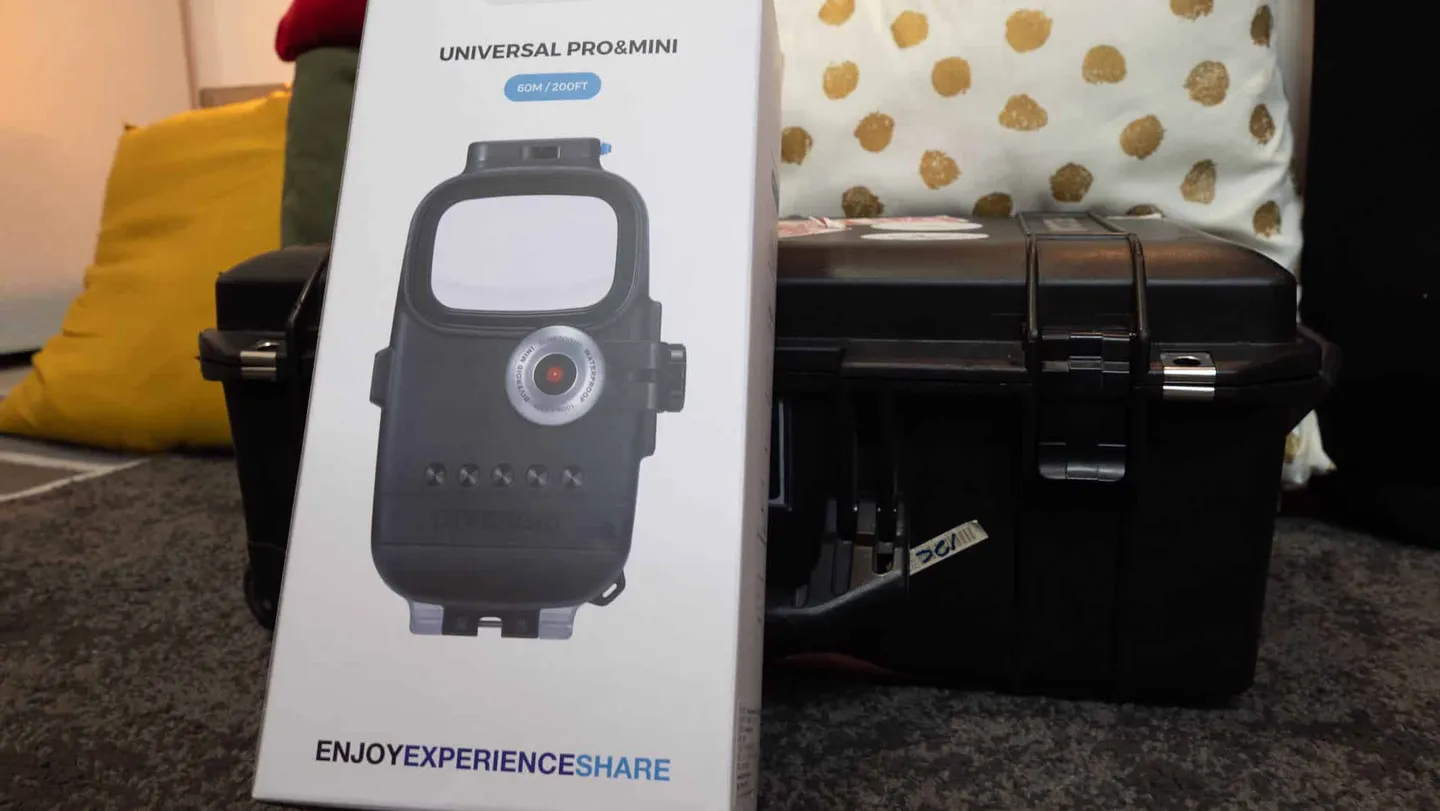
DIVEROID is developed and manufactured in South Korea
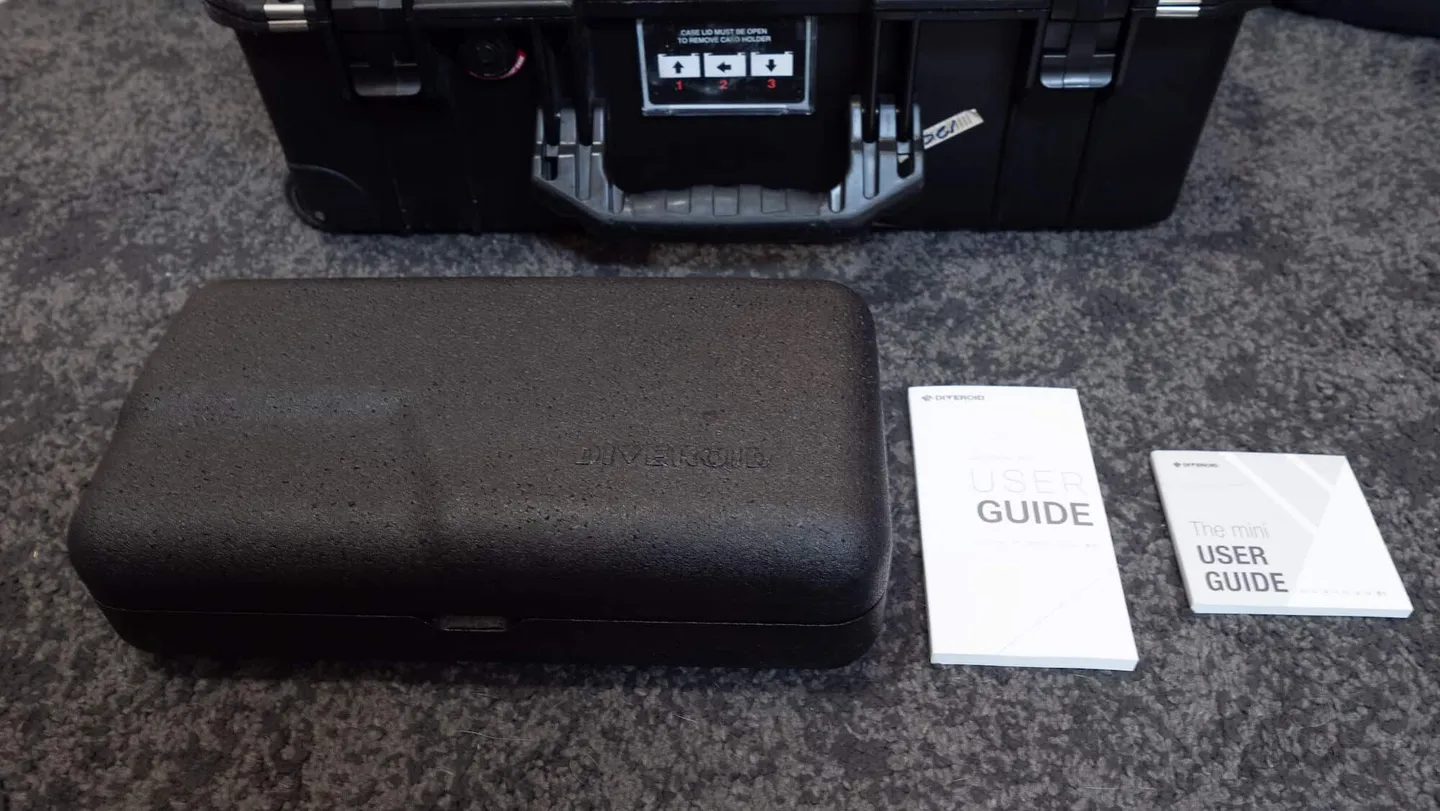
The DIVEROID manual is included in the box, and the manufacturer has already prepared a Traditional Chinese translation
Opening the box, the first thing you see is a black foam protective case — a packaging approach the Editor had never come across before. Two instruction manuals are also included, thoughtfully provided with Traditional Chinese text. But trust the Editor on this: the product is intuitive enough that once you get the hang of it, you probably won't need them (though it's still worth flipping through on your first use!).
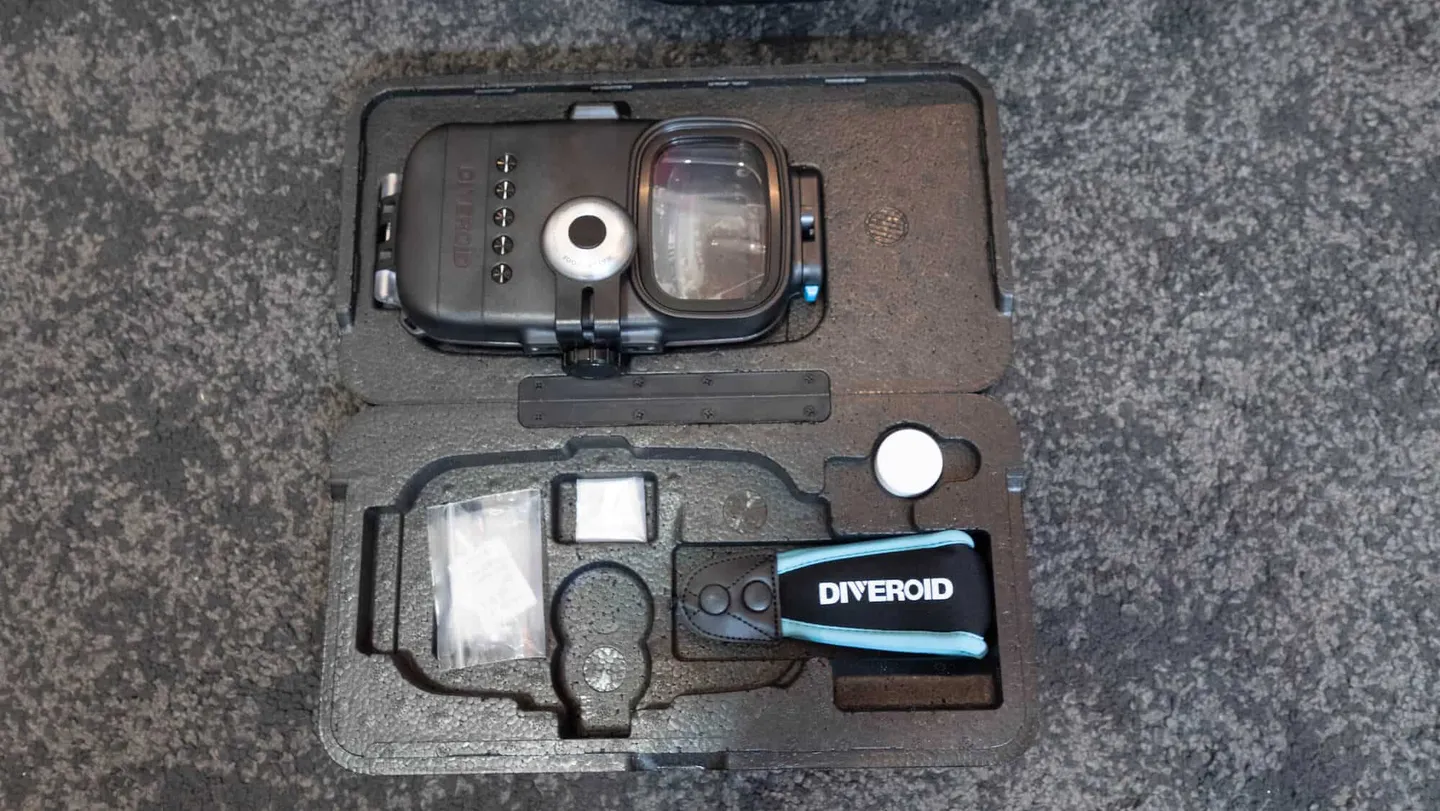
Opening the black foam protective case reveals the DIVEROID neatly and minimally arranged inside
Once opened, you'll find the following items:
-
Smartphone underwater housing: Universal Pro
-
Dive computer: Mini
-
Wrist lanyard
-
Anti-fog wipes
-
Small screws (for mounting to certain rigs)
-
Silicone grease


3 Steps to Complete Before Using DIVEROID
DIVEROID Activation Step 1 – Register and Pair Your Device via the App
Before use, you should first download the official DIVEROID app, create an account, and pair your device.
After installing the app, the first step is to register your own account. Just like many dive computer apps, your dive log is tied to your account — so if you want to build up a proper dive log, register carefully and don't create a throwaway account! Fortunately, the manufacturer also offers sign-up options via Facebook, Google, and even Apple ID.
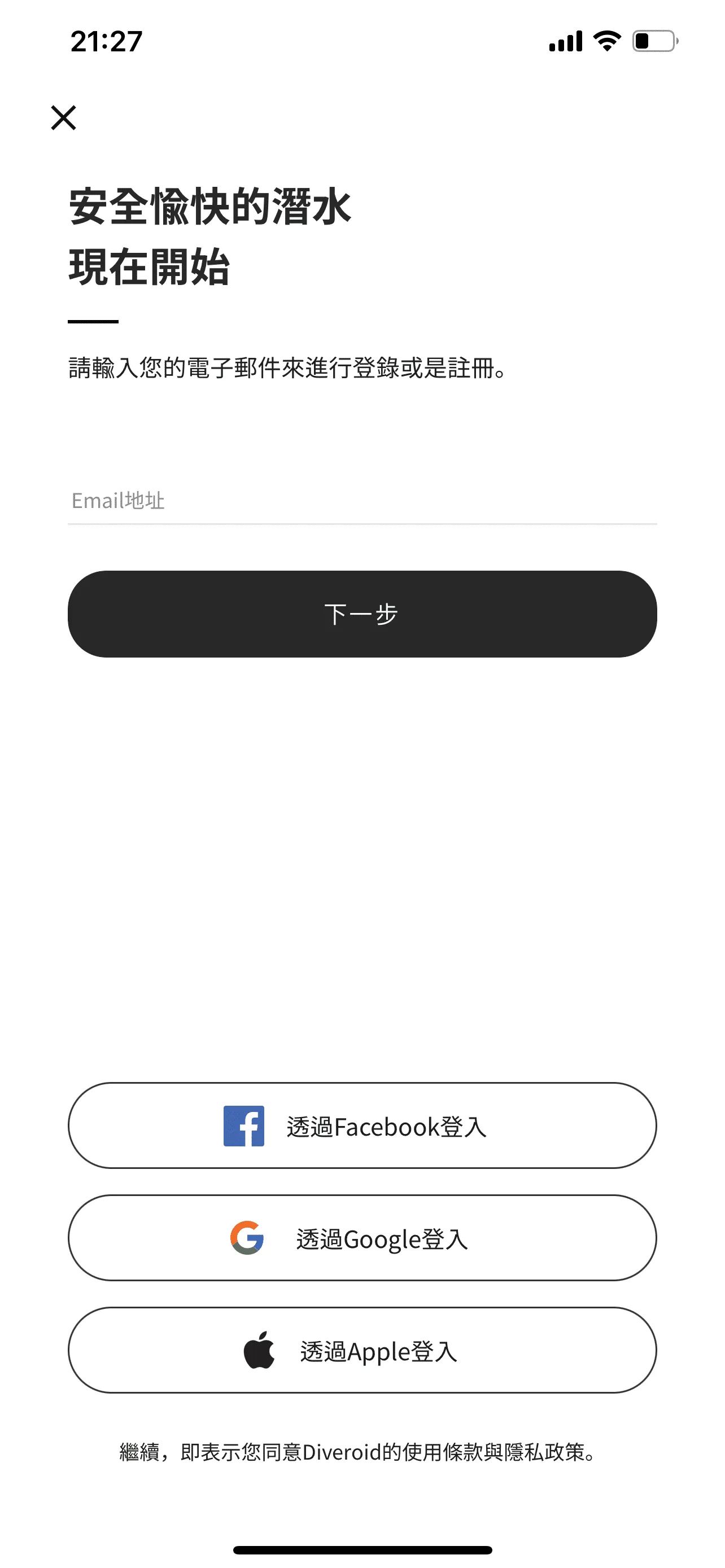
Please register your account first
DIVEROID Activation Step 2 – Pair Your Underwater Housing and Dive Computer Mini
Once registered, you'll need to pair your underwater housing and Dive Computer Mini. There is one minor quirk here: if you lend your housing to someone else, you'll need to unpair it from your account first before the other person can register it to theirs. The Dive Computer Mini, however, doesn't have an unpair function — it simply reconnects via Bluetooth to whichever phone it's paired with. Just something to keep in mind for future use.
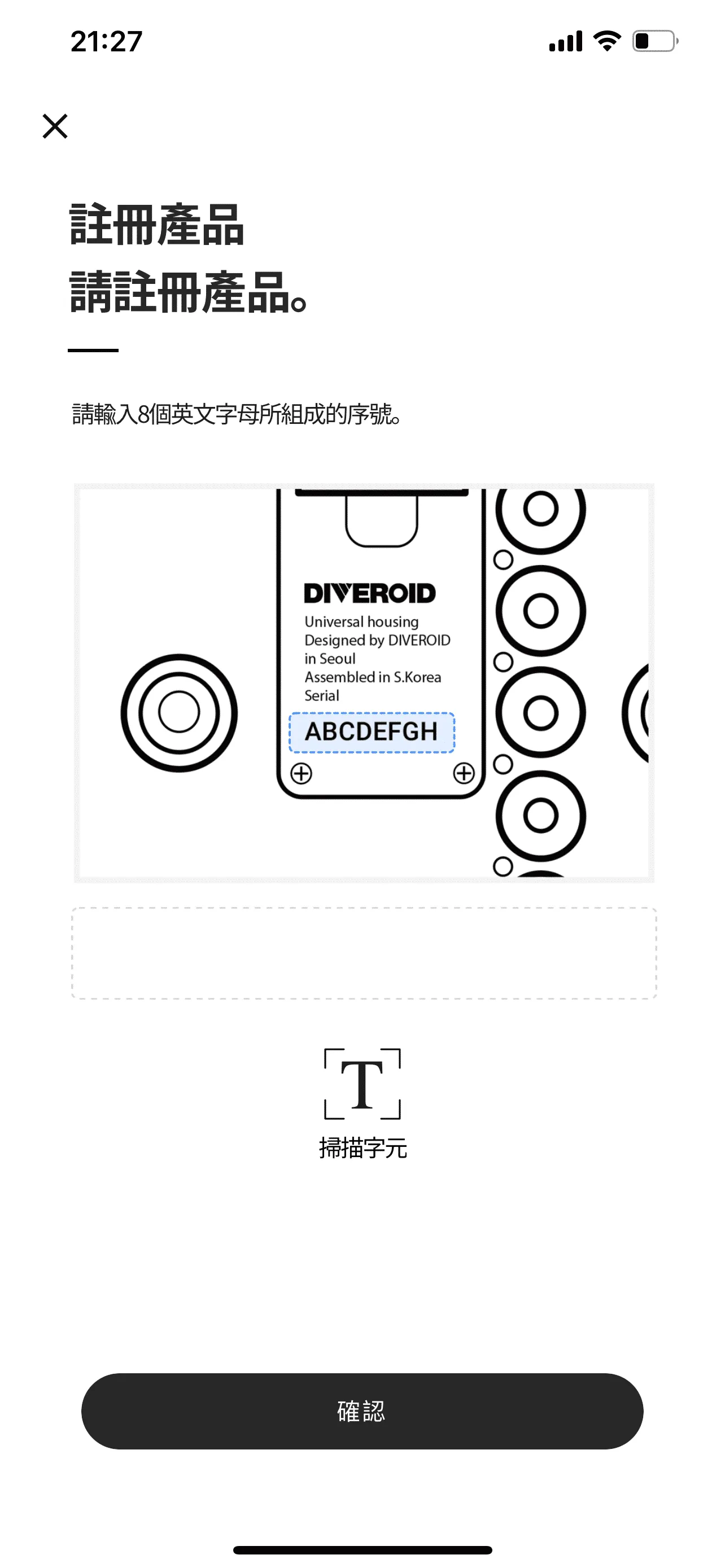
Register the underwater housing by scanning
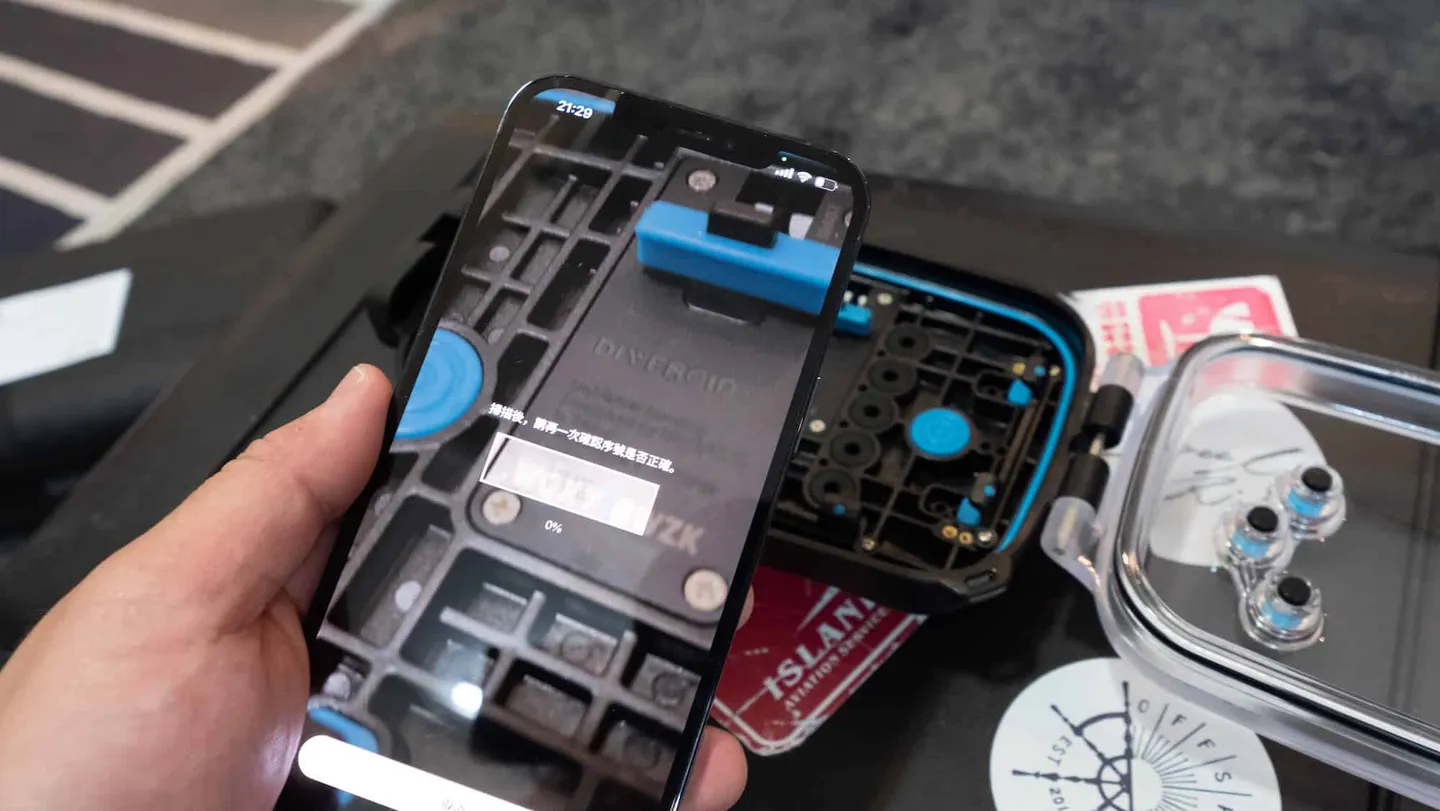
It must be said — the Korean team behind DIVEROID has put a lot of thoughtful care into designing the user onboarding flow
After registering the housing, the app will guide you to enable Bluetooth on your phone for pairing. At this point, simply press the Dive Computer Mini on the back of the housing — when it starts flashing red, it means it's initiating the connection.
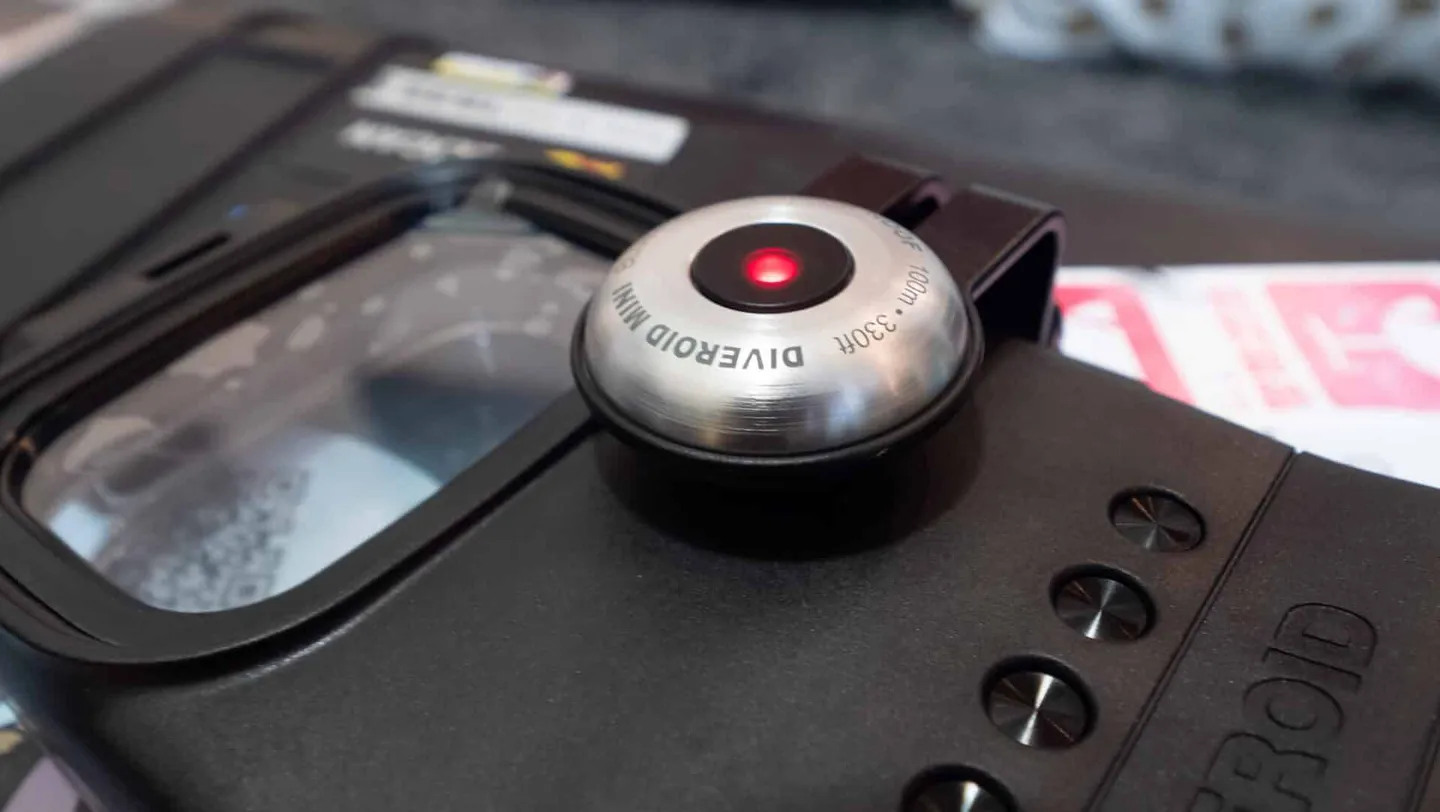
A flashing red indicator light on the DIVEROID housing's Dive Computer Mini indicates that it is powered on
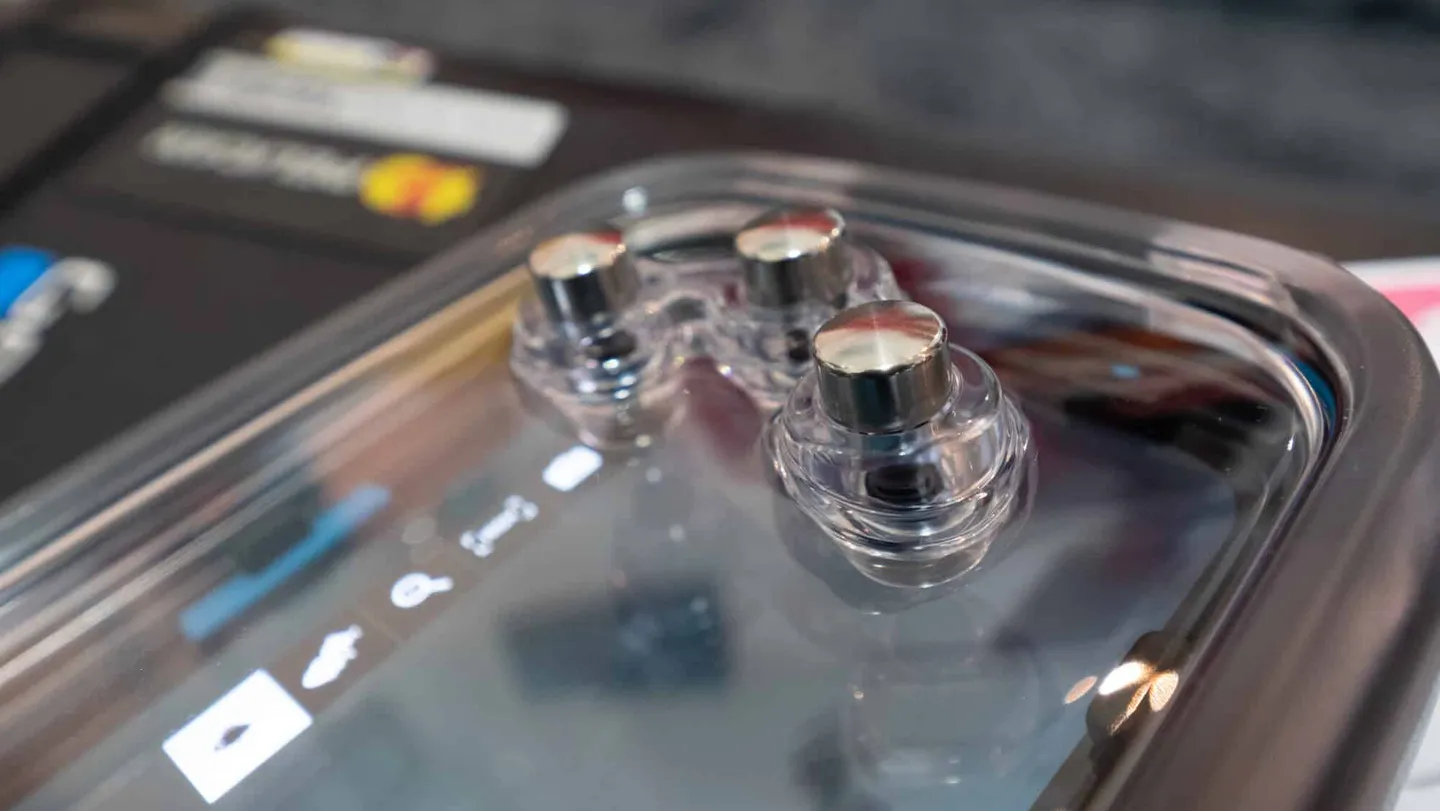
Only three buttons are needed to navigate DIVEROID underwater — extremely convenient
DIVEROID Activation Step 3 – Pre-Dive Checklist
Before entering the water, you'll need to remove your phone's protective case and align it to the right side of the housing, then secure it using the clamp. According to the manufacturer, the housing supports a wide range of phone sizes. For this unboxing review, the Editor used an Apple iPhone 12 Pro Max. If you have any concerns about compatibility with your specific phone model, check the official website first (including size specifications and app support).
Additionally, since this housing does not support vacuum sealing, O-ring maintenance is especially important. It's recommended to apply the included silicone grease around the O-ring before every dive and carefully inspect for any sand, grit, or hair that might compromise the seal.
Once the phone is loaded, remember to launch the app first. The system will then prompt you to configure the housing, connect the Dive Computer Mini, and enable Airplane Mode. At this stage, you can also check the battery levels of both the Dive Computer Mini and your phone. According to official specs, the Dive Computer Mini is rated for approximately 500 dives; when the battery runs low in the future, it will need to be sent back to the manufacturer for a battery replacement.
Phone battery life is a concern many people share, as similar products in the past were notoriously power-hungry — divers often worried about surfacing from a single tank only to find their phone already dead. According to the manufacturer, the app has been optimised to reduce power consumption. Based on the Editor's real-world testing, a 40–50-minute dive consumed roughly 10% battery (tested on an Apple iPhone 12 Pro Max less than six months old).
The manufacturer has also built in some thoughtful safeguards: when battery drops below 30%, the system will recommend disabling the camera function to prioritise power for decompression calculations. Below 20%, it will not allow you to enter dive mode at all!
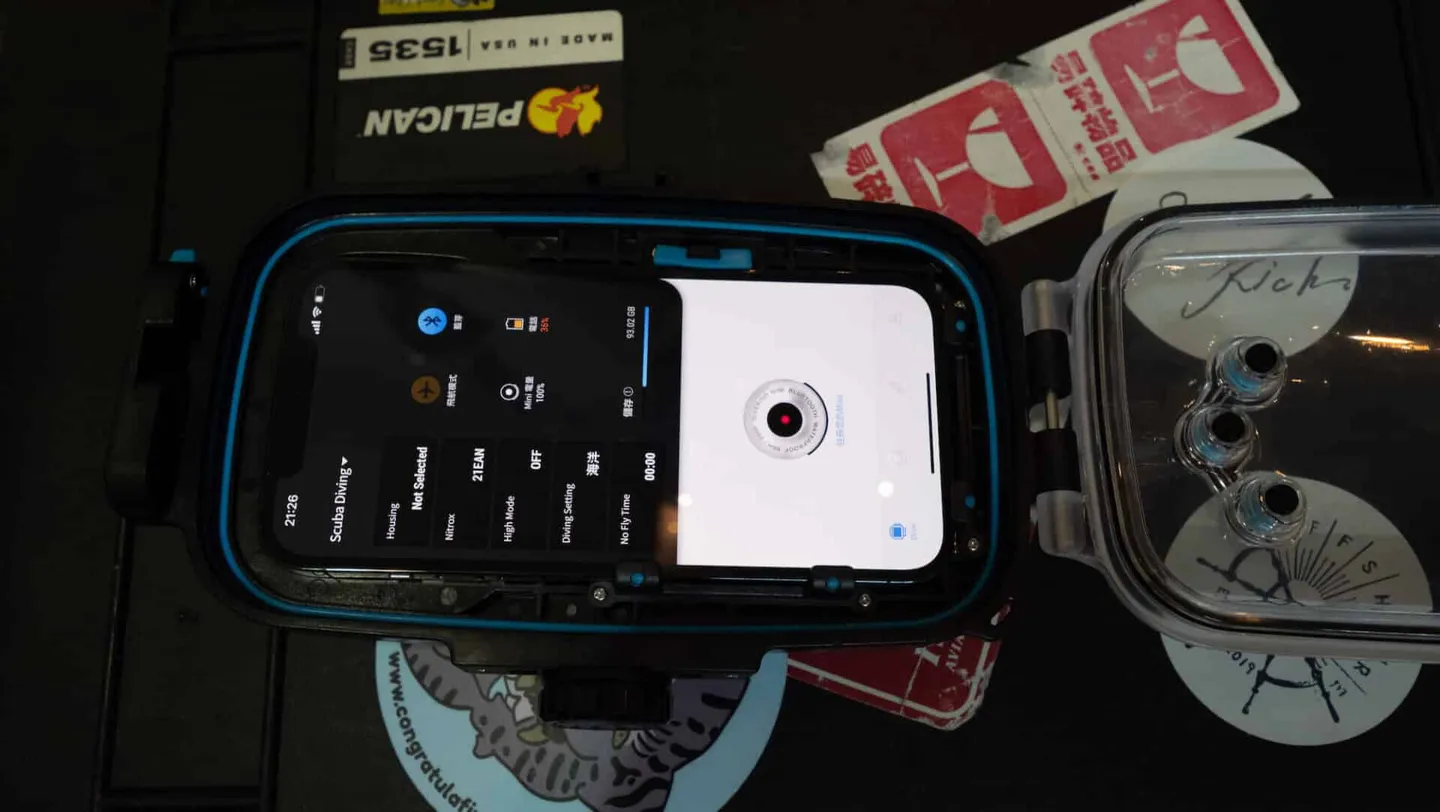
Smartphone placed inside the DIVEROID underwater housing
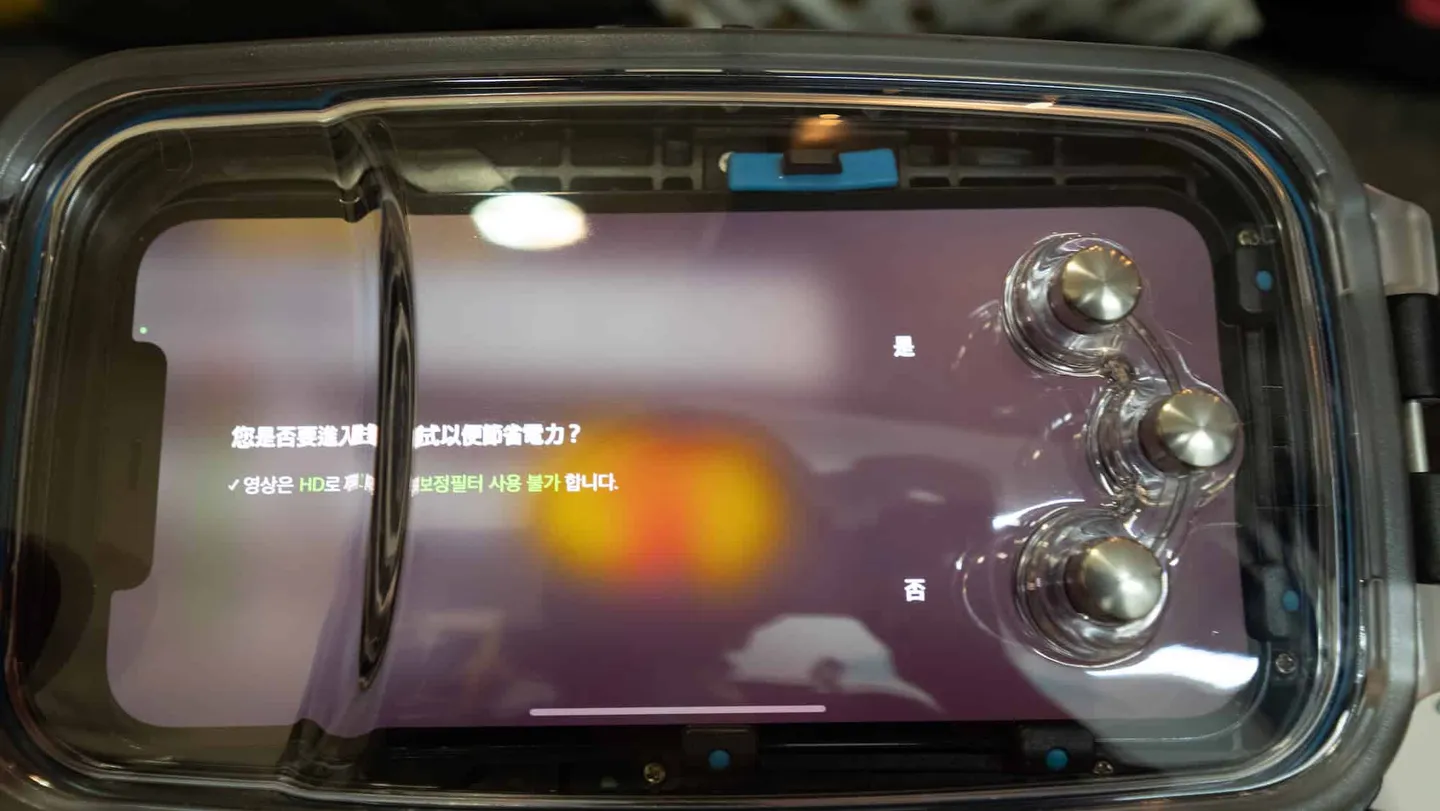
When battery drops below 30%, the system prompts a recommended power-saving mode
DIVEROID Is Both a Smartphone Underwater Housing and a Dive Computer
Because DIVEROID is not just an underwater housing but also a fully functional dive computer, you can see depth, dive time, and other key data displayed on the left side of the dive mode interface, with a digital compass running along the top. The layout is highly intuitive — basically a godsend for anyone who's ever squinted at a tiny dive computer display!
While diving, you can take photos directly through the app's built-in camera function. The available shooting modes depend on your phone model. With the Apple iPhone 12 Pro Max, supported modes include standard shooting, wide-angle, macro, 4K video (which must be enabled in the app settings), and selfie mode.
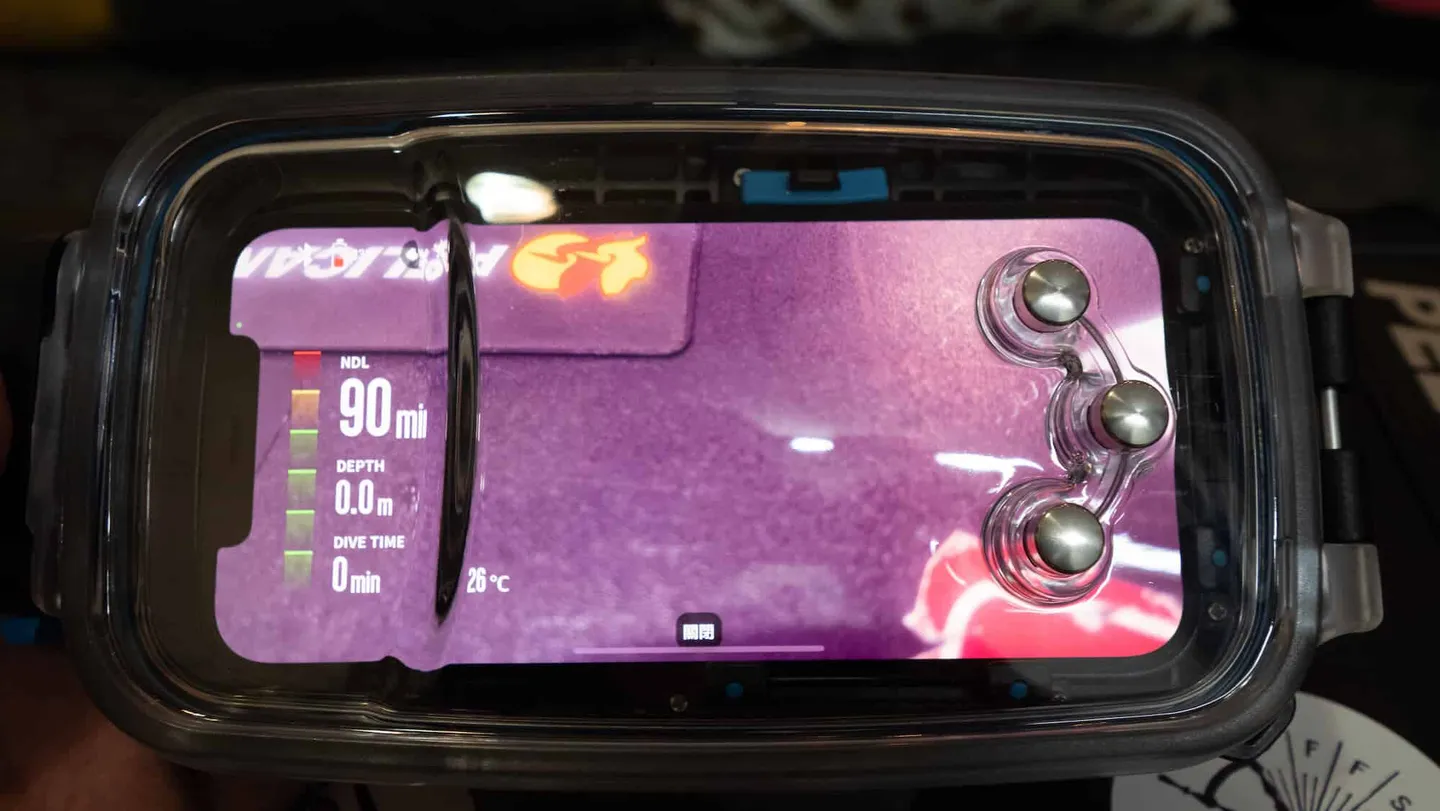
The DIVEROID dive mode interface, with NDL time, depth, dive time, and other essential information displayed on the left
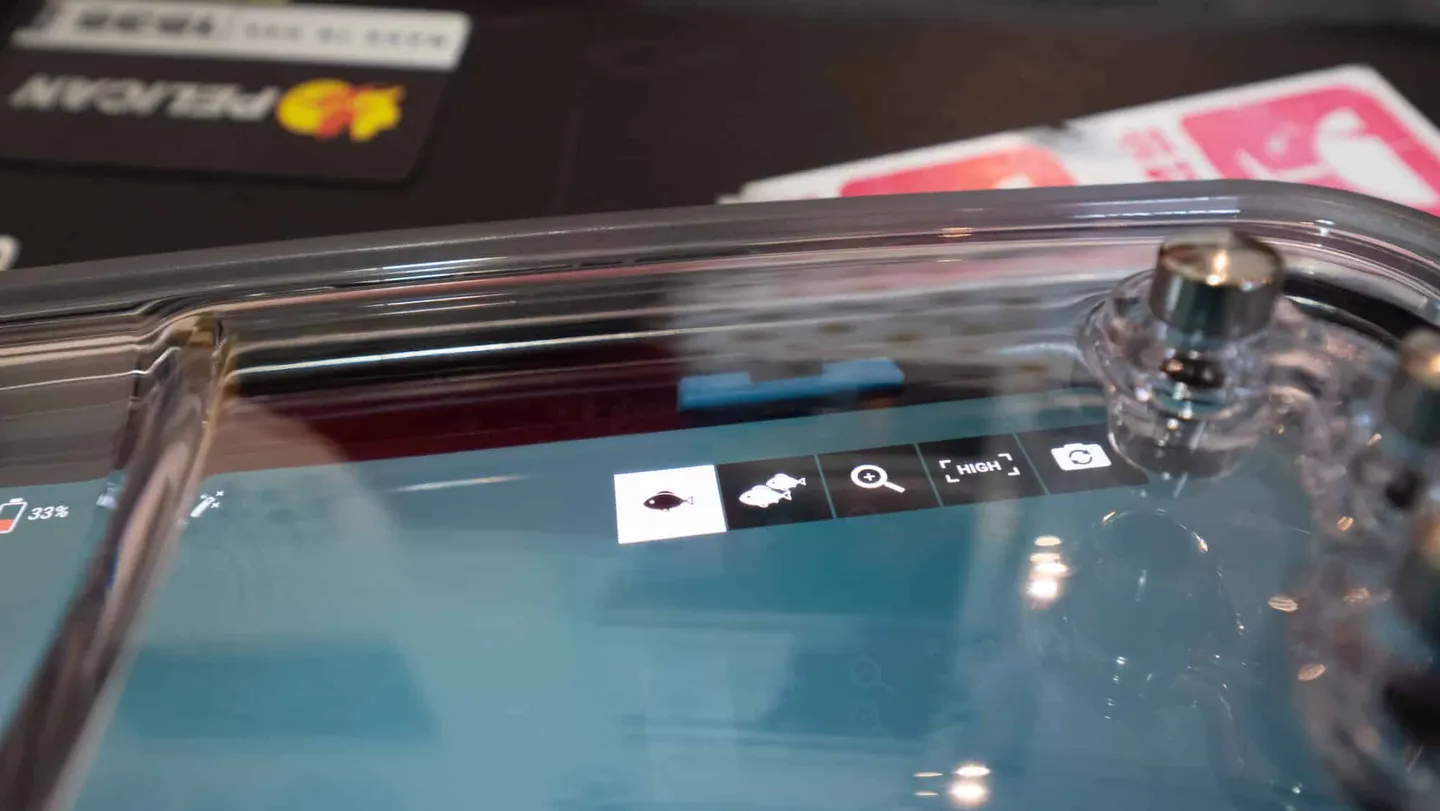
DIVEROID allows switching between different shooting modes
DIVEROID's AI Photo Enhancement — Almost Putting Underwater Photographers Out of a Job
As mentioned at the start of the article, the concept of combining a smartphone underwater housing with a dive computer has been around for years. So how does DIVEROID stand out from the crowd? The Editor's view is that beyond refining its hardware (for example, the housing features DIVEROID's own proprietary Heat sink™ anti-fogging technology), the team has also extended its competitive edge into software performance. In addition to system stability and resistance to overheating, real-time colour correction (automatic filter colour grading) is one of DIVEROID's flagship features.
A previous dive app's photo correction function was found to produce overly red images in shallower water — most likely because it applied a blanket red filter uniformly regardless of depth. DIVEROID, however, states that their proprietary AI technology cross-references depth data from the Dive Computer Mini with water colour readings sensed by the phone's camera to deliver real-time photo correction, achieving the most accurate colour reproduction possible.
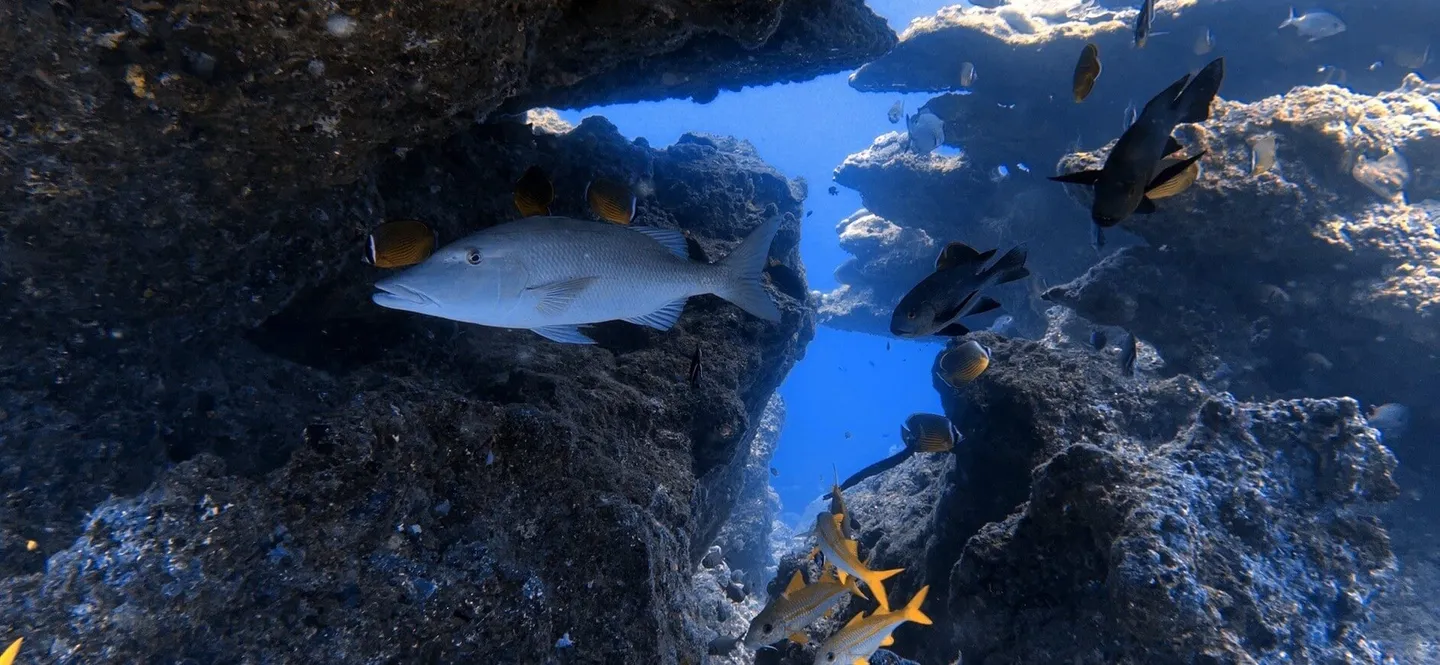
Impressive underwater colour reproduction achieved with DIVEROID — no artificial lighting used
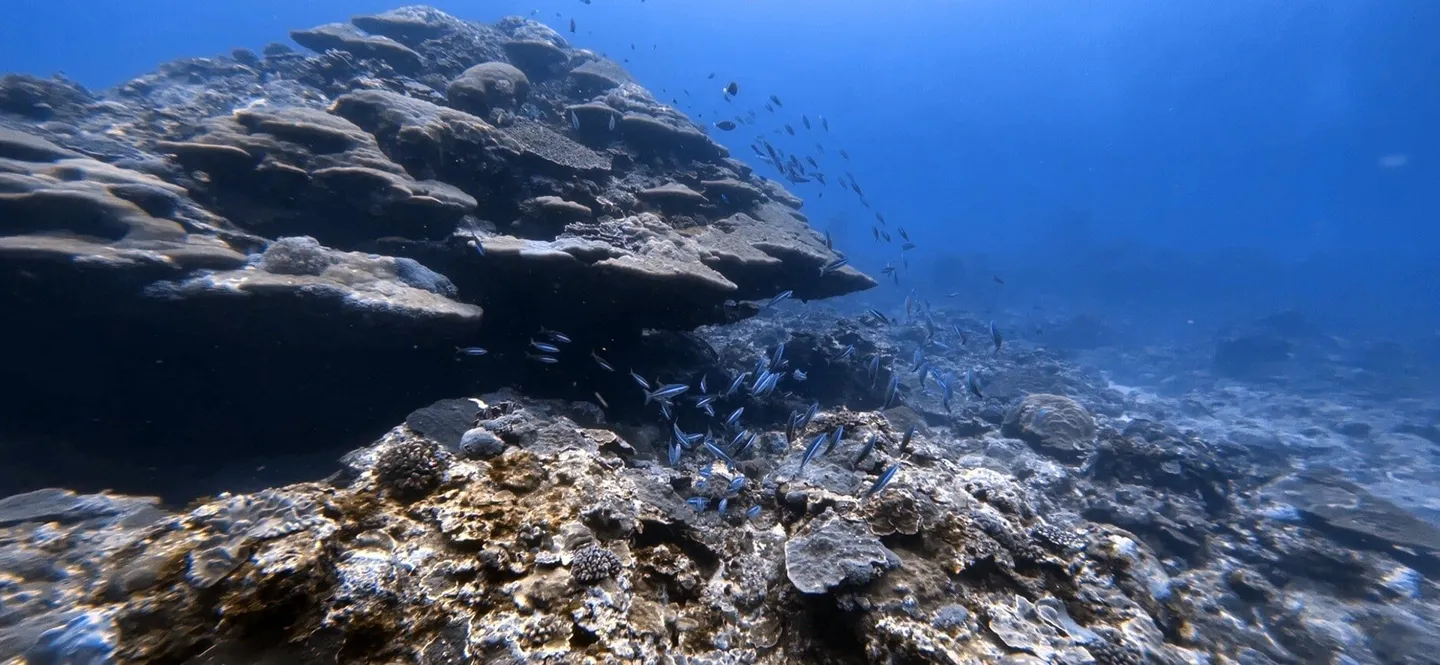
Impressive underwater colour reproduction achieved with DIVEROID — no artificial lighting used
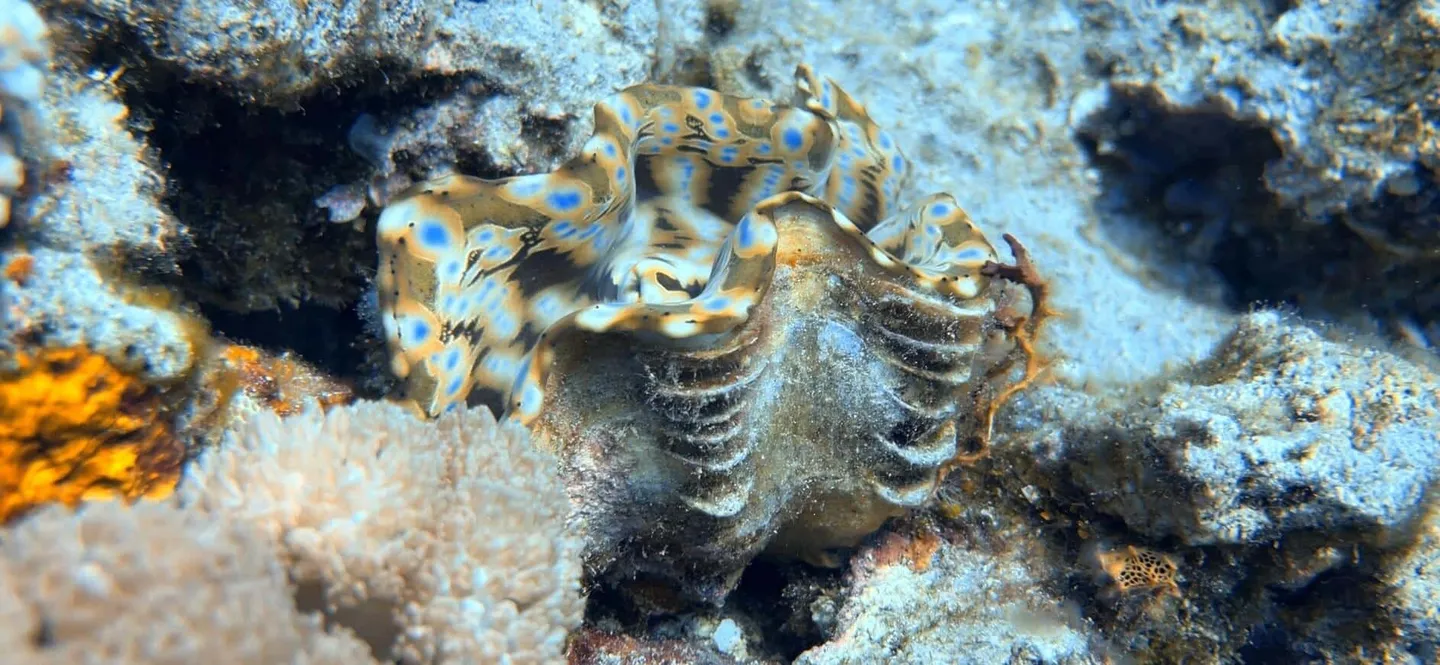
Impressive underwater colour reproduction achieved with DIVEROID — no artificial lighting used
DIVEROID Functions as a Full Dive Computer
Since DIVEROID is a dive computer, you can naturally review your dive log through the app. All the features you'd expect from a standard dive log app are present, including log browsing, depth profile graphs, and photo review — along with direct social media sharing support.
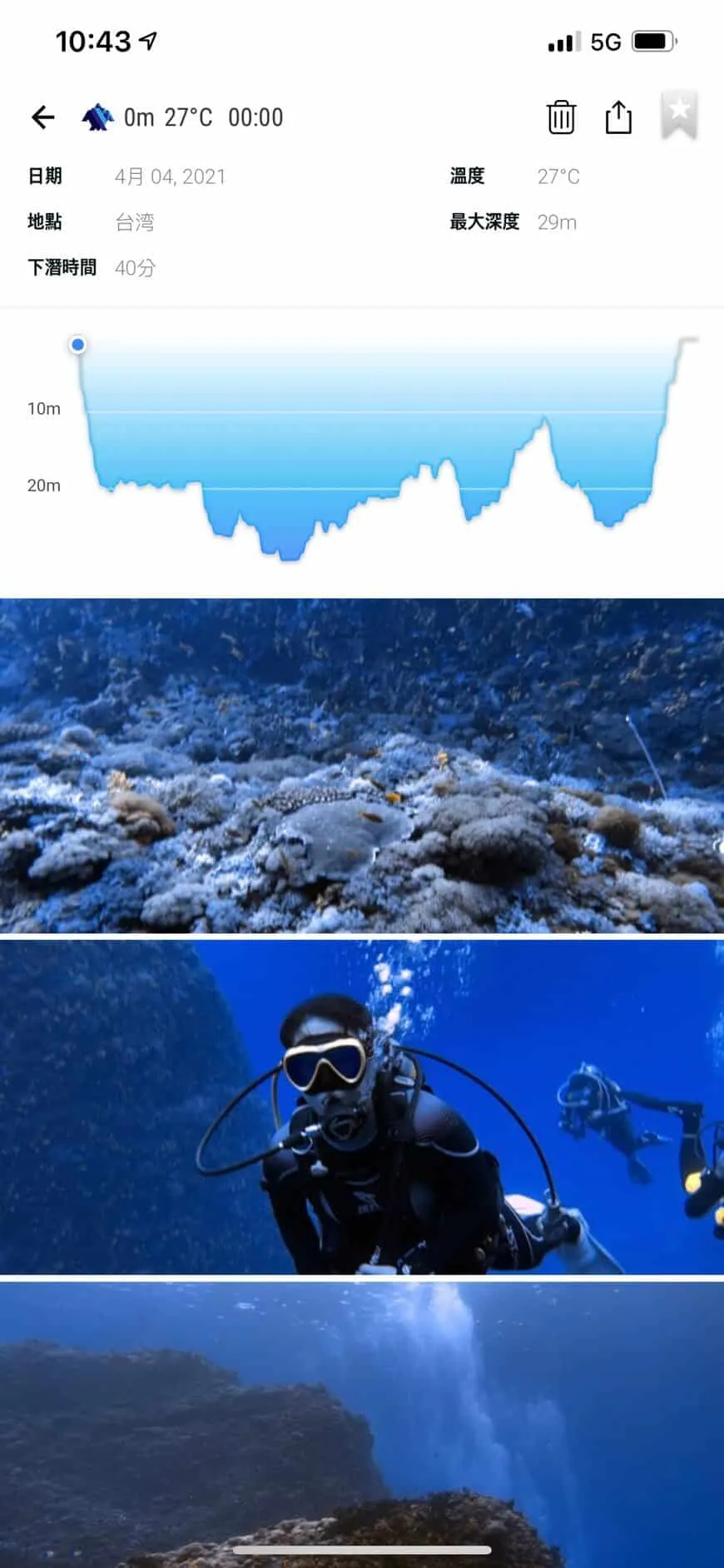
Detailed dive log display
After All That Praise — Does DIVEROID Have Any Shortcomings?
As a responsible reviewer, it wouldn't be fair to only say good things — that would undermine the integrity of the review entirely. On the hardware side, the question most people ask first about DIVEROID is: "Does it have vacuum sealing?" While DIVEROID uses a dual O-ring design, a smartphone is no cheap item — it stores a wealth of personal data, and in an age where life without a phone is almost unimaginable, a waterlogged phone is arguably more distressing than losing your wallet. After checking with the manufacturer, the answer is that vacuum sealing is not currently being considered, due to the need to keep the price at an accessible level (listed at NT$13,980 on the official website) and considerations around product size. With that in mind, the Editor recommends using a phone that already has its own water-resistance rating for extra peace of mind.
On the software side, while DIVEROID does support a nitrox mode (oxygen concentration can be set between 21% and 50%), it currently does not allow users to configure PPO2 or gradient factors (GF values). This can be limiting when planning more specialised dives. That said, these are features that could be added via software updates — perhaps future app versions will include them. Alternatively, it may simply reflect the manufacturer's intended positioning of this product as being aimed squarely at recreational divers who don't require such advanced settings.
What Does the Future Hold for DIVEROID?
Looking at some of the features already available in the app, we can start to piece together DIVEROID's product development strategy. What follows is purely the Editor's speculation — none of this has been discussed with the manufacturer, so take it with a grain of salt.
Reimagining the dive computer supply chain: The manufacturer has deliberately designed the Dive Computer Mini as a self-contained modular unit that attaches externally to the housing. This means any underwater housing manufacturer in the future could potentially enter into a strategic partnership with DIVEROID. After all, the technical barrier for making an underwater housing is relatively low — it arguably makes more commercial sense to focus development resources on the dive computer itself, the app software, and even building a diving community.
Underwater distress signal system: Within DIVEROID's freediving mode, certain Samsung devices already support an above-water distress call function. With a single button press, the phone can send an emergency alert containing GPS location data and a pre-set canned message to a designated recipient. If this functionality can be fully implemented, it could significantly enhance diver safety — and would pose a serious challenge to the Nautilus Lifeline transponders that have become increasingly popular in the diving community in recent years.
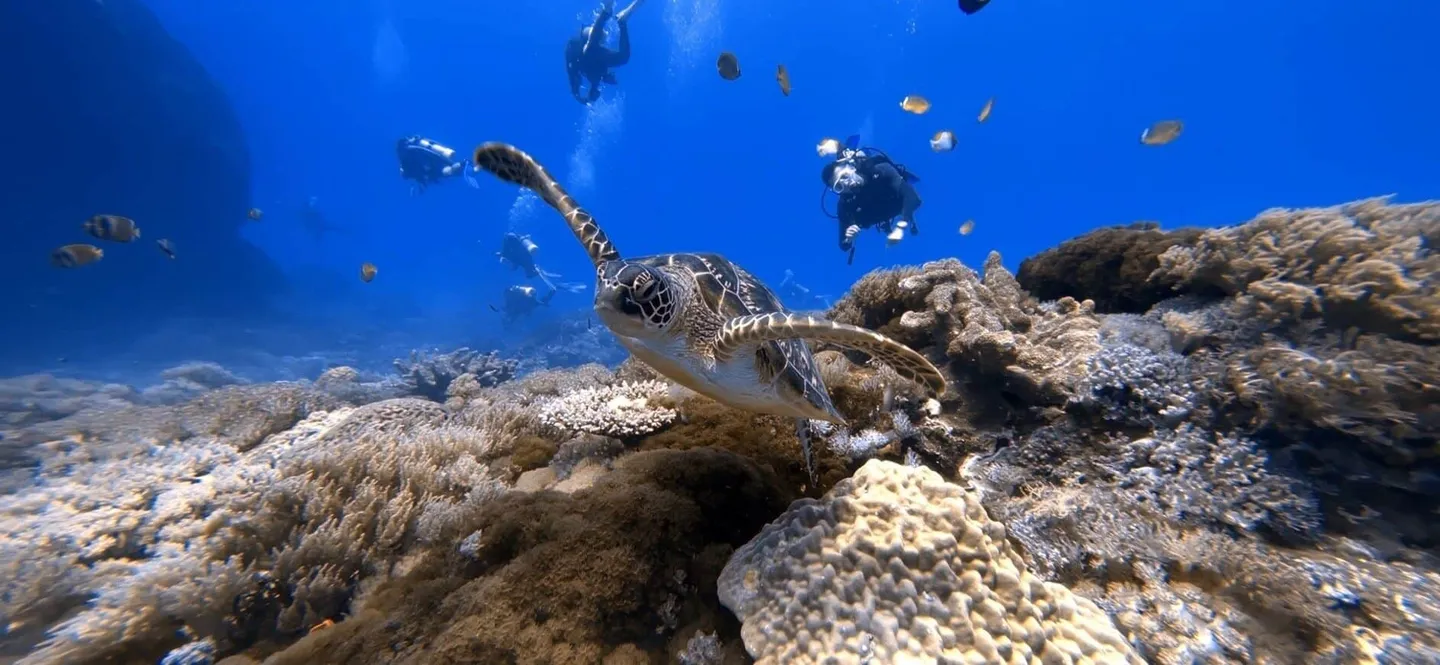
Its simplicity and convenience make diving easier than ever
2 Types of Divers Who Are Perfect for DIVEROID
There's no such thing as the best gear — only the most suitable gear
The Editor personally uses a large-format camera system and, in pursuit of image quality and reliability, there's no escaping the fate of lugging heavy gear to the beach every time. That said, the Editor still wholeheartedly recommends this product to the following two types of users:
-
Beginner divers who aren't chasing image quality, only plan to post photos on Facebook or Instagram, and find buying a separate dive computer plus underwater camera too expensive. If that sounds like you, there's a very good chance DIVEROID is the product for you.
-
Dive instructors and dive guides who get hounded for photos by their students and clients after every session. During peak season, groups come one after another — the rare moment of breathing room between groups inevitably brings a flurry of notifications, with clients giving you those hopeful, expectant looks, desperate to get their underwater shots as quickly as possible. If there were a magic device that required no editing, no laptop to transfer files, and could instantly share to Line — wouldn't that be incredibly appealing to instructors and dive shops?
The Editor hopes to have the opportunity in the future to share how DIVEROID performs in a freediving context, as well as how the dive computer interface handles NDL calculations, the 3-minute safety stop at 5m, and even entering decompression mode — so that everyone can dive more simply, and more safely!
Related links:

![[Kyotaro Column] Black Background Macro Shots in Underwater Photography — Learn It in Just 5 Minutes](/_astro/%E6%88%AA%E5%9C%96-2021-04-25-18.27.03-1_OHeUr.webp)
![[Kyotaro Column] RX100 Underwater Housing MPK-URX100A — What to Do When You Can't Adjust the Shutter?](/_astro/%E6%88%AA%E5%9C%96-2021-04-25-18.55.06-1_ZaydAw.webp)