Contents(4)
A dive computer is one of the most strongly recommended pieces of equipment for every diver, right after they have purchased a full set of recreational gear. Why do so many divers consider a dive computer even higher priority than heavy equipment? I believe it comes down to the inherent risks of diving itself. While recreational diving requires strict adherence to depth and time limits, every time you descend beyond a certain depth you must perform a safety stop of a set duration before surfacing. On a multi-dive day during a dive trip, residual nitrogen accumulates in your body with every minute underwater — planning all of that with paper dive tables takes a lot of the fun out of diving. A fast, convenient dive computer is therefore the natural solution.
Features of the Deepblu COSMIQ Dive Computer
The dive computers most commonly seen in Taiwan are Suunto models or those from other established dive brands. In this article, however, we want to introduce the next-generation dive computer made in Taiwan — the Deepblu COSMIQ — and look at how it makes filling in your dive log easier and more intuitive.
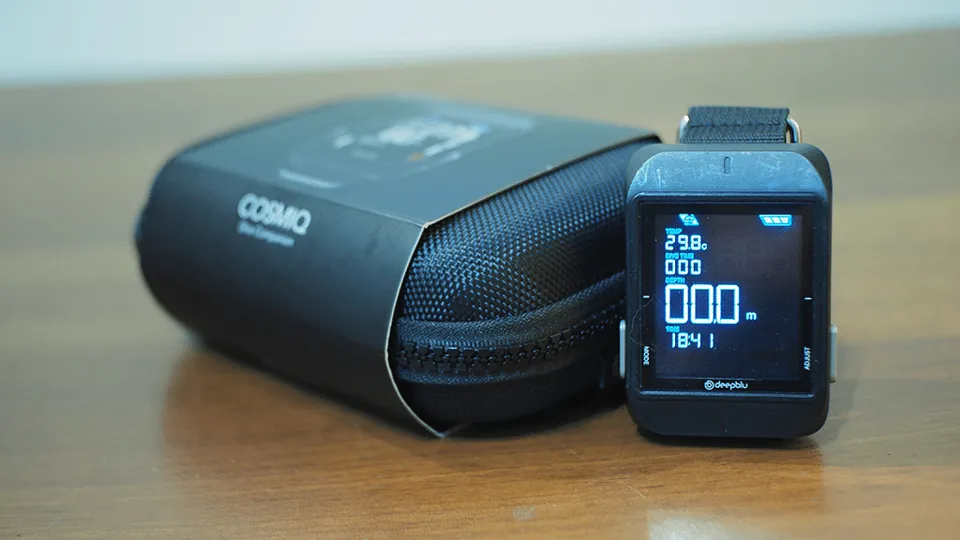
The packaging — a waterproof fabric box that feels genuinely premium and well thought-out!


Unboxing the Deepblu COSMIQ Dive Computer
After speaking with the Deepblu sales team, I learned that because the product was positioned for the international market from the very beginning, the manual is provided in English. Diving terminology is largely universal, and the dive computer itself is simple to operate (more on that shortly) — it took me only about 5 minutes of exploring to figure out how to use it.
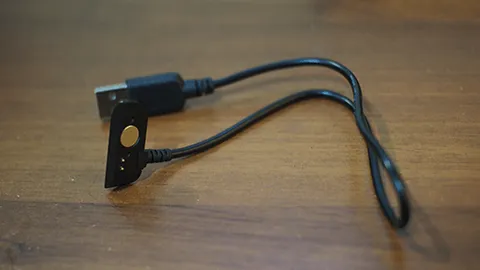
Magnetic charging cable
The COSMIQ uses a magnetic charging cable — simply bring it close to the back of the watch and it snaps on to start charging. Many users reported that the battery drains quickly after early testing, but after hands-on testing I found that a full charge supports 6–7 or more tank dives (when used as an everyday watch, the manufacturer states 2–3 months of battery life). This is a significant difference from traditional dive computers, which typically need a battery replacement every 1–2 years or after roughly 70 dives. That said, given the COSMIQ's large, bright, easy-to-read display and the advantage of syncing logs directly to the app, this minor inconvenience is easy to forgive. Moreover, the COSMIQ uses a standard USB connector for its charging cable, so a car charger, power bank, or any USB adapter will do the job. For a typical dive travel itinerary, the battery life and charging convenience should more than meet most users' needs.
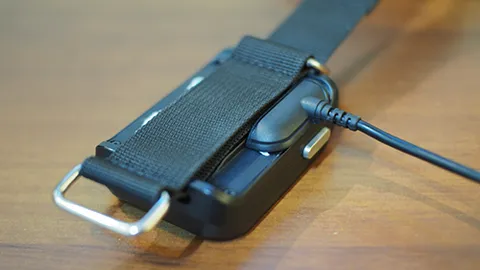
Just bring it close and it snaps on — instant charging
Next, of course, we have to compare the look of these dive computers. We pulled out two dive computers the editor already owns for comparison: the Suunto D4i, a well-regarded name in the dive world, and the Cressi Leonardo, known for its extra-large display.
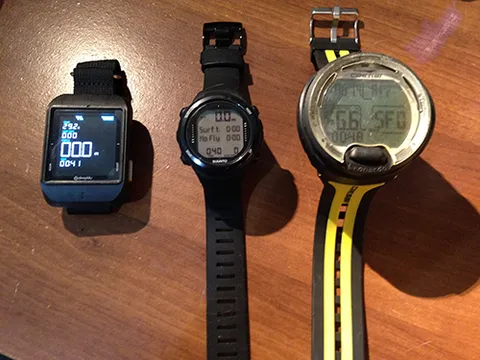
From left to right: COSMIQ, D4i, Leonardo
Purely in terms of the display, the COSMIQ's large face won me over instantly. The numbers are clear and easy to read while diving, and even more so during night diving. The COSMIQ features two buttons — left and right — to control all functions. After using them in practice, I found the design extremely intuitive: not so many buttons that you forget which does what, and not so few that you're cycling through menus endlessly. The key selling point, once again, is that bright, clear display — you'll still be able to read it even when your eyes are old and tired!
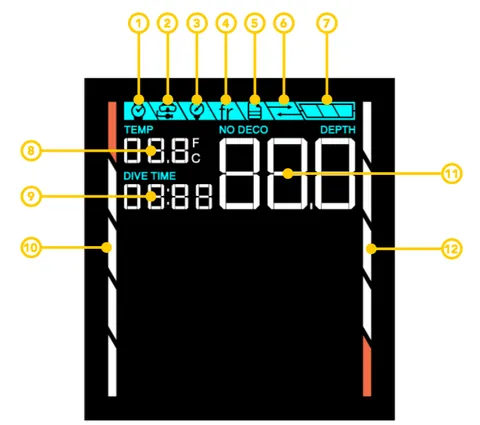
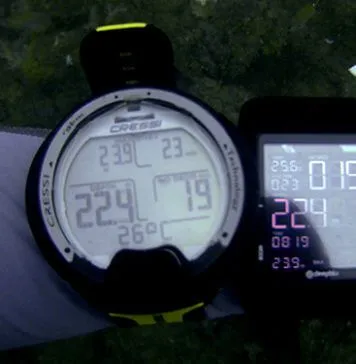
Size comparison with other dive computers
The COSMIQ includes the following modes. The official manual covers each function in full detail, so we won't go through them one by one here (link to official manual).
- Watch Mode: Use it as an everyday watch. You can set it to display the current date or the time of your last dive, and it will also remind you of your no-fly time restriction.
- Dive Mode: Activates automatically once you begin your descent, or can be adjusted before entering the water to set your nitrox percentage.
- Gauge Mode: Only depth and temperature are measured, for use as data collection. Note: Once Gauge Mode is activated, because the watch no longer calculates residual nitrogen, Dive Mode will be automatically locked until 24 hours have elapsed.
- Freediving Mode: Detects depth, temperature, and dive time; an audible warning can also be set to trigger at a chosen depth.
- Log Mode: Review your dive records.
- Sync Mode: Sync all dive data to the dedicated COSMIQ app. In pursuit of a perfect user experience, it would truly be a shame not to use this feature!
The dedicated COSMIQ app — what exactly is this thing, and why is syncing your log so strongly recommended? Let's take a proper look (app download link).
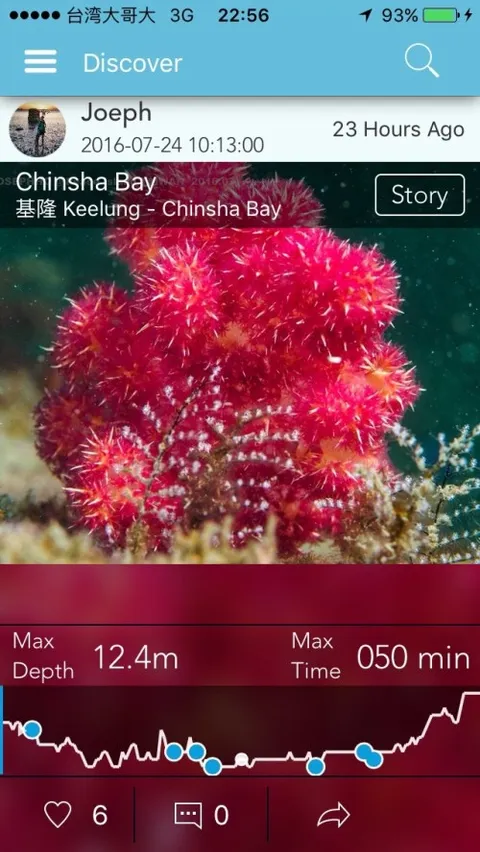
The app home screen showcases fellow divers' impressive dive logs
The first thing you see when you open the app home screen is a feed of impressive dive logs from other divers in the community. Each dive entry includes maximum depth, dive time, and a map of the dive site. The real treat, however, is the depth-profile timeline at the bottom — drag along it and your photos from the dive appear in sync. It's a thoughtful little touch that makes browsing the highlights of each dive trip genuinely enjoyable. So how do you upload your own dive log? Let's go through it step by step.
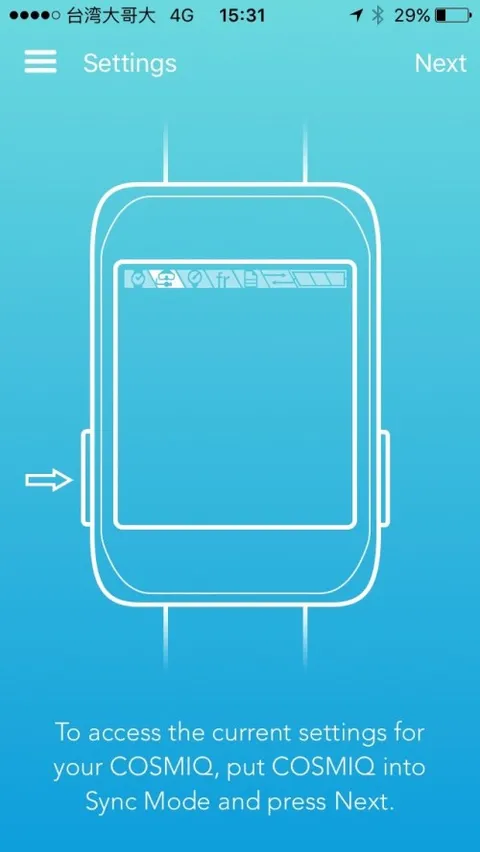
After tapping the Sync function, the app prompts you to switch the watch to Sync mode (don't forget to turn on Bluetooth!)
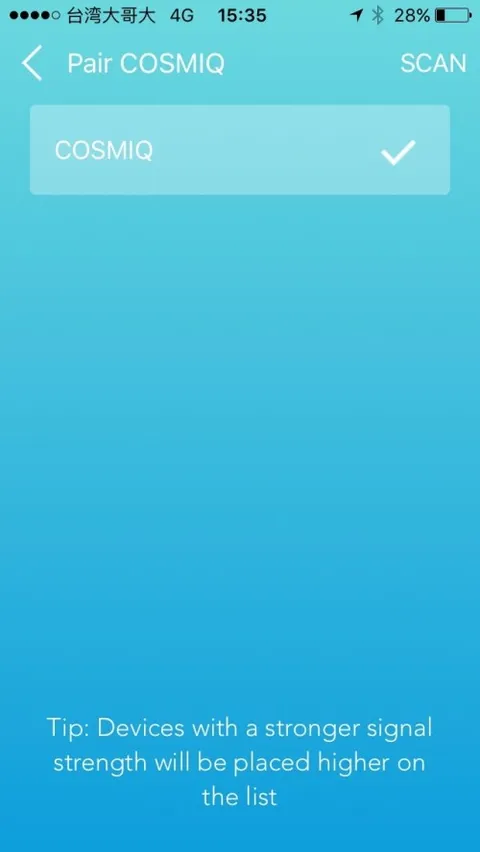
Once the watch is found, it connects automatically
Before syncing the dive log, we can first complete the basic watch settings by tapping Settings to enter the settings page.
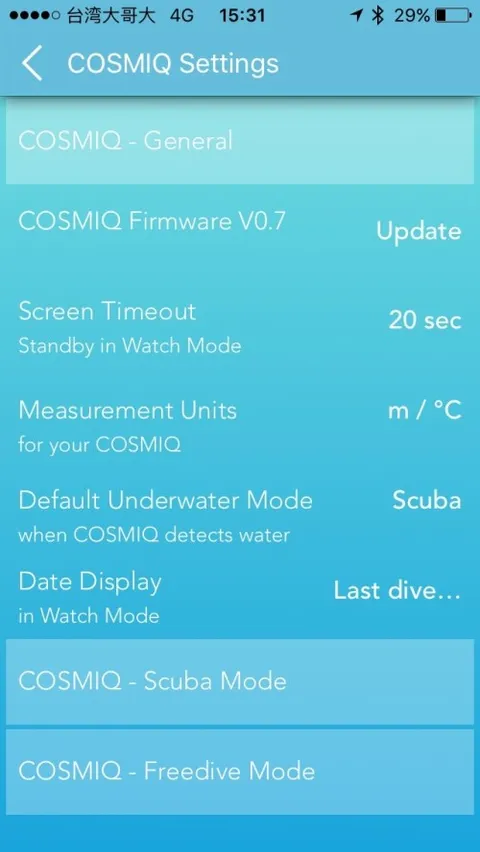
General settings, Dive Mode, and Freediving Mode can all be configured here
A small tip here: based on feedback from some divers, the COSMIQ tends to calculate no-decompression limits on the conservative side. It is recommended to adjust the Safety Factor to Progressive (though this should ultimately be tuned to each diver's own habits and experience).
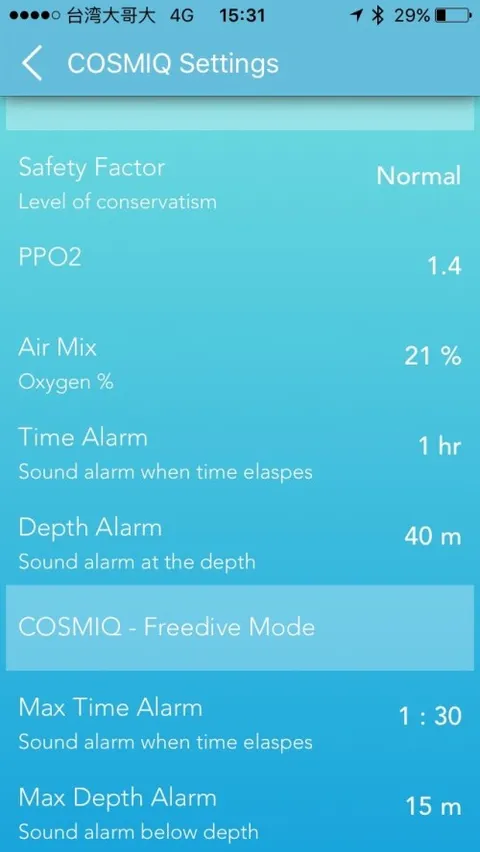
Fine-tune your usage preferences
Once all settings are adjusted, tap Create Log in the app. This allows users to manually create a log entry, but since we're here to experience the magic of syncing, we'll tap the sync button in the upper-right corner.
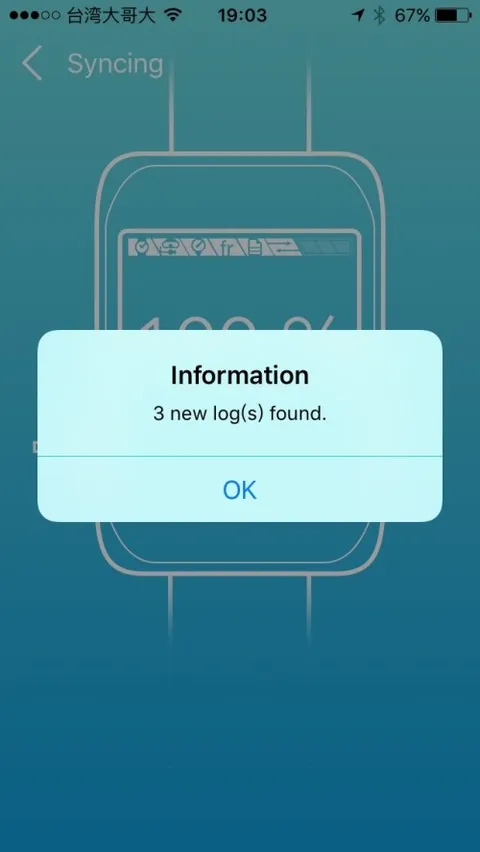
Log import complete
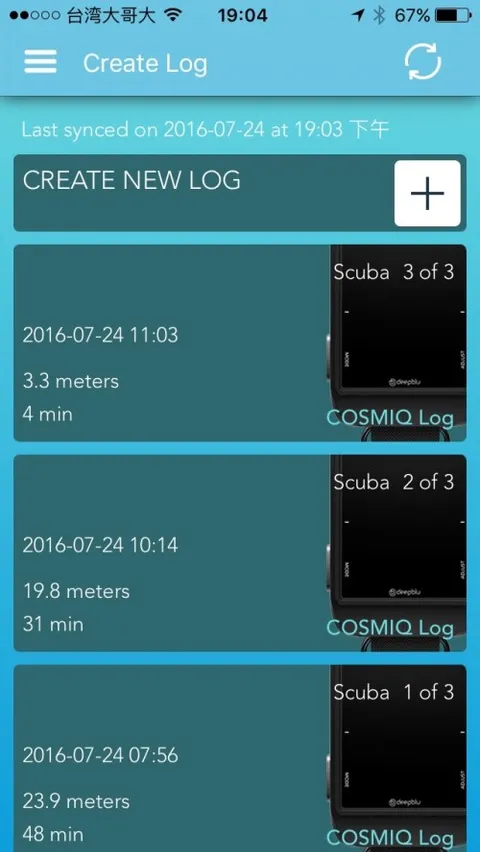
Tap to import the log — or remove it if you prefer
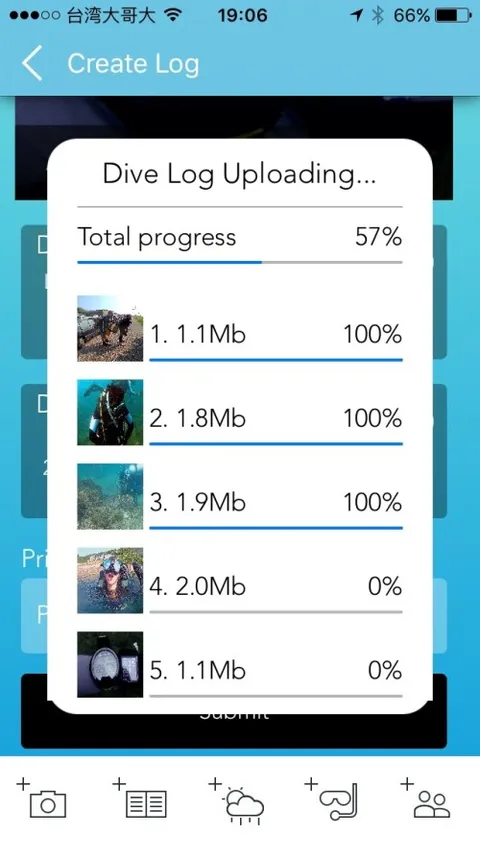
Fill in the required dive log information, select your photos and import them, then wait for the upload to complete
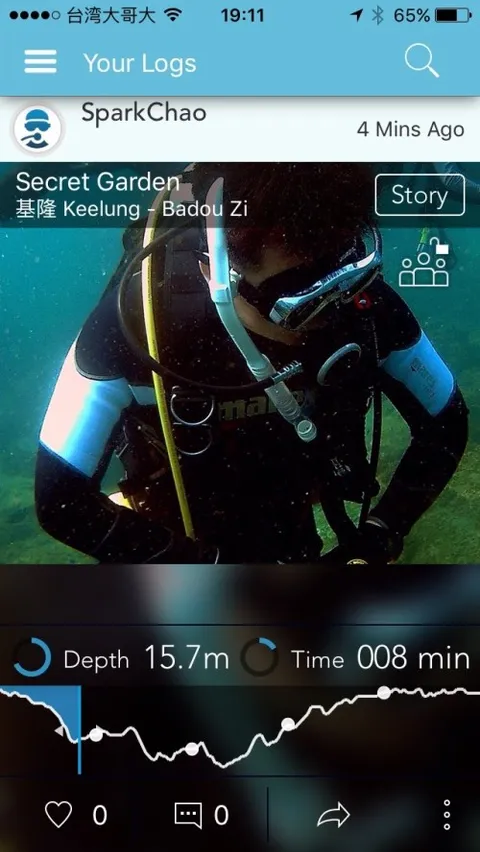
Dive log upload — mission accomplished!
Once the log has uploaded successfully, don't forget to drag along the depth-profile timeline and watch your dive photos appear in a dynamic, scrolling display. Because every photo carries a timestamp, the markers on the timeline are positioned by the app based on those timestamps. Five years from now, all you'll need to do is drag that timeline to recall exactly which moment on which date left you with those unforgettable memories.
After marvelling at the excellent log upload experience, I want to highlight one more feature in particular: the Update Firmware function. Why do I emphasise this? Because in the age of the IoT (Internet of Things), connecting everything to the network is what drives revolution. Once the COSMIQ is synced with the app, it can use OTA (Over-The-Air) technology to update the firmware inside the watch directly. Combined with ongoing app updates on the software side, this delivers a continuously improving user experience. In other words, owning a COSMIQ is nothing like buying a traditional dive computer and simply waiting to replace the battery or buy a new watch — instead, you get to enjoy ongoing improvements and new features as the development team continues to advance the product.
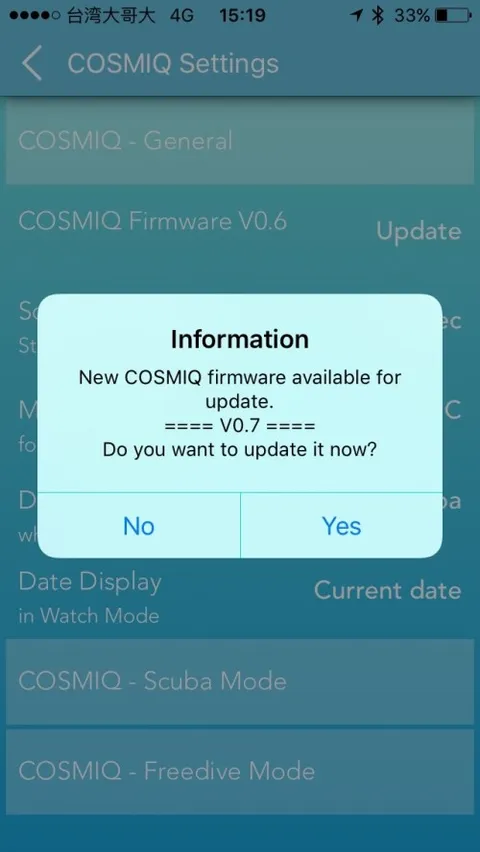
OTA firmware update in progress
Looking at the Firmware Update History on the official website, updates are released on average once a month. With Deepblu's formidable engineering team behind it, I have no doubt that both the watch firmware and the app's user experience will continue to grow ever closer to what divers truly need as time goes on.
The final topic, naturally, is price. The current listed price on the Deepblu official website is US$299, which works out to approximately NT$9,500 (calculated at US$1 = NT$32). At that price point in the world of dive computers, you'd typically only be looking at entry-level options from established brands — yet a Taiwanese manufacturer has managed to produce a product this good at this price. They truly deserve a round of applause!
Review:
- Seamless end-to-end integration between the watch and the app, covering both hardware and software, delivers a complete and cohesive user experience.
- The dive log presentation in the app is lively and engaging; adding video embedding in the future would make the log experience even richer.
- Suggested future enhancements to further showcase the end-to-end integration: log sharing with fellow COSMIQ users or dive group members; auto-generated highlight videos based on log data (e.g. "My 2016 Diving Year in Review," "My Days at Wanghaijiao Bay," "Highlights with My Dive Buddy xxx," etc.).
Update:
At the end of 2016, the COSMIQ received a major OTA update adding Altitude Mode and Fresh Water Mode, enabling even more divers to take their COSMIQ on adventures around the world!
In early 2017, the COSMIQ received another update targeting multi-screen display functionality and hardware improvements, including a low-battery management feature that divers will appreciate — allowing the watch to complete one final dive even when battery is critically low — as well as the ability to import dive log data from other brands of dive computers. Click here for more details.
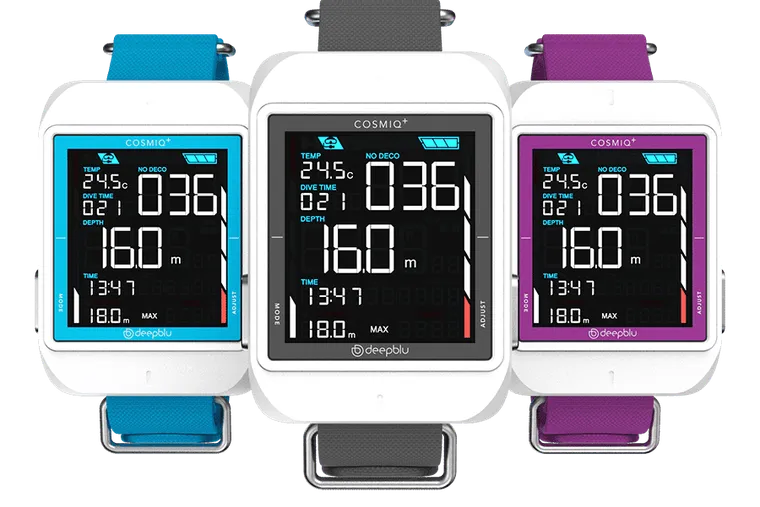
Three new watch colours were also added, giving divers more options to choose from. Seeing them in person on a dive trip, the vibrant colour options are genuinely eye-catching!
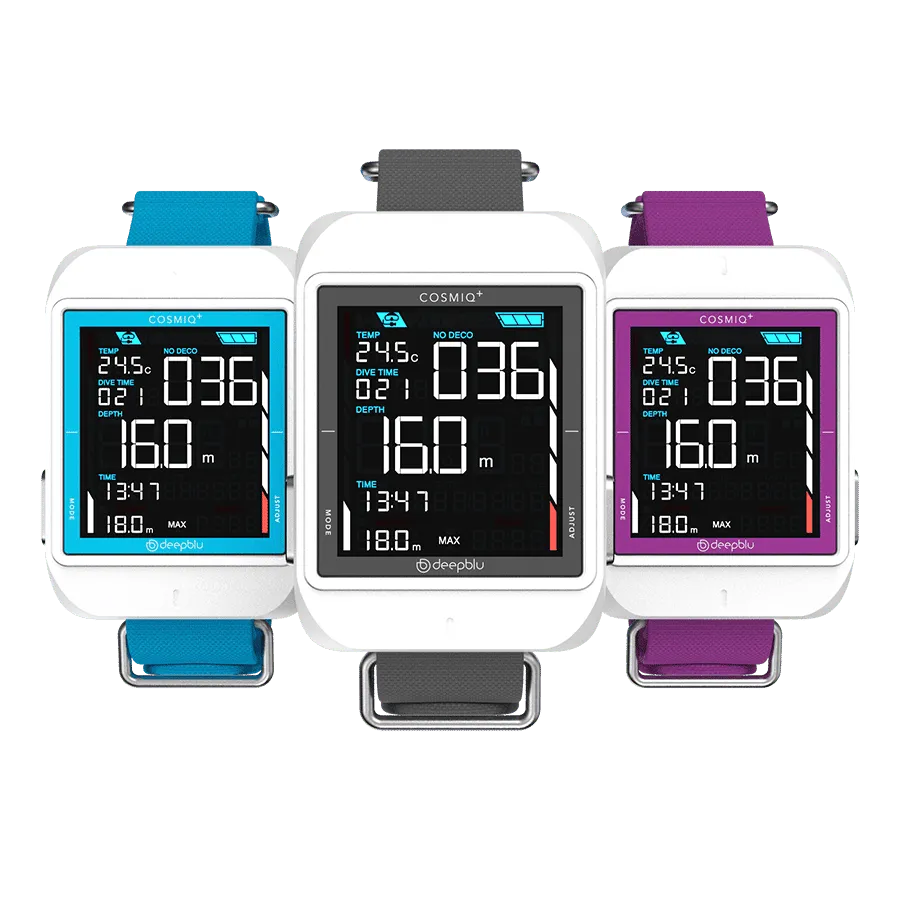
For more product information, visit the Deepblu COSMIQ official website: http://deepblu.com/
A quick plug on behalf of someone else: since I'm not selling watches, if you'd like to enquire or take a closer look at one, please contact Coach Guo (zeta0301@gmail.com)!