Contents(7)
- Step 1: How Do You Buy One?
- Step 2: How Do You Apply for Satellite Service?
- Step 3: How Do You Pair It with Your Phone?
- Time to Put It to the Test — Real-World Experience on an Overseas Dive Trip
- Satellite Connection and Message Sending Speed: Fast
- Device Battery Consumption: Watch Out for Obstructed Environments
- Drawbacks of the GARMIN inReach
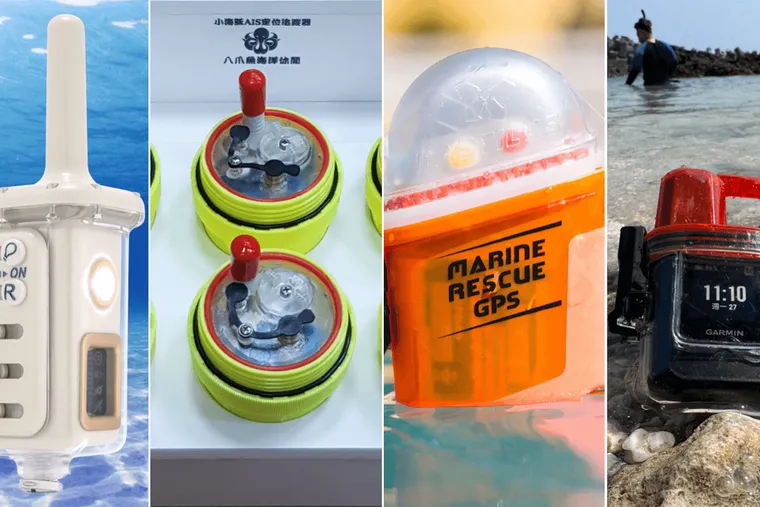
The Editor shared a niche topic at the DRT Dive Show: "If You Get Swept Away, How Do You Get Rescued? How to Choose from 4 Types of Distress Beacons — for Both Scuba Diving and Freediving!" The presentation was later turned into an article. Despite the low traffic that niche topics tend to attract, we received a surprising number of private messages from fellow divers asking about how to use and set up the GARMIN inReach Mini. So in this article, we'll walk you through step by step how to get your hands on this essential overseas dive trip gadget — the GARMIN inReach Mini!
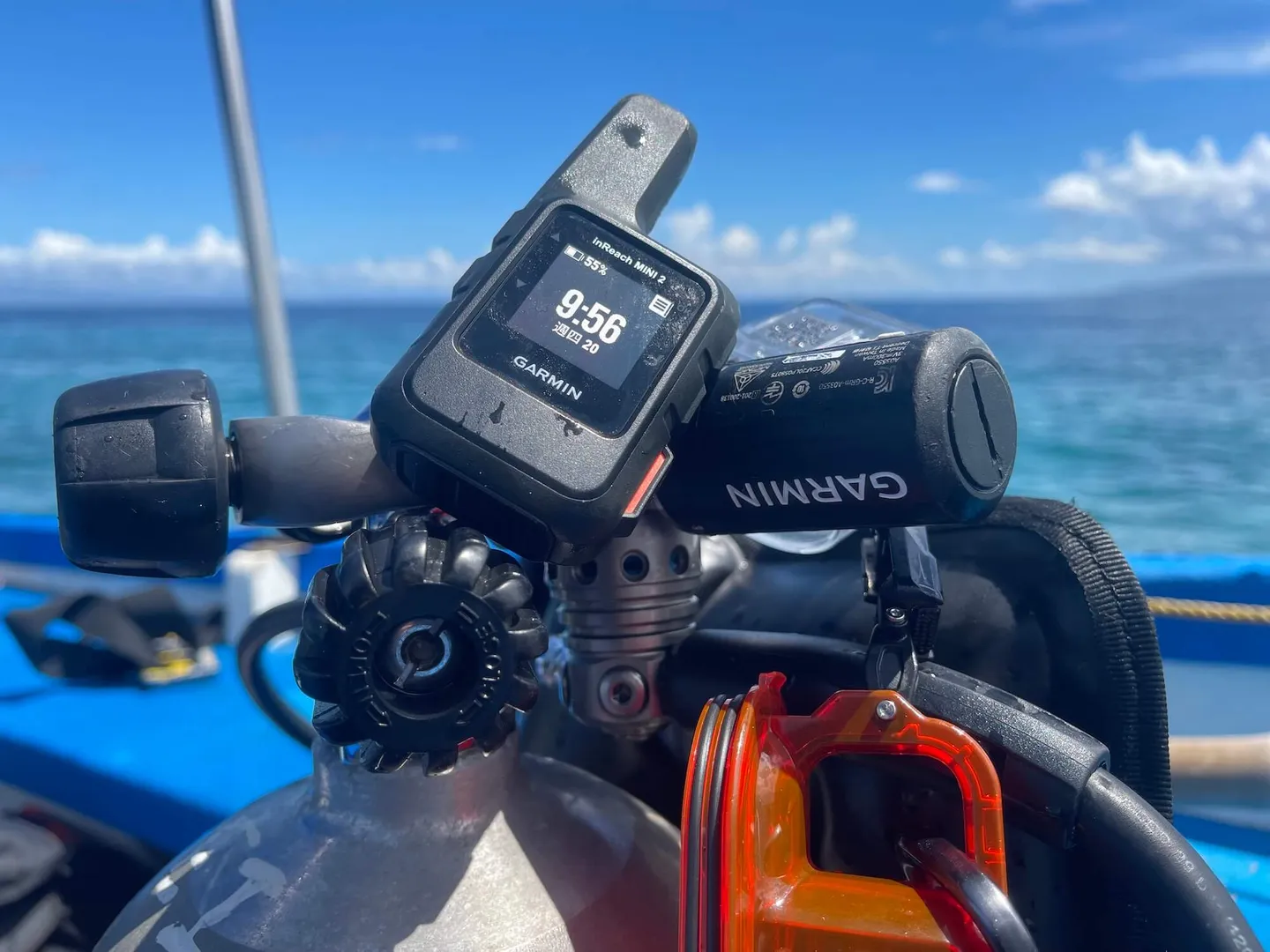
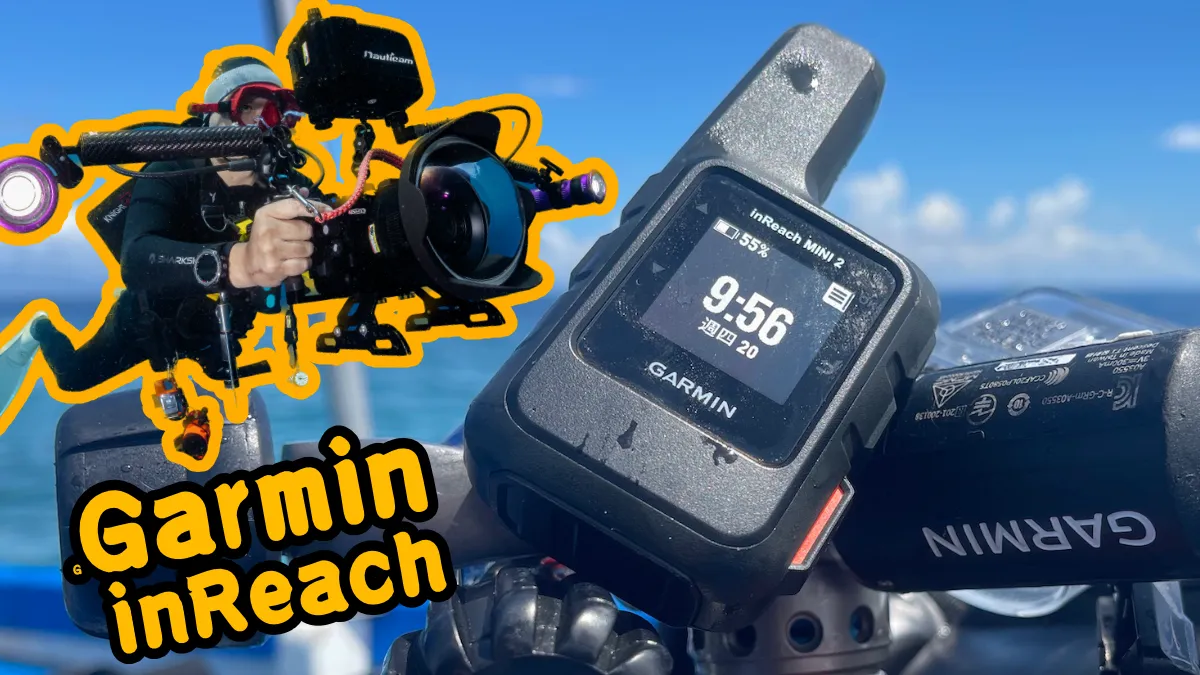
The GARMIN inReach Mini puts dive safety in your own hands
This article was written in May 2023. To avoid relying on rapidly changing information, buyers should contact Chunghwa Telecom and GARMIN directly for the most up-to-date details.
First, let us explain why the above disclaimer exists. The GARMIN inReach is a satellite product, and Taiwan's government regulates this category of product very strictly. In fact, the Editor began discussions with GARMIN back in 2021 about how to introduce this product, but due to NCC regulatory restrictions and the approval process — combined with the production timeline for GARMIN inReach's own waterproof case — it wasn't until 2023 that the product could be sold and reviewed.
Because of these various regulatory constraints, the purchasing channels for the GARMIN inReach are completely different from those for a typical dive computer. Relevant buying information is almost impossible to find on the market. Therefore, if you're reading this article and thinking about getting one, we strongly recommend contacting Chunghwa Telecom and GARMIN first to confirm the current purchasing process, so that you don't waste your valuable time acting on outdated information from this article.
Step 1: How Do You Buy One?
Please note that because the GARMIN inReach is a satellite-regulated product, it cannot be sold through any dive retail channels! Please do not go to your local dive shop asking them to stock it — under NCC regulations, satellite products can only be purchased through Chunghwa Telecom stores (Chunghwa Telecom dedicated purchase page).
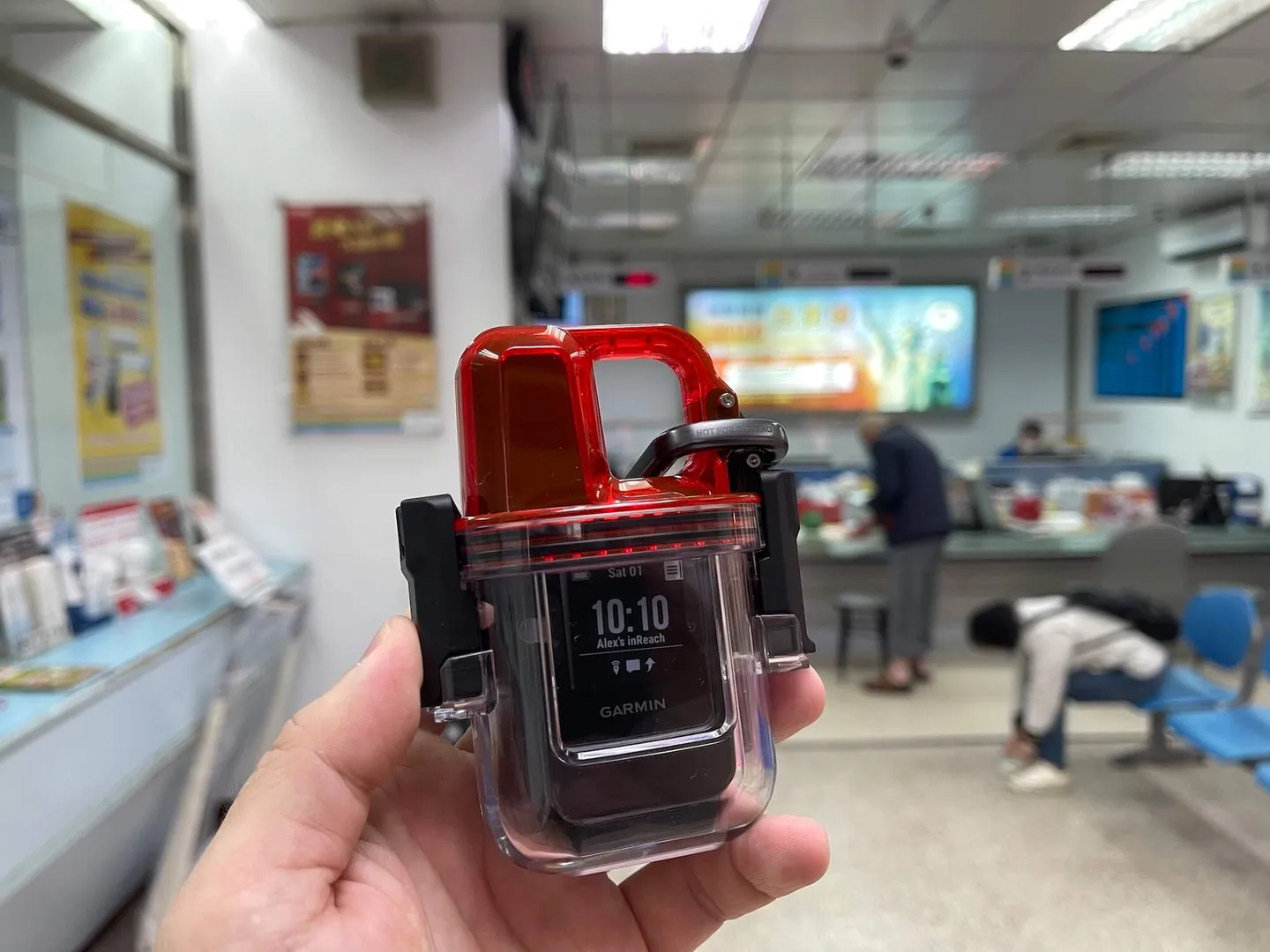
We recommend visiting a Chunghwa Telecom store in person — it's much faster to handle everything at the counter
Before your online order arrives and you have the GARMIN inReach in hand, you can get a head start by completing the identity verification needed to apply for a satellite service registration code. Based on the Editor's personal experience, we recommend going directly to a physical Chunghwa Telecom branch to apply for the registration code, as you will need to present two forms of ID for verification. If you choose to apply online, the identity verification process is more cumbersome — the Editor personally got completely stuck using a Mac. Applying for the registration code at a physical store takes about 10 minutes. Once you have the identity verification code, you can proceed with applying for satellite service.
The current price for the device alone at Chunghwa Telecom is NT$12,990. The waterproof case must be purchased separately from Garmin directly, priced at NT$2,520 (Waterproof case purchase link).


Step 2: How Do You Apply for Satellite Service?
Device-only price? Does that mean there's also a monthly fee? Yes — the brand-new GARMIN inReach you purchase from Chunghwa Telecom is a hardware device only. You will also need to go to Garmin Explore to register the device and select a service plan before you can use the satellite service. So remember: don't naively assume that buying a GARMIN inReach means you're ready to send a distress signal — you don't want to discover in an emergency that the device in your hand is an unactivated unit!
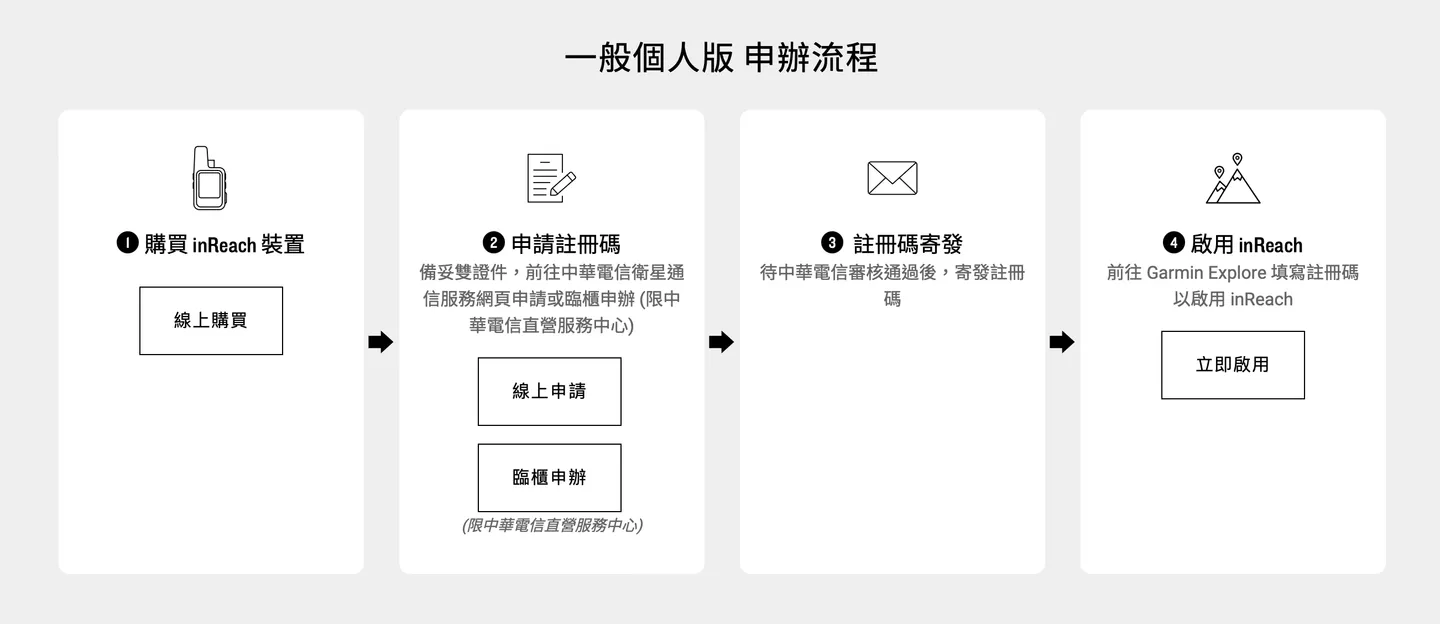
The diagram above shows the complete purchase and activation process
How do you activate your GARMIN inReach? Start by registering at the Garmin Explore website. After completing registration, enter the registration code provided by Chunghwa Telecom along with your inReach IMEI number to complete the device binding.
Then follow the guided steps to fill in all required information. One particularly important thing to highlight here: based on feedback from Garmin's International Emergency Response Coordination Center (Garmin Response) and engineers regarding accidental SOS activations — when you press the SOS button, the coordination center will first contact the information you have entered to confirm whether it was an accidental trigger. If they cannot reach you, they will contact your emergency contact to verify whether you are engaged in an outdoor activity. Once a search-and-rescue need is confirmed, the rescue procedure will be initiated immediately. Therefore, please make sure the personal information and emergency contact details you enter here are accurate.
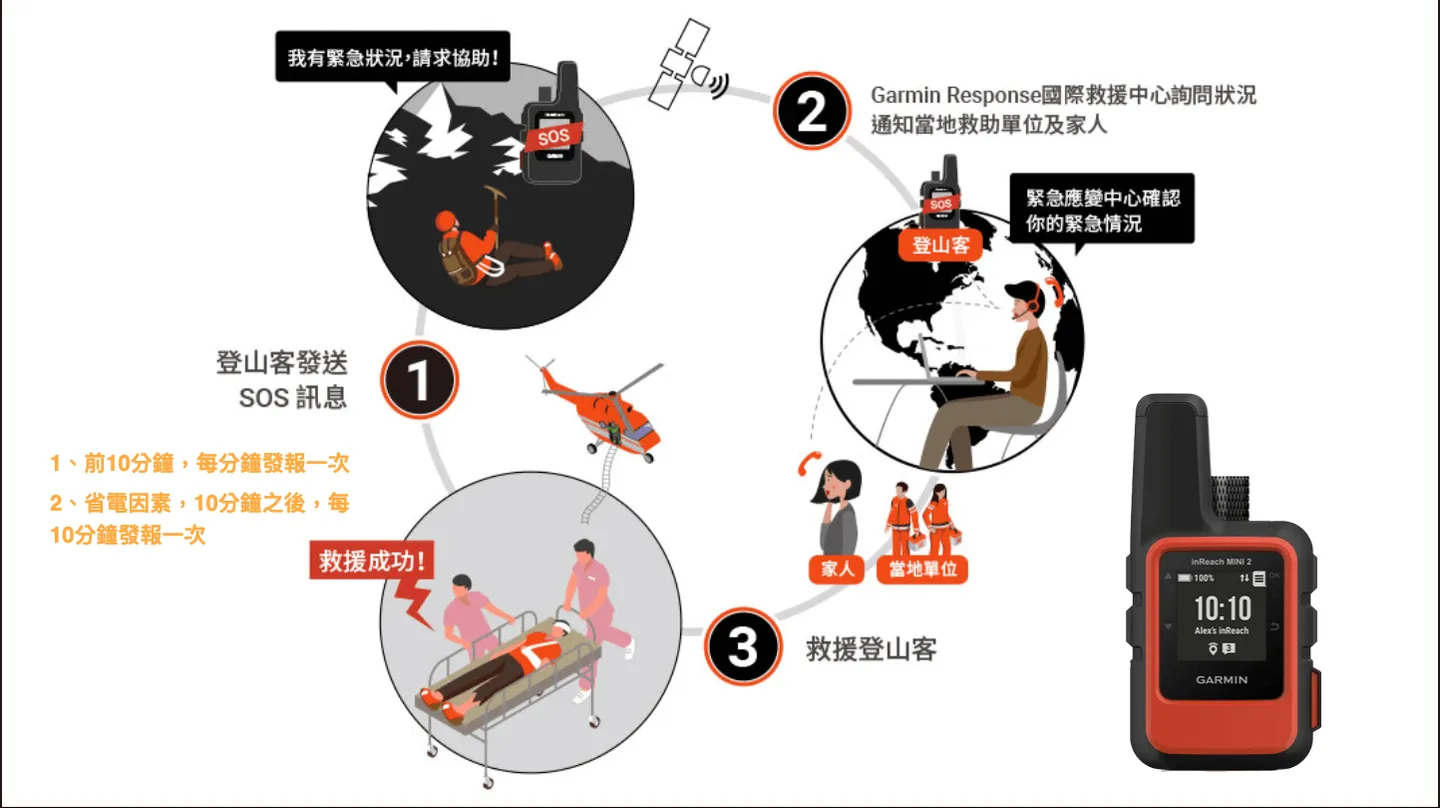
The search-and-rescue procedure followed by Garmin Response
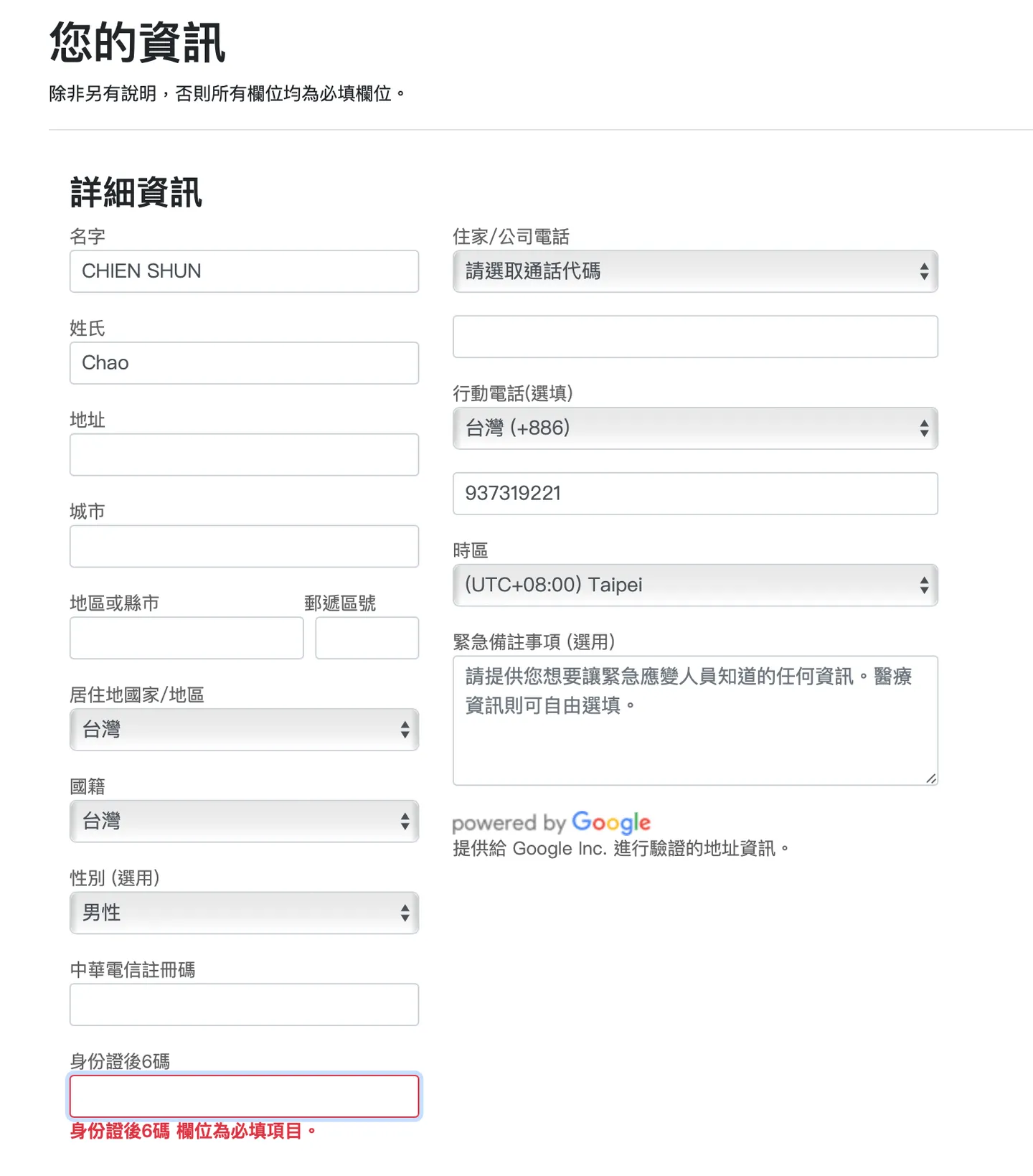
Please fill in your personal information as accurately as possible; if you have any emergency notes, consider writing them in English
Beyond being a satellite distress beacon, the GARMIN inReach also lets you send messages to designated contacts via text when you have no mobile signal. You can set up several contacts and preferred contact methods through the web or mobile interface — the GARMIN inReach supports mobile SMS, email, and more.
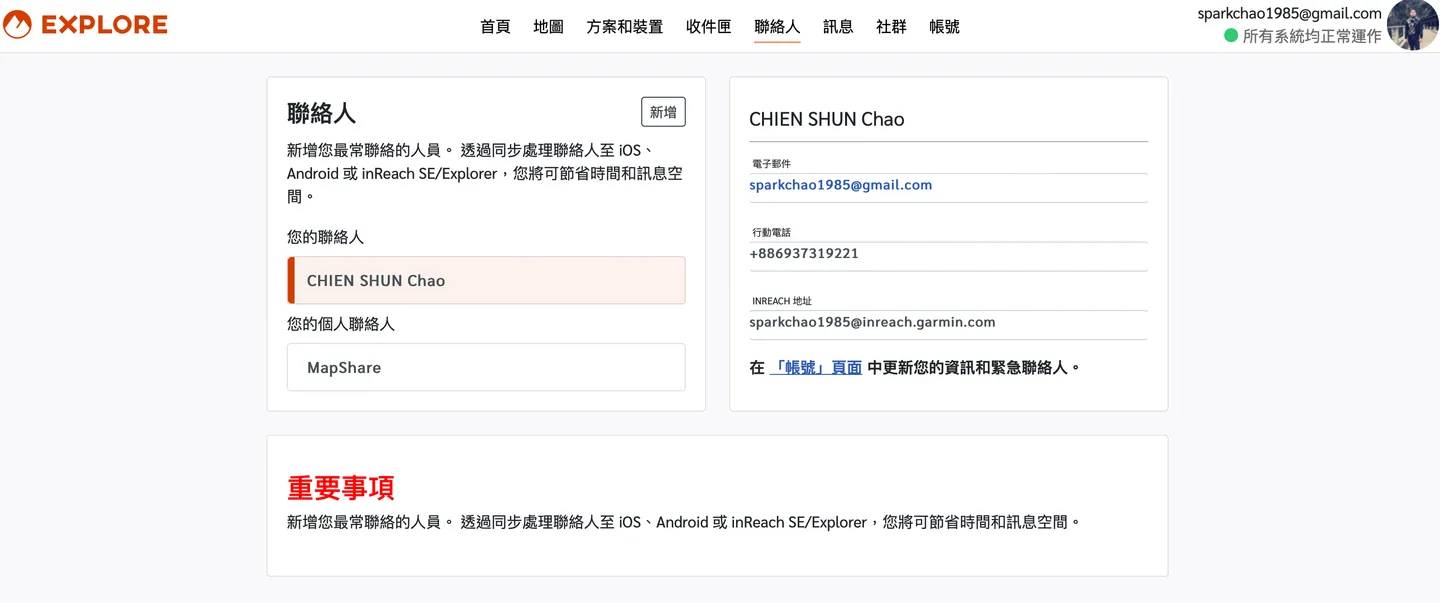
Add your frequently contacted people to the system — supports both mobile SMS and email
You can also pre-set some quick-reply templates, since typing on the GARMIN inReach's tiny virtual keyboard can be quite a chore. Common templates used by hikers include things like "resting," "moving," and "I'll arrive later." Because messages are sent with your GPS coordinates attached, this can serve as an important safety management tool for tracking a hiking party's daily progress.
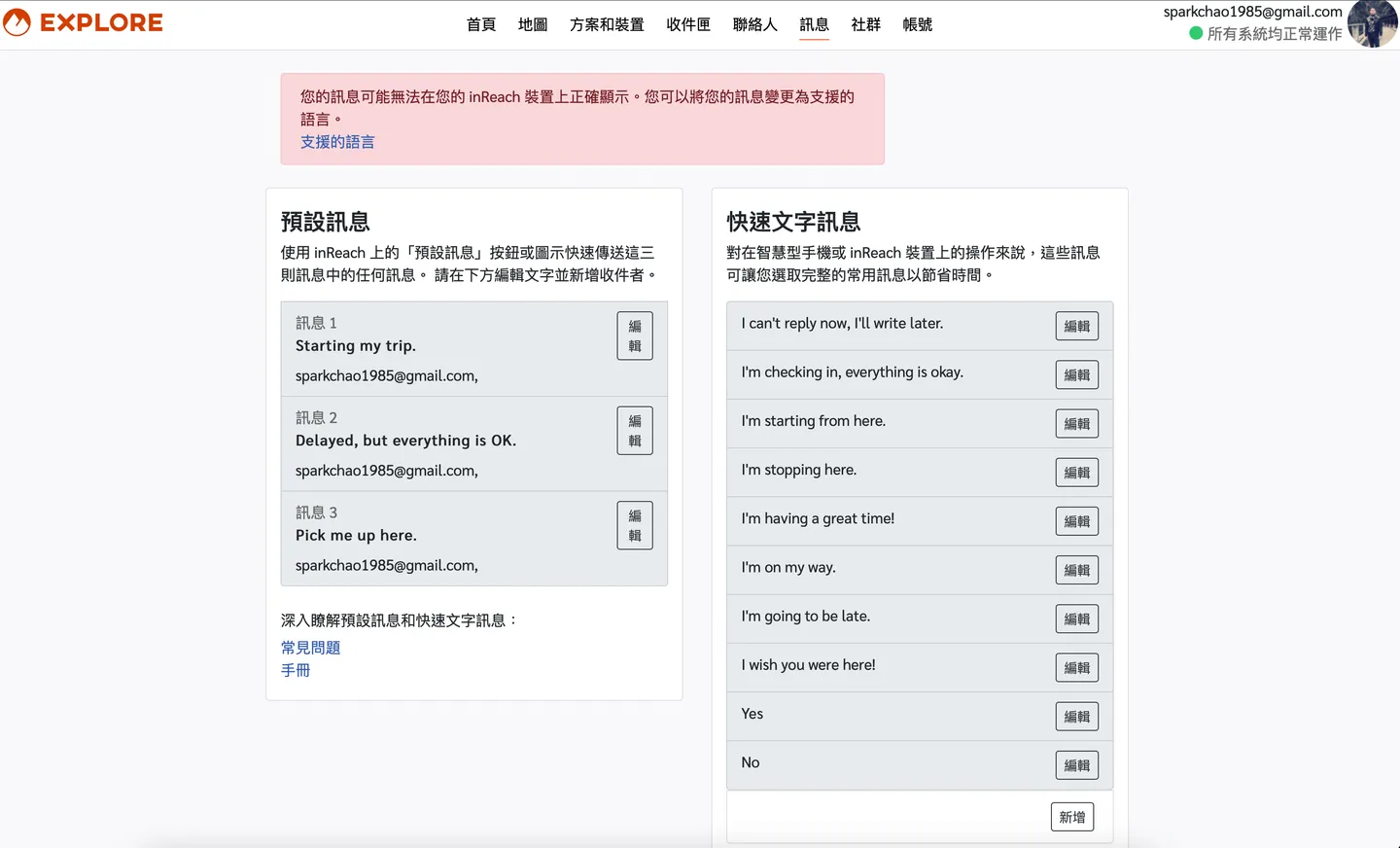
The system allows you to pre-set quick message templates
For diving activities, however, we would only realistically use this product if we find ourselves drifting on the surface — and during the dive itself we wouldn't be sending messages via the texting function. So the Editor feels the basic "peace-of-mind" rate plan is sufficient.
The GARMIN inReach requires selecting an annual service plan. As mentioned above, in a diving context we would only use this product if we are drifting on the surface, and we wouldn't be sending messages via the texting function during the activity itself — so the Editor feels the basic peace-of-mind rate plan is fully adequate.
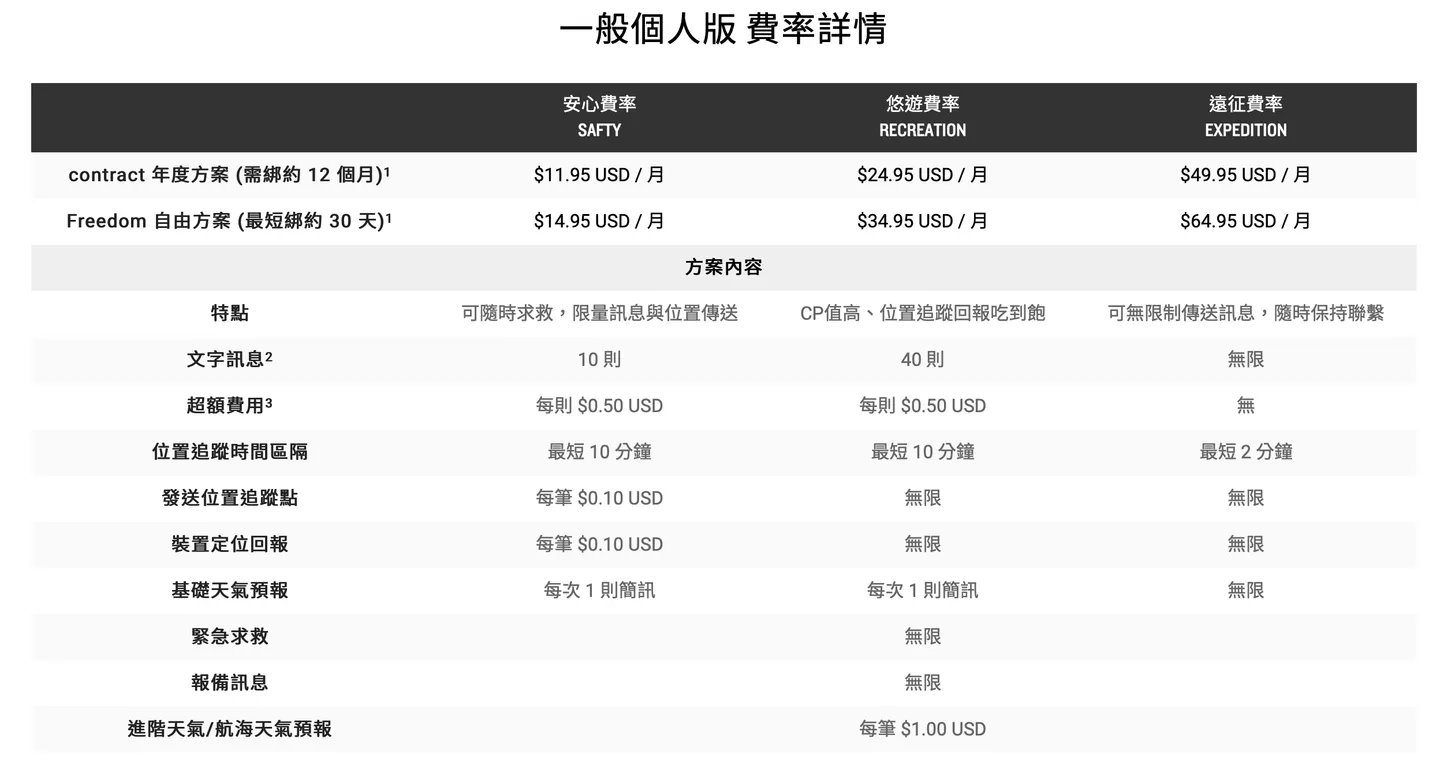
The basic peace-of-mind rate plan should be more than sufficient for diving use
Step 3: How Do You Pair It with Your Phone?
The GARMIN inReach maintains GARMIN's consistently high standard for Bluetooth pairing and user interface. All you need to do is download the Garmin Explore app and the Bluetooth pairing process is straightforward. Once paired, you'll have access to a wide range of convenient features.
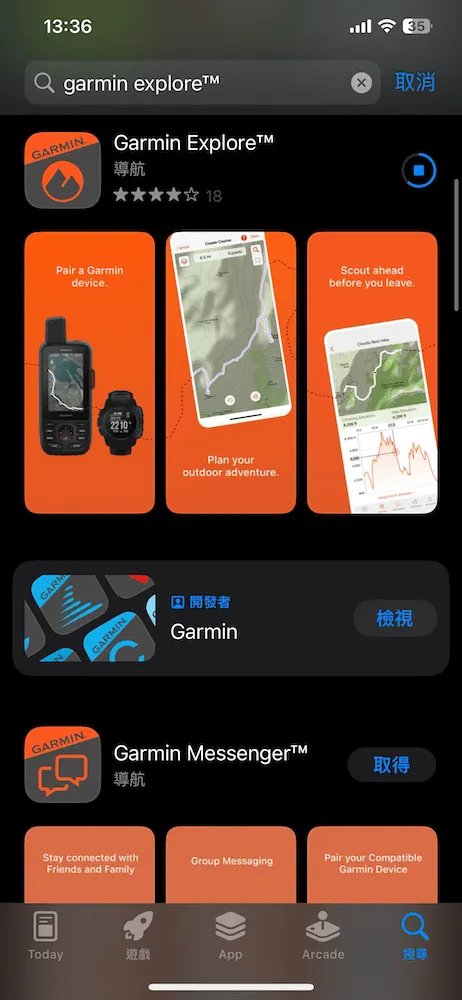
Download the Garmin Explore app
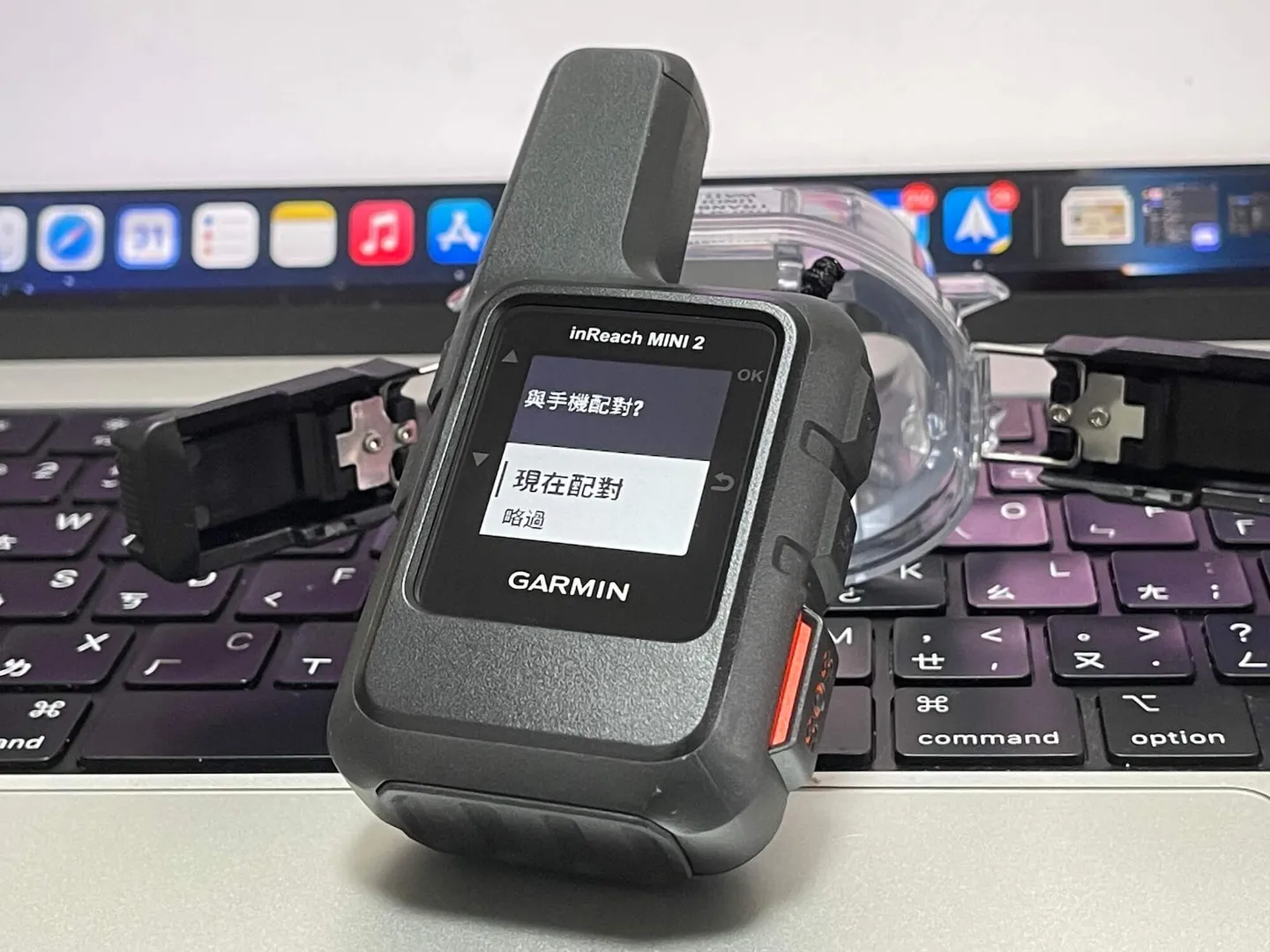
Enable pairing mode on the GARMIN inReach and wait for the connection
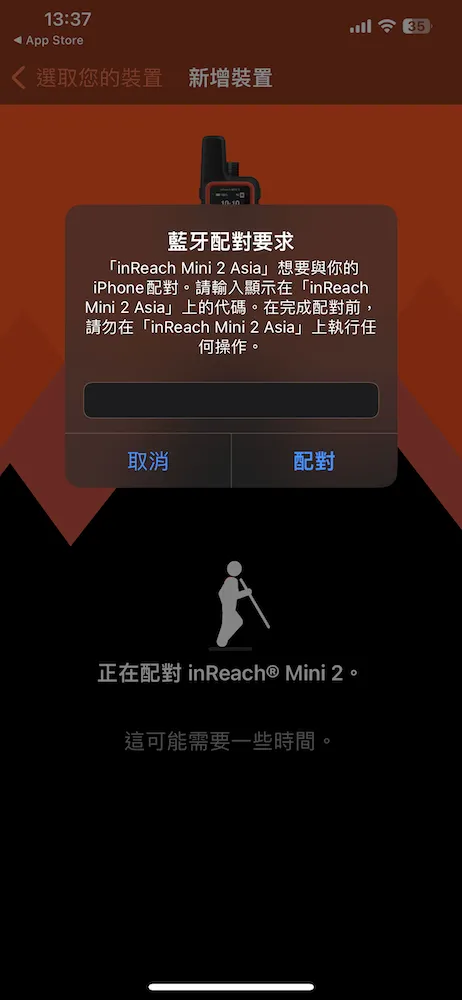
Bluetooth pairing complete
Once pairing is complete, it's a good idea to run an update first to make sure your GARMIN inReach is on the latest firmware version. You can also download detailed map packages, which are very useful for reviewing waypoint records later.
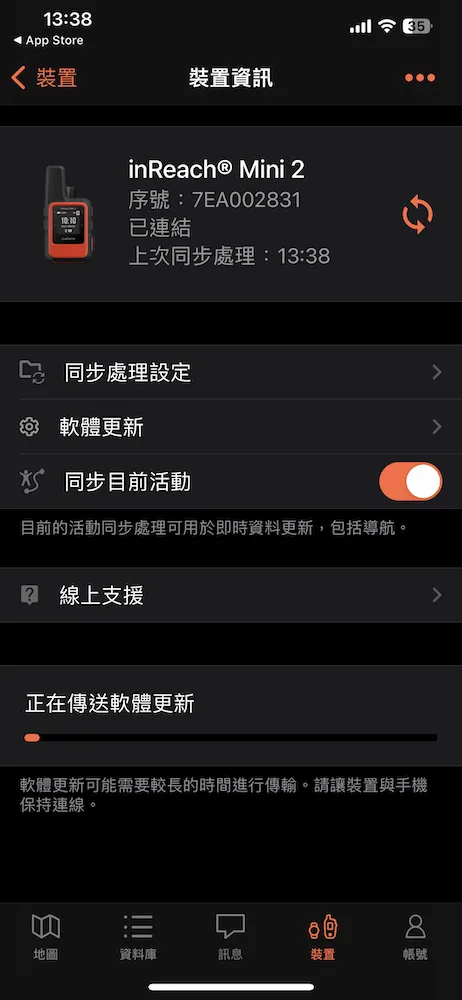
We recommend running a software update after connecting
Time to Put It to the Test — Real-World Experience on an Overseas Dive Trip
The Editor traveled to Bohol in the Philippines for diving in early 2023. As many of you know, the traditional bangka outrigger boats used in the Philippines are not equipped with AIS transponders, which means popular Taiwanese rescue devices like the Nautilus LifeLine and Mini-Dolphin are essentially useless here!
Some divers use their smartphone in a waterproof case or bag as an emergency signaling device, but mobile coverage in remote parts of the Philippines is extremely poor, making this approach quite unreliable. So on this trip, we went ahead and put the GARMIN inReach to a real-world unboxing test for everyone to see.
Satellite Connection and Message Sending Speed: Fast
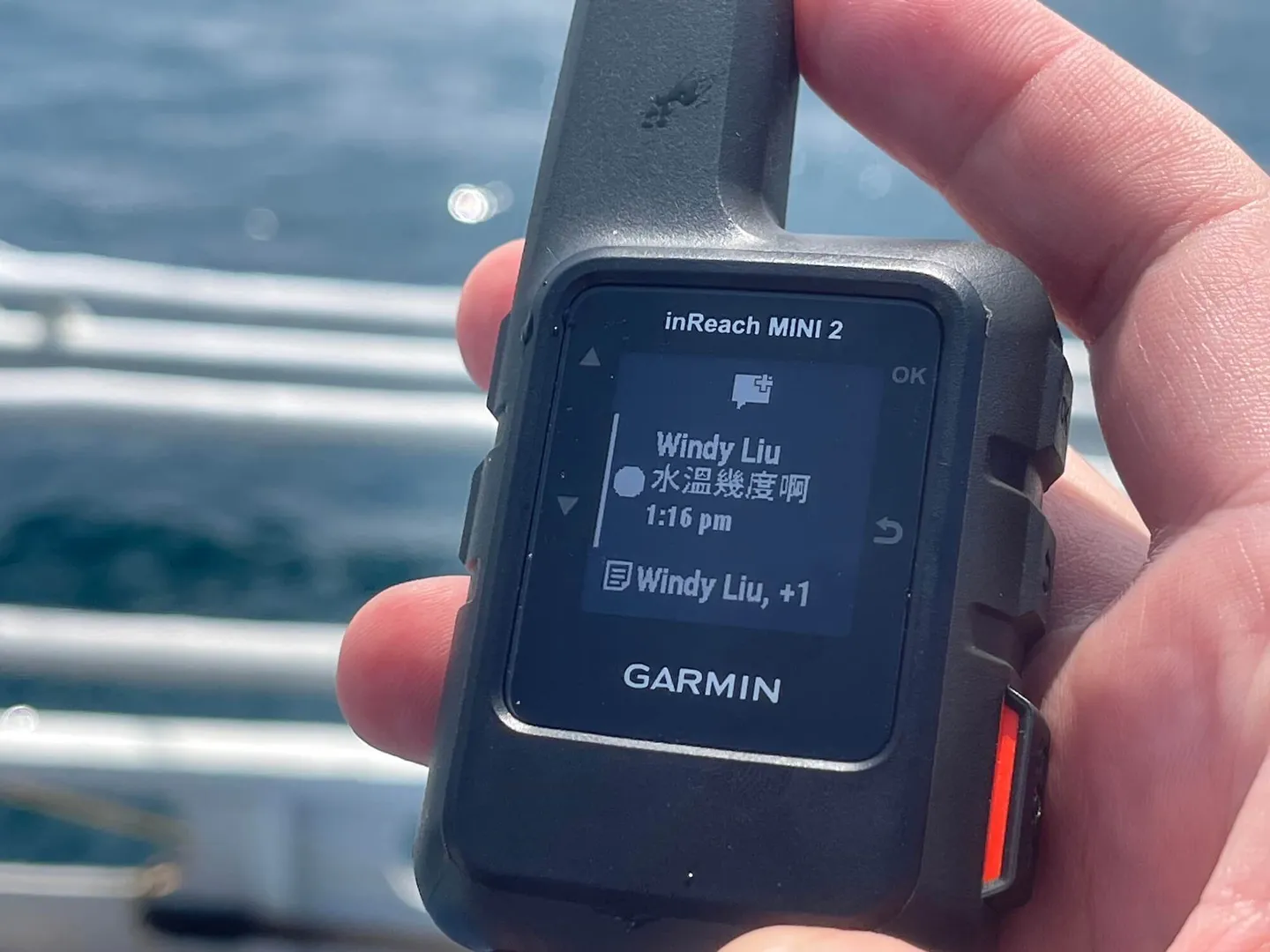
Out on the open water with no signal, we used the GARMIN inReach to chat with friends back in Taiwan
When you're out in the open with no obstructions, turning on the GARMIN inReach and connecting to a satellite takes about 3–5 seconds. In real-world testing, messages were received by the other party within approximately 10–15 seconds. The recipient can also view your location, heading, speed, and other details via a link included in the SMS or email, and reply directly to you out in the middle of the ocean.
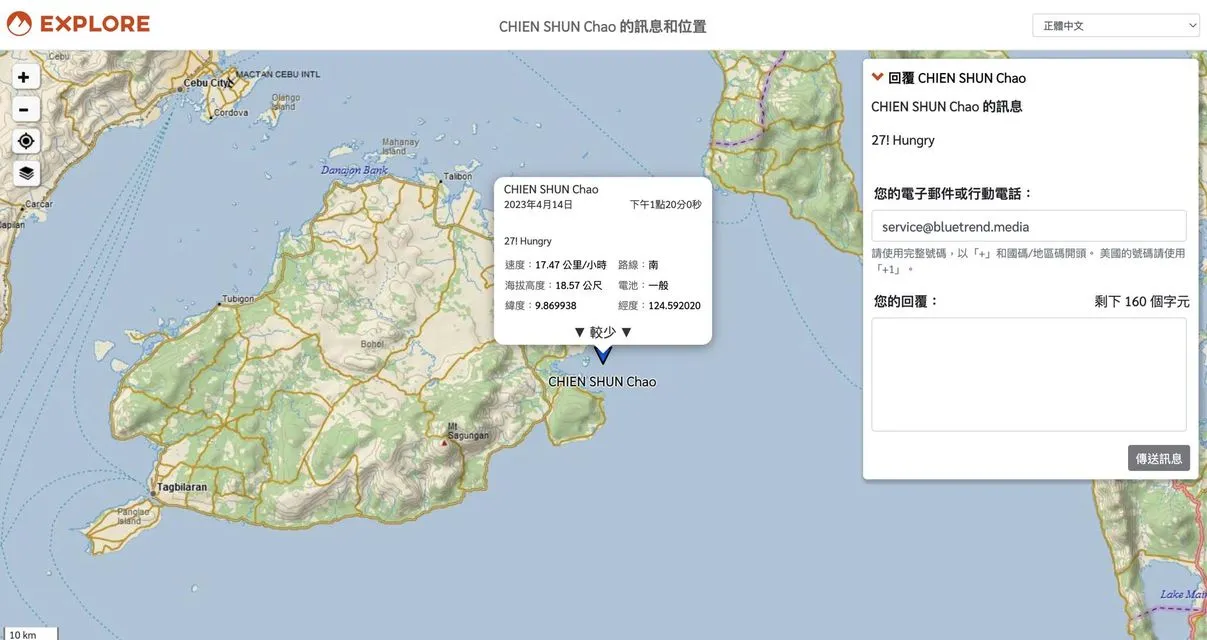
Via the link included in the email or SMS, your contacts back in Taiwan can clearly see your information and reply to interact with you
Device Battery Consumption: Watch Out for Obstructed Environments
One thing you absolutely must pay attention to regarding the device's battery usage is whether your current location is open and unobstructed. When you're indoors or in a sheltered location, the GARMIN inReach will continuously search for satellite signals, dramatically increasing battery drain. As a real-world example: starting at 100% charge and left indoors overnight, you can expect to lose around 80% of your battery — but left in an open, unobstructed location with a good satellite signal, it loses only about 10% overnight. This is a critical point to keep in mind: if you're moving indoors, please power the device off to conserve battery.
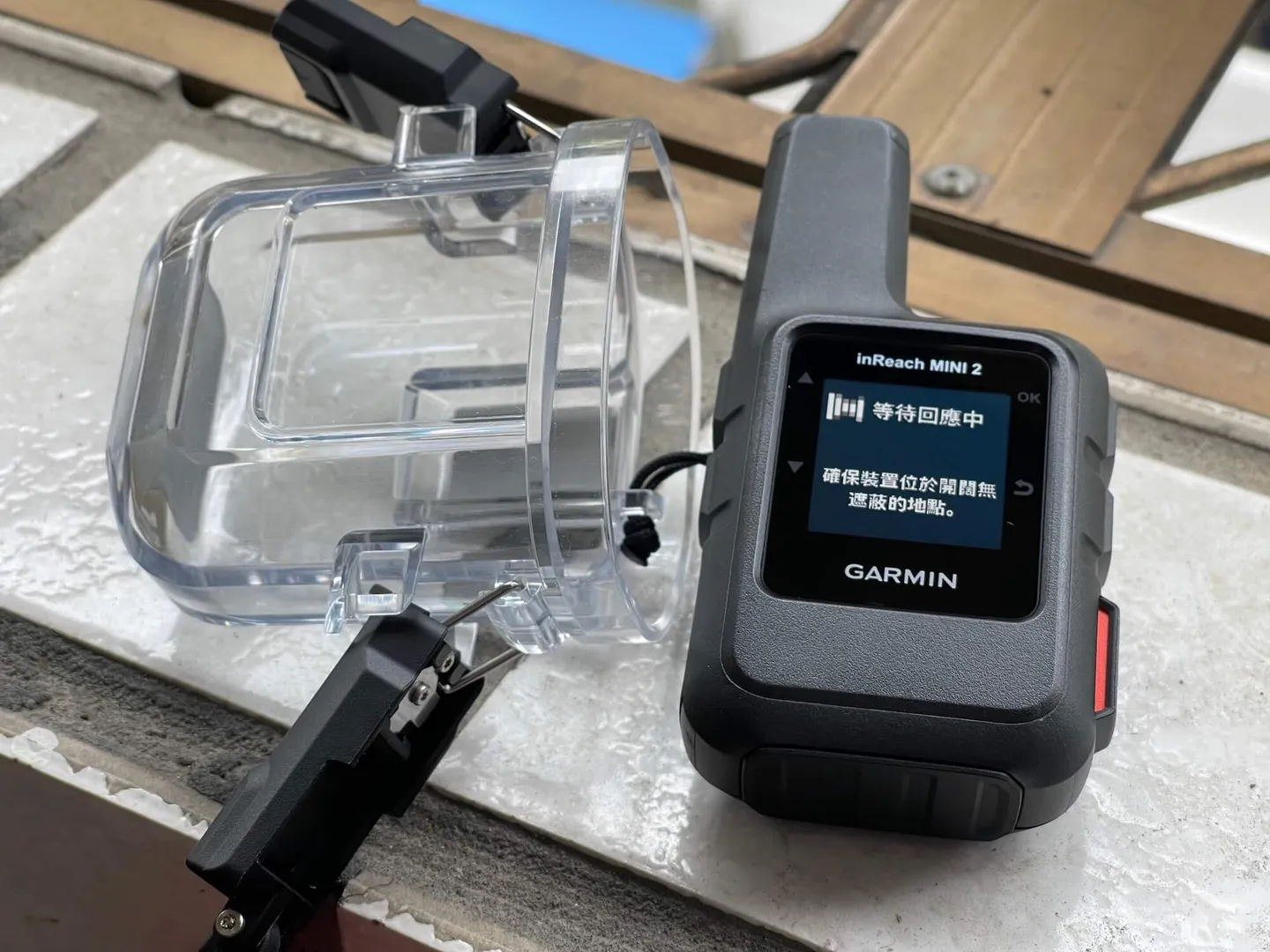
Whether or not you're in an open, unobstructed location has a decisive impact on battery life
You can also use the GARMIN inReach to record waypoints — a feature that's ideal for researchers who need to log GPS coordinates for sample sites, eliminating the need to rely on a dive computer or a TG-6 camera for waypoint recording.
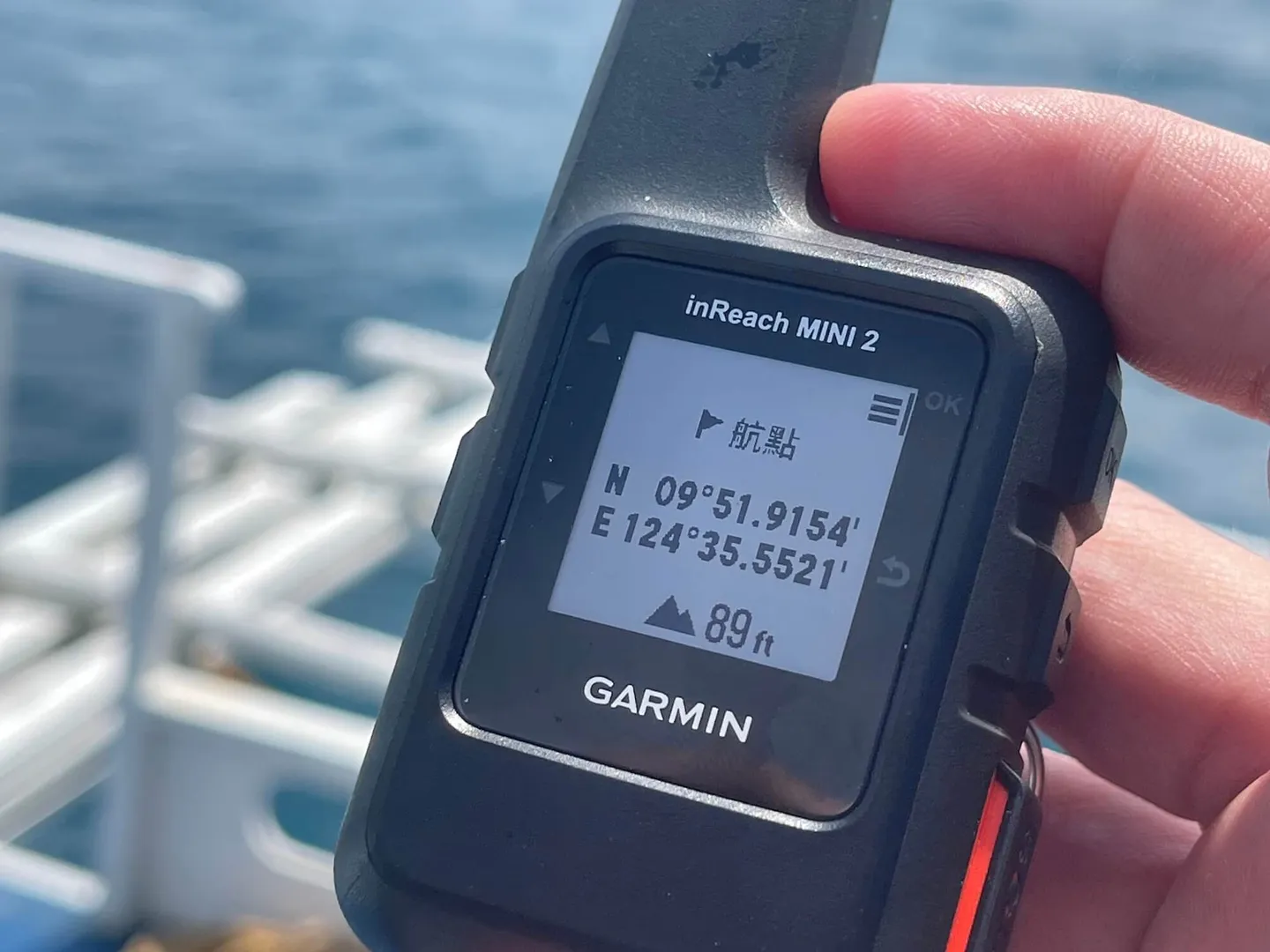
You can also use the GARMIN inReach to mark waypoints
The GARMIN inReach Mini is your last line of safety on every overseas dive trip!
As the article title suggests, when you look at the distress beacons most commonly used by divers today, the GARMIN inReach Mini stands out as one of the most suitable options on the market if you need something that works internationally, requires no base unit, doesn't depend on the boat having specific communications protocols, and lets you actively call for help. But… even the best products have their drawbacks.
The compact GARMIN inReach Mini is your ultimate safety net on overseas dive trips photo credit ig @wonderpeggy
Drawbacks of the GARMIN inReach
Every product has its pros and cons — and which outweighs the other depends on the context in which you use it. Here are what the Editor considers its "drawbacks":
- Higher cost, plus a service plan fee: The device plus waterproof case comes close to NT$15,000, which may be a barrier to entry for casual recreational divers.
- Initial setup can be complicated for first-time users: The purchasing, registration, binding, and information-filling process is fairly involved.
- NCC does not allow corporate applications: Current regulations only allow individuals to apply for satellite communications authorization — corporations are excluded — which makes it difficult to promote organizational adoption or commercial rental models.
- Banned in certain countries — always do your research beforehand (North Korea, China, India, Russia, Iran, Thailand, Vietnam, etc.).
Related links: