



The TG series is compact and lightweight, with built-in waterproofing —
it has long been one of the best options for underwater photography.
The one drawback, however, is the lack of a true M mode,
which always feels like a missed opportunity for more advanced users.
This video will show you how to unlock the hidden M mode.
Want to know exactly how it works? Watch this episode to find out!
3 Steps to Operate the TG6:
-
Step 1: Set the camera to A mode. This gives you control over the aperture. Although there are only three aperture settings, they are sufficient for most situations.
-
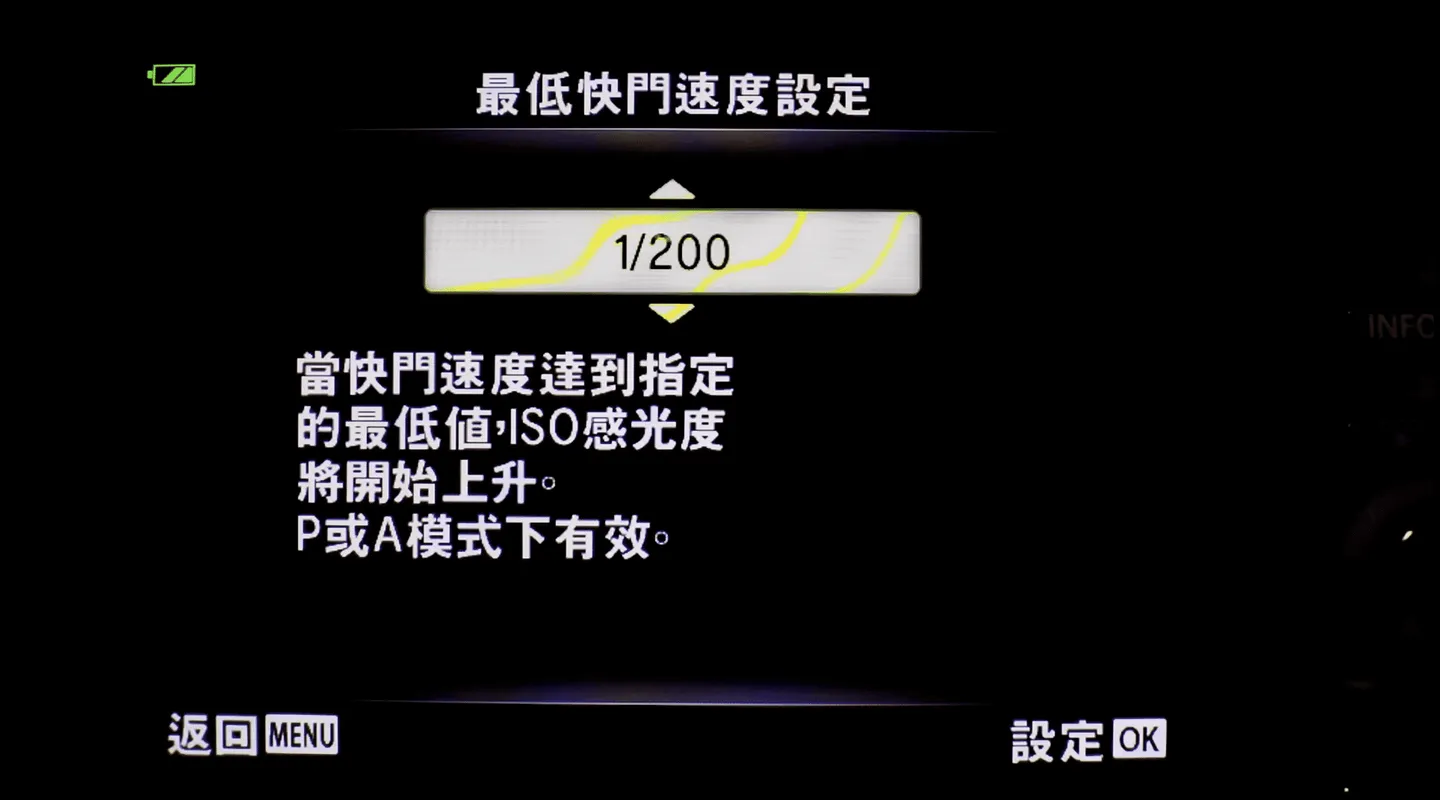
Step 2: Set ISO to Auto → configure the Minimum Shutter Speed. This is a newly added option in the TG-6. From here, you can specify the shutter speed. Without this new TG-6 feature, the M mode workaround simply wouldn't be possible! ※ For older models like the TG5 and TG4, I still have a method to crack it — feel free to join my photography class!
-
Step 3: Set ISO to ISO-AUTO. Please note: you must complete Step 2 (setting the Minimum Shutter Speed) before doing this. When you specify the minimum shutter speed, the minimum ISO will automatically jump to 100. Since our main goal is to speed up the shutter (the camera default is very slow), exposure will be insufficient, so the camera will naturally prioritize the ISO upper limit you've set. That upper limit value can therefore be treated directly as your effective ISO setting.
The above is my method for adjusting aperture, shutter speed, and ISO. While the process is a bit involved since this isn't a true M mode, it's still far better than nothing — and it genuinely satisfies over 95% of my photography needs.
A special tip for advanced users who haven't discovered this update yet: when shooting with a strobe, you no longer need to complain about not being able to set the shutter speed (i.e., not being able to kill ambient light)!
Related links:

![[Kyotaro Column] Ultra-Wide vs. Fisheye Lenses — Which Should You Choose? A Showdown of 10 Sony Underwater Wide-Angle Lens Combinations!](/_astro/%E4%BA%AC%E5%A4%AA%E9%83%8E%E6%B0%B4%E4%B8%8B%E6%94%9D%E5%BD%B1-1_ZPBIfJ.webp)
![[Kyotaro's Column] Learn How to Adjust Aperture in Macro Mode on the TG6 in 6 Minutes!](/_astro/%E4%BA%AC%E5%A4%AA%E9%83%8E%E6%B0%B4%E4%B8%8B%E6%94%9D%E5%BD%B1tg6%E5%85%89%E5%9C%88_20ckFY.webp)