Contents(7)
- You Still Need a Backup Dive Computer
- Backup Gear Is the Most Important Risk-Mitigation Tool
- The Big-Plus-Small Dual Dive Computer Combination
- Dive Computers — One Link in Taiwan's Most Efficient Ocean Supply Chain
- Using the Teric + Atmos Combination as an Example
- Solving the Problem of Not Wanting to Write — or Not Writing in Enough Detail — in Your Dive Log
- Conclusion
The Editor says: Once you learn to dive, a dive computer becomes an essential piece of gear — not only does it help you plan your dives more safely, but the wealth of information on its display makes every dive far more convenient. The golden rule of dive safety is redundancy, and knowing how to choose the right dive computers to pair together is a genuinely practical skill. This article is reproduced from the personal Facebook page of instructor 丁楓峻, who shares his experience pairing the Shearwater Teric, Garmin MK1, and Atmos Mission One dive computers.
You Still Need a Backup Dive Computer
In a PADI Open Water Diver course, it is possible to focus exclusively on dive computer use — learning to read NDL, surface interval time, and how to operate Dive Plan and Log functions — without necessarily covering the RDP table algorithm or eRDP operation. In fact, PADI has already discontinued the eRDP, and I have never once seen a recreational diver bring an RDP or eRDP on a dive. Dive boats can be wet and rocking, and nobody wants to handle paper or spend brainpower crunching numbers and algorithms. Besides, when you've travelled a long way and spent serious money on a luxury liveaboard, you really don't want to give up any dives. If a dive computer malfunctions and you have to surface and wait several hours for your residual nitrogen to clear before switching to a fresh backup computer, the time and money you've lost may well exceed the cost of simply buying a second computer in the first place!
After all, a moment underwater is worth its weight in gold! You could, of course, go in with just one computer and estimate how many minutes to shave off your NDL, but that approach will never be truly accurate. So in practice, the best way to handle a dive computer failure, loss, or dead battery is to wear two computers simultaneously, each serving as the other's backup.
Students who are genuinely interested in technical diving can always learn RDP/eRDP after mastering dive computer operation and theory — or they can start by studying Bühlmann ZHL-16C + Gradient Factor decompression theory through their dive computer and then branch out into other algorithms such as VPM.


Backup Gear Is the Most Important Risk-Mitigation Tool
Carrying backup gear and always having a Plan B in mind is the most important concept for staying safe underwater. Aside from wetsuits and fins, almost every piece of equipment can have a backup: a mask can go in a thigh pocket, an octopus / alternate second stage, a snorkel rolled up in a thigh pocket, a mechanical pressure gauge (SPG) combined with a wireless transmitter, back-mount paired with a sidemount pony bottle, and so on. Carrying a backup dive computer is therefore entirely logical. And if you factor in your dive buddy's backup gear and strictly observe the buddy system, you can dramatically reduce the probability of an incident. So why not wear a backup dive computer? Why have so few divers worn a backup computer in the past?
Rental computers from dive shops — common examples being: Suunto Zoop Mares Puck Deepblu Cosmiq+
There was even a dedicated Oceanic BUD backup dive computer — a device with no strap at all, just a clip to attach to your BCD — priced under US$300. These budget-friendly computers are not hard to get hold of, but because they tend to be bulky or limited solely to diving functions, they have no utility in daily life. For a holiday diver who may only dive once or twice a year, that kind of investment simply doesn't make sense.
The Big-Plus-Small Dual Dive Computer Combination
For more frequent or more serious divers, investing in a big-plus-small dual computer setup is a very reasonable choice. The large screen can display a wealth of information, while the small screen serves as a backup — and the smaller watch may use a conventional LCD display, meaning the battery doesn't need changing as often. Because you need to make sure the backup computer uses the same algorithm as the primary, divers generally choose computers from the same brand to pair together, for example:
Bühlmann ZHL-16C => Shearwater => Large Perdix AI (user-replaceable battery) + Small Teric RGBM => Suunto => Large EON (charger rechargeable) + Small D-series (button cell battery)
However, large-screen dive computers are not really wearable in everyday life, so the current thinking is: can both computers be worn daily? Can the small-screen computer be customised to display only the information you care about most? And can the two watches display different sets of data, so that even a small screen is sufficient — effectively distributing the information that would appear simultaneously on one large screen across two separate watches?
Dive Computers — One Link in Taiwan's Most Efficient Ocean Supply Chain
As analysed above, one past reason for reluctance to buy two computers was that they could only be used for diving, making the expenditure feel hard to justify. But if dive computer prices come down and features become more diverse, buying a dive computer starts to feel like buying a piece of clothing — something you can wear every day — and if two computers complement each other functionally, the case for purchasing both becomes even stronger.
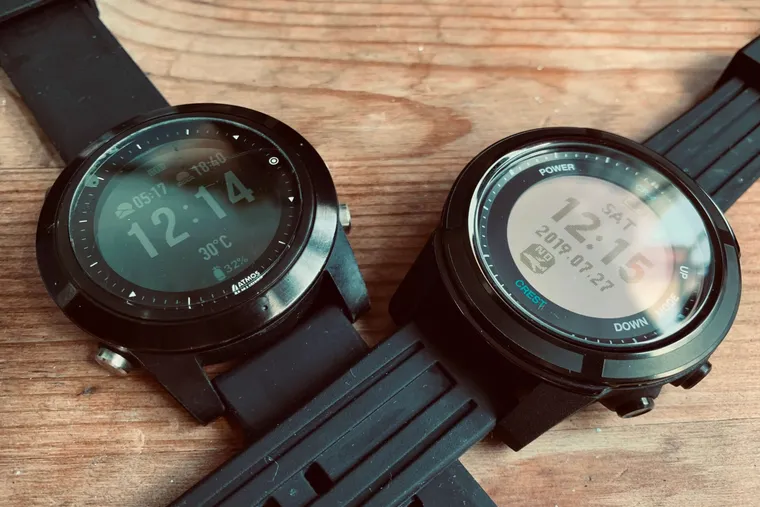
Taiwan actually has impressive strengths in information and communications technology and manufacturing. The Northeast Coast is also close to Taipei, making it well-positioned to develop the R&D, testing, design, and manufacturing of recreational diving equipment — the entire supply chain is achievable, and costs are more competitive than European, American, or Japanese brands. Taiwan also has a relatively long history in recreational diving — not as long as Japan, but considerably earlier than mainland China. This is why brands such as Deepblu, Atmos, and Crest have successively produced MIT wrist-mounted small-screen dive computers with excellent value for money, while even the high-end Garmin Descent MK1 is manufactured in Taiwan (Further reading: The World's Most Powerful, Feature-Complete Dive Computer – Garmin Descent Mk1).
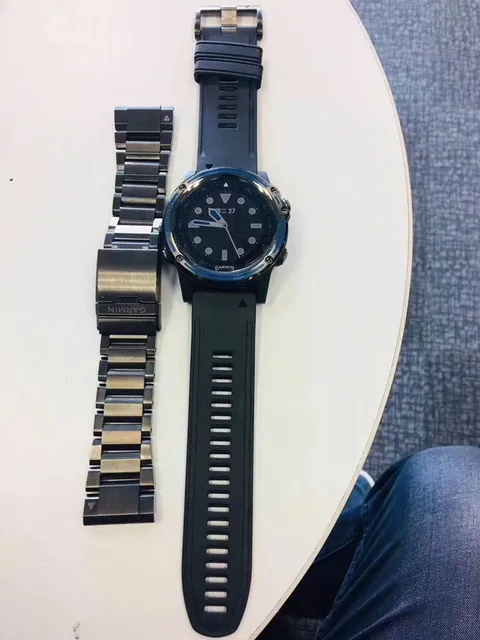
Garmin MK1 aluminium alloy bracelet
Using the Teric + Atmos Combination as an Example
I use a Shearwater Teric + Atmos Mission One — the Teric is mounted on my camera's buoyancy arm, and the Atmos is worn on my wrist (you can also mount both the Teric and the Atmos on the camera arm). One of the Teric's great strengths is full screen customisation. For example, knowing that the Atmos main screen already displays MOD / Gas mix / Water temperature / Compass / NDL / Depth, I can set the Teric's main screen to show a completely different set of parameters. I set the Teric Home Screen Value to 3, Layout to Standard, and configured it to display TTS / T1 & GTR / SAC / Time of day. The reasoning is that the Teric supports a wireless pressure transmitter, so it can show GTR and SAC — two parameters the Atmos cannot provide — giving you the maximum amount of data across both watches simultaneously without things becoming cluttered.
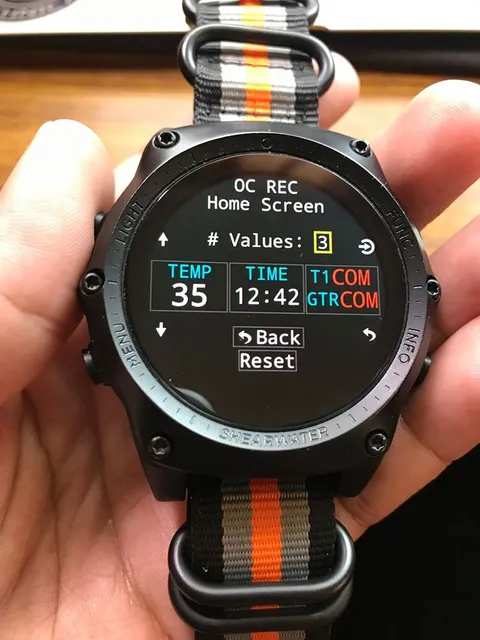
Shearwater Teric display face
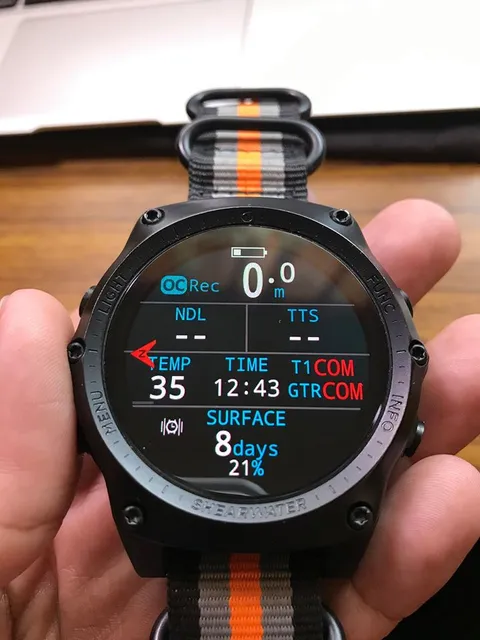
Shearwater Teric display face
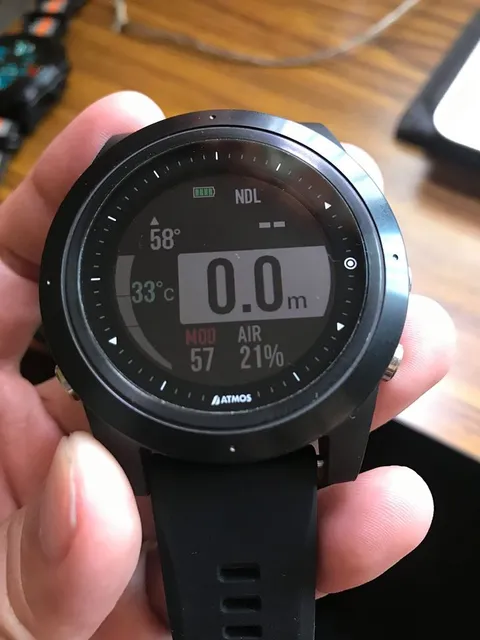
Atmos Mission One display face
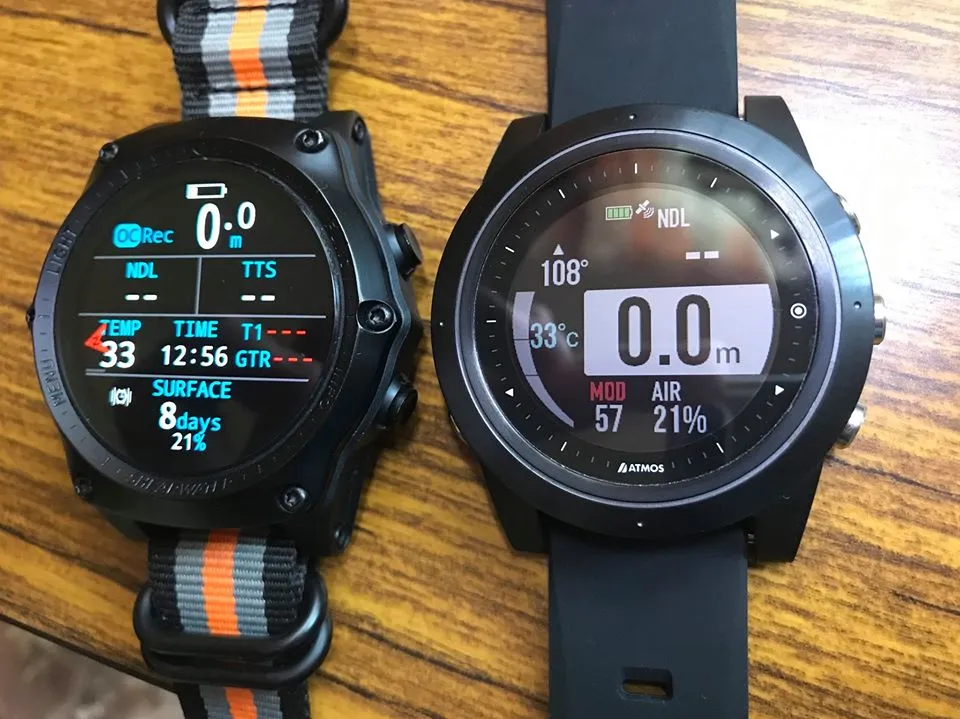
Shearwater Teric + Atmos Mission One together
Diving is a lot like flying a plane — the number of parameters you need to be aware of is far greater than when driving a car. Driving on land is a 2D activity; no matter what happens, you stay on the road surface and never have to worry about changes in depth or altitude. Even in heavy fog or rain with very poor visibility, you can simply slow down or pull over without facing immediate danger. But flying a plane or diving in low visibility may force you to rely entirely on your instruments for orientation and depth. On top of that, diving often involves additional tasks such as photography, making it all the more important to present multiple data sets as simply and clearly as possible.
Solving the Problem of Not Wanting to Write — or Not Writing in Enough Detail — in Your Dive Log
In the past, one reason for not wanting to keep a dive log was the effort of cross-referencing dive site names and trying to jot down what you saw and what happened while the memory was still fresh. And even if you wrote detailed handwritten notes, searching back through them later — once your dive count grew — was quite cumbersome without digitalisation.
The Teric does not have integrated GPS, but the Atmos does. So I can use the Atmos's nearby dive sites feature to find a site name and GPS coordinates, or create a custom site based on the dive guide's briefing, then edit the site information on my phone using the Teric's Shearwater Cloud app and quickly jot down what I saw by reviewing the Tags. Once it syncs to the cloud, I can type out more detail on a computer (I usually don't want to type that much on a phone).
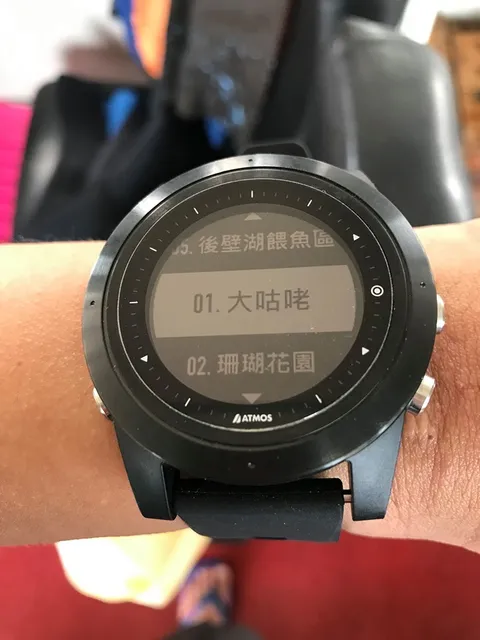
Dive sites with Chinese names located by the Atmos Mission One via GPS during a boat dive in Kenting
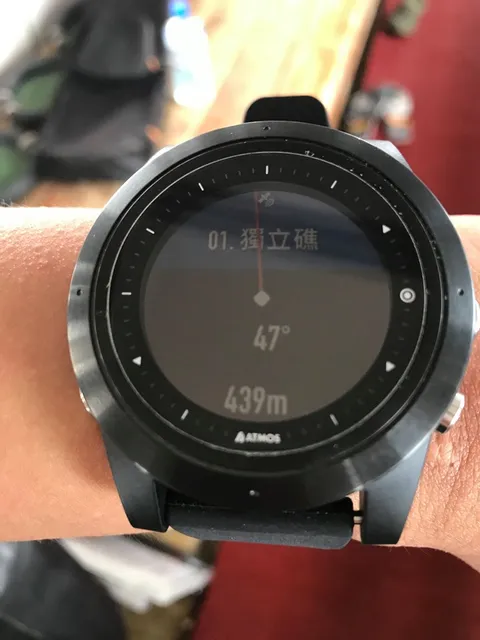
Once the Atmos locks onto a dive site, it can display the relative bearing and distance
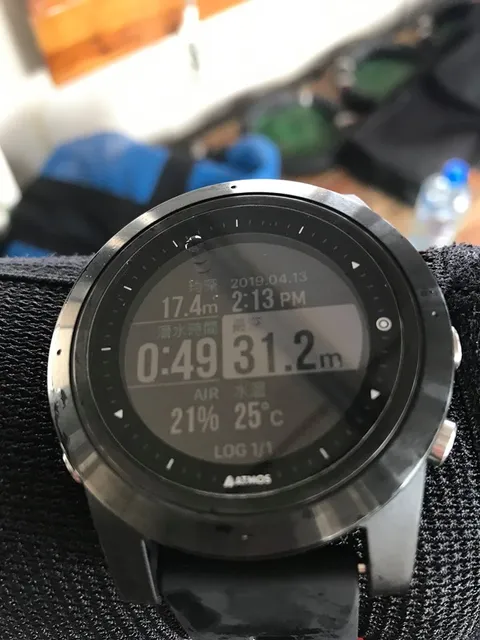
The Atmos Log recording interface
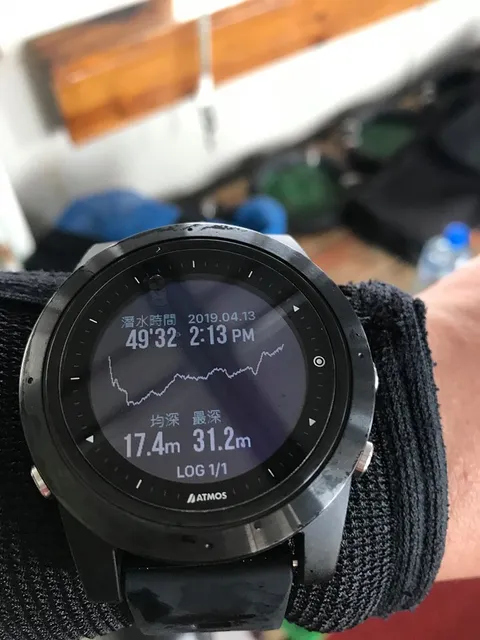
The Atmos Log recording interface - Profile
Conclusion
I strongly recommend wearing two dive computers. No single dive computer is perfect — it is simply impossible for one device to be compact, lightweight, fully featured, and inexpensive all at once. But with the right pairing, two dive computers can complement each other's capabilities while serving as mutual backups. When choosing a combination, consider price, screen size, battery charging or replacement method, complementary features, and decompression algorithm.
For a higher budget, consider a premium pairing such as Shearwater Perdix AI + Shearwater Teric / Garmin MK1, or Suunto EON + D5. For better value for money, you can pair Taiwanese-brand computers such as Teric + Atmos, or combinations from Atmos, Crest, or Deepblu.
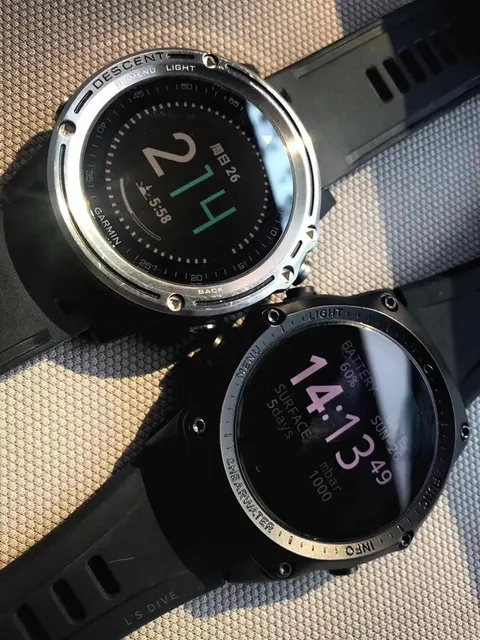
Garmin MK1 v.s. Shearwater Teric
Further links: