Do You Know What GF, PO2 Settings, and Tissues 1–16 Mean?
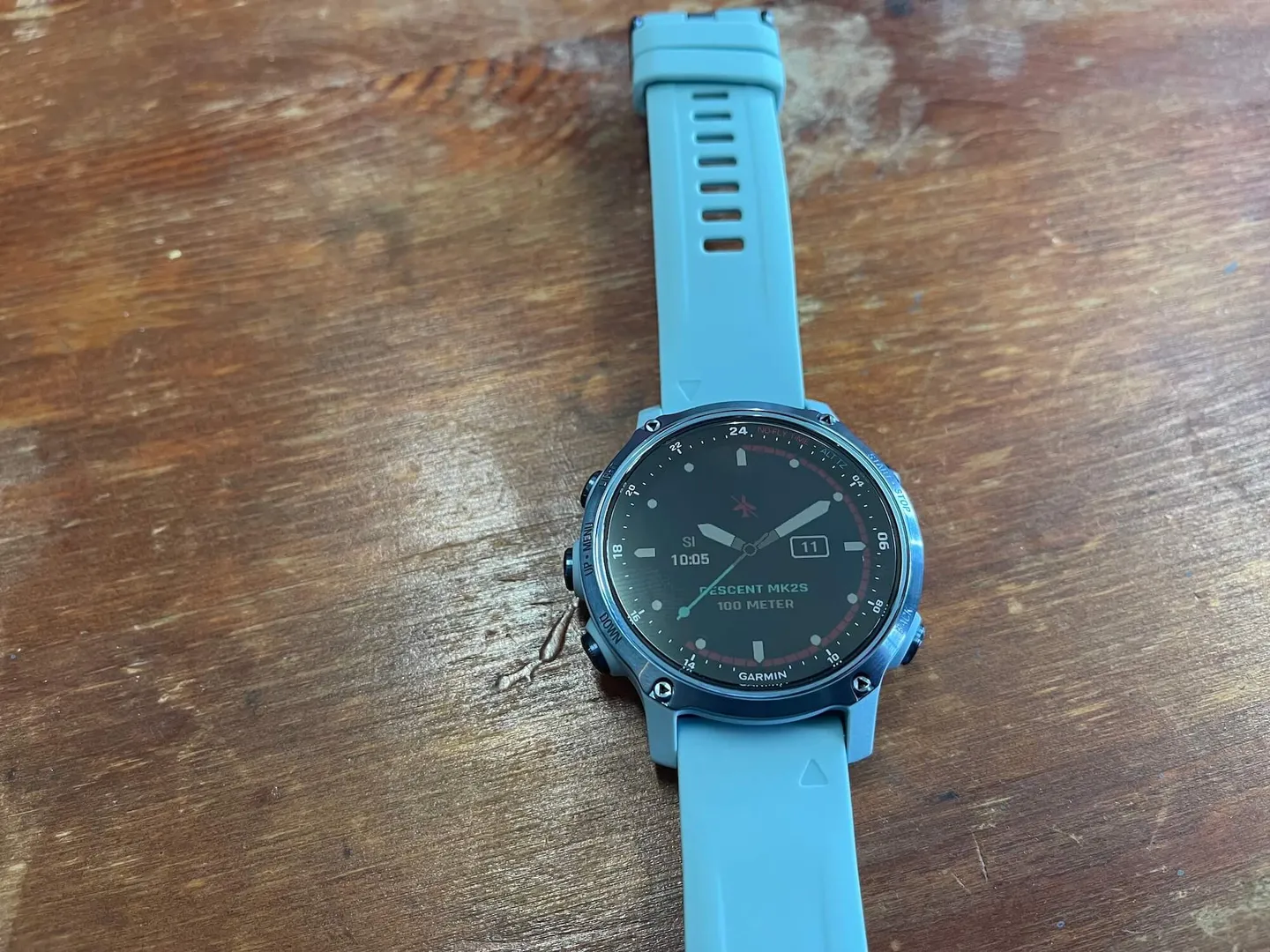
First and foremost, we'd like to extend our sincere thanks to GARMIN for providing us with their latest Descent Mk2S for testing. The Descent Mk2S features a slimmer, more compact form factor, positioning itself as the world's lightest dive computer, with a wider range of color options to offer consumers a complete product lineup. Whether it's a hardware limitation or a deliberate product differentiation decision, if you want to use the Descent T1 transmitter's SubWave sonar to read scuba tank pressure, you'll need to go straight for the Descent Mk2i. This article isn't really an unboxing review — rather, we've invited DiveMate Club instructor Lin Yu-Ping to share with us three values commonly seen on dive computers and what they mean for dive planning: GF values, PO2 settings, and Tissues 1–16!
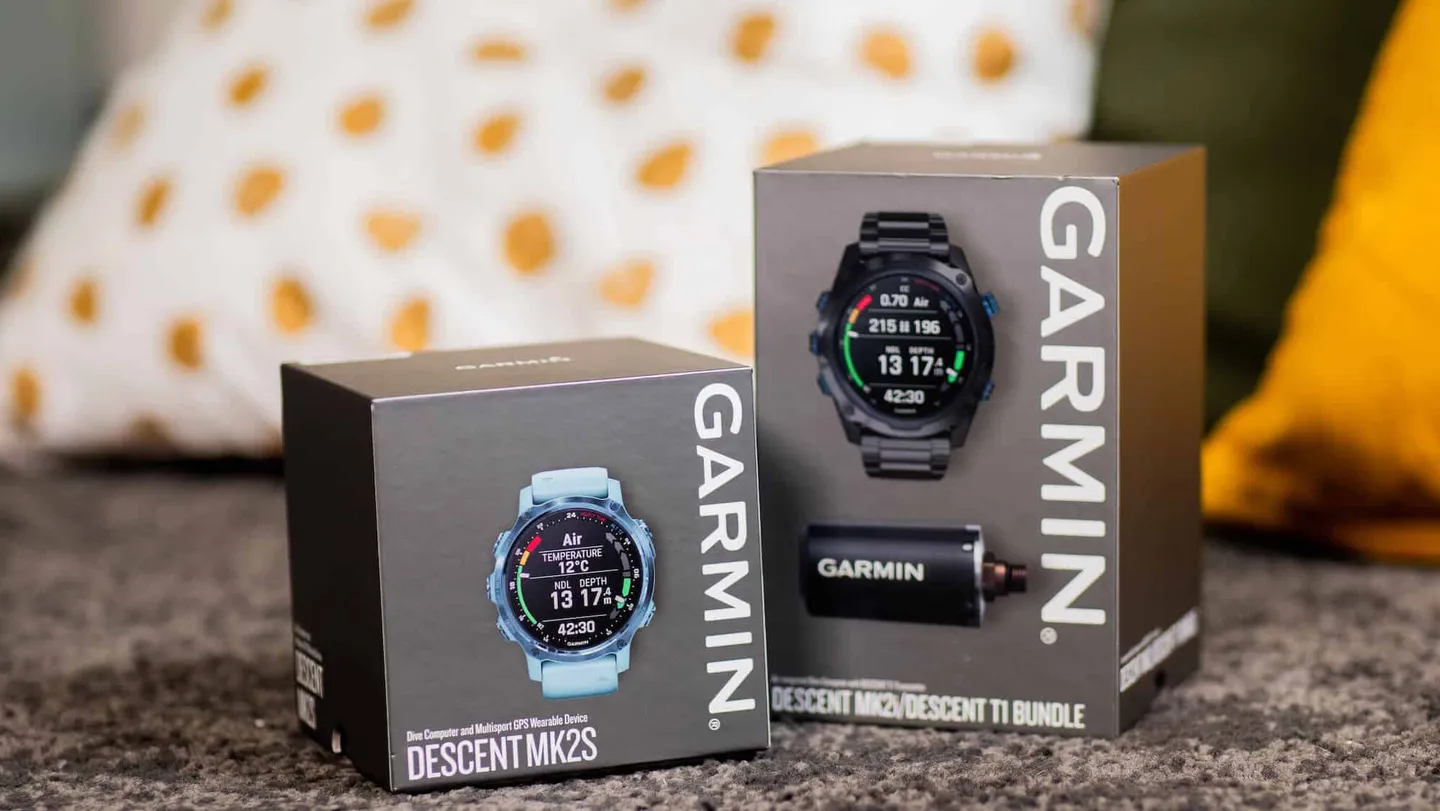
The GARMIN Descent Mk2S launched in June 2021, positioned as the world's lightest dive computer, with a wider range of color options to offer consumers a complete product lineup.
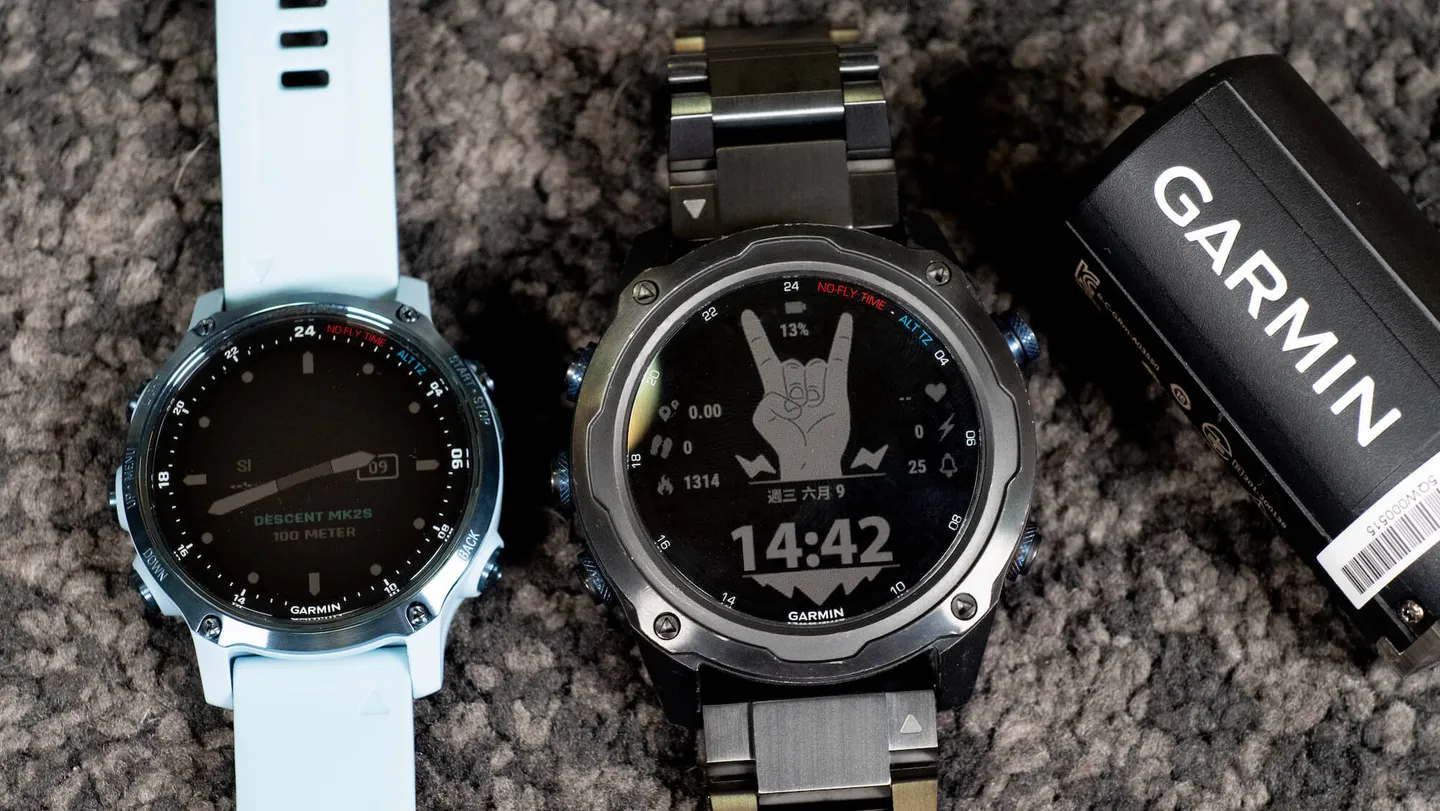
The Descent Mk2S has a slightly smaller watch face than the Mk2/Mk2i and does not support the Descent T1 transmitter.
Alright, that's the end of our sponsored segment — let's get into the real focus of this article!
We'll break down three values that divers often see but rarely fully understand: their definitions and how they affect dive planning. Those values are GF, PO2 settings, and Tissues 1–16. That said, we should note upfront that all current dive research is grounded in mathematical models and partial human studies developed by organizations such as the U.S. National Oceanic and Atmospheric Administration (NOAA), and cannot account for individual differences in age, physical condition, and other factors.
As a result, the algorithms built into today's dive computers are set to be extremely conservative — after all, no dive computer manufacturer wants to take on that kind of liability. But if you don't understand what these values actually mean, blindly chasing the most "conservative" settings isn't safer diving — it just means you probably shouldn't be diving at all.
Note: This article uses dive computers that apply the Bühlmann ZHL-16C algorithm as examples. Dive computers using the RGBM (Reduced Gradient Bubble Model) algorithm may not be directly applicable.


Key Topics
This article may challenge some commonly held beliefs about diving. Our goal is to share the theoretical foundations behind these settings and explain how to plan your dives safely and meaningfully while reducing risk.
Conservative Settings — GF Values:
You've probably seen conservative setting options on your dive computer — High, Medium, and Low. Some dive computers also display GF (Gradient Factor) parameters for reference or even allow you to customize your GF values manually. Below are GARMIN's default conservative settings:
- High conservatism: 35/75
- Medium conservatism: 40/85
- Low conservatism: 45/95
Decompression theory is difficult to explain in a quick-reference format because it involves gas dynamics, the decompression models proposed and continuously refined by Workman and Bühlmann, M-Values, tissue half-times, the 16 tissue compartments of the human body, and much more. If you're interested in going deeper on this topic, we highly recommend reaching out to DiveMate Club instructor Lin Yu-Ping — he could talk about it for an entire day without running out of things to say (laughs). Alternatively, ask an instructor near you about enrolling in an enriched air nitrox specialty course to get a more comprehensive understanding of decompression theory. Since this is a quick-reference guide, we'll skip the deep dive and explain these two values as simply as possible.
Dive fun fact: M-Values were developed by Scottish physician John Scott Haldane using a set of theoretical tissue compartments to define a mathematical model that maps the "safe upper limit" — the maximum threshold — and form the foundation of modern decompression theory. The model was later refined continuously by Bühlmann and NOAA, gradually giving us the dive tables we use today.
The left value (GF Low): This affects how frequently you will need to perform decompression stops. The lower you set it, the further you are from the maximum tolerable residual nitrogen limit in your body, meaning decompression stops are triggered more easily.
The right value (GF Hi): This affects your no-decompression limit (NDL). Setting it to 75 means your new anchor point is set at 75% of the range between 1.58 (far left of the red line) and 0.79 (far left of the green line). In other words, someone with a GF Hi of 75 will reach decompression stops more easily than someone set at 95, because their ceiling (the yellow diagonal line) is lower. In simple terms, this value affects the No-Deco Time (NDT) at greater depths during recreational diving — the more conservative the setting, the more easily you enter a decompression obligation, which then introduces additional complications.
Drawing a diagonal line (the yellow line) between the two new anchor points defined by GF Low and GF Hi creates your personalized dive ceiling. As you can see, this line still falls below the maximum tolerable residual nitrogen limit defined by the M-Value (the red line). The dive computer then uses this chart to calculate how to execute your gradient factor decompression stops between the yellow and green lines. The diagram below lets you compare GF settings of 35/75 versus 45/90 and their differences in decompression stop operations during ascent (blue line) and decompression stops (pink line).
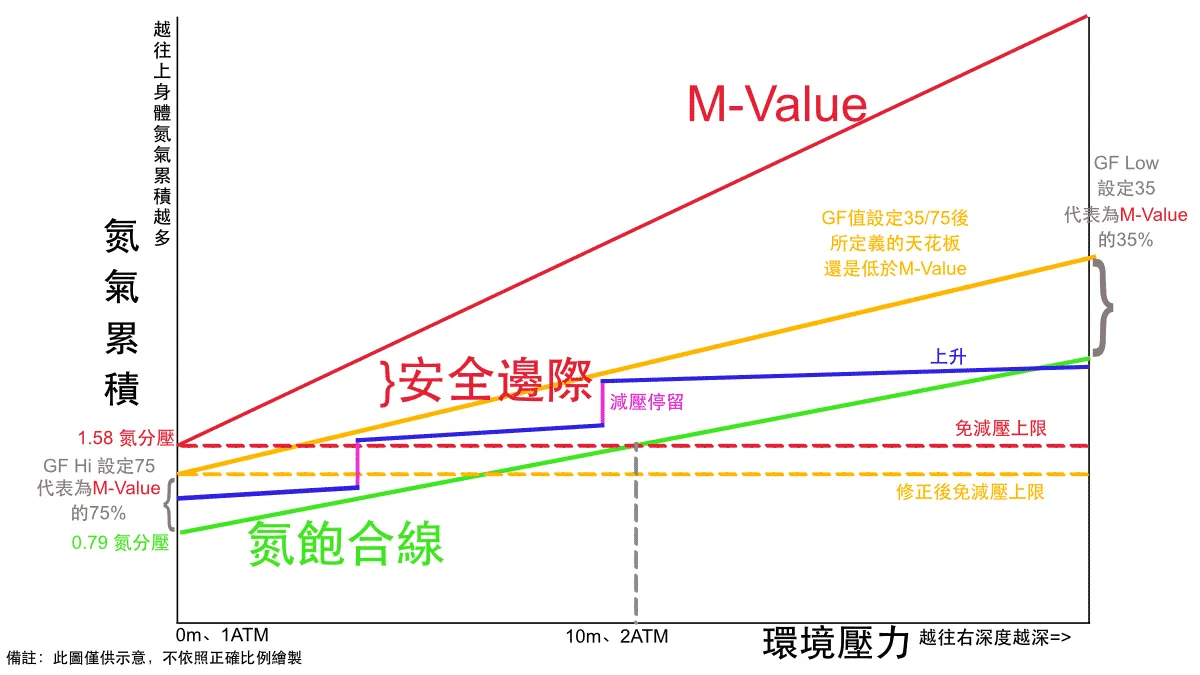
Figure 1: With GF set to 35/75, you will need to perform multiple decompression stops.
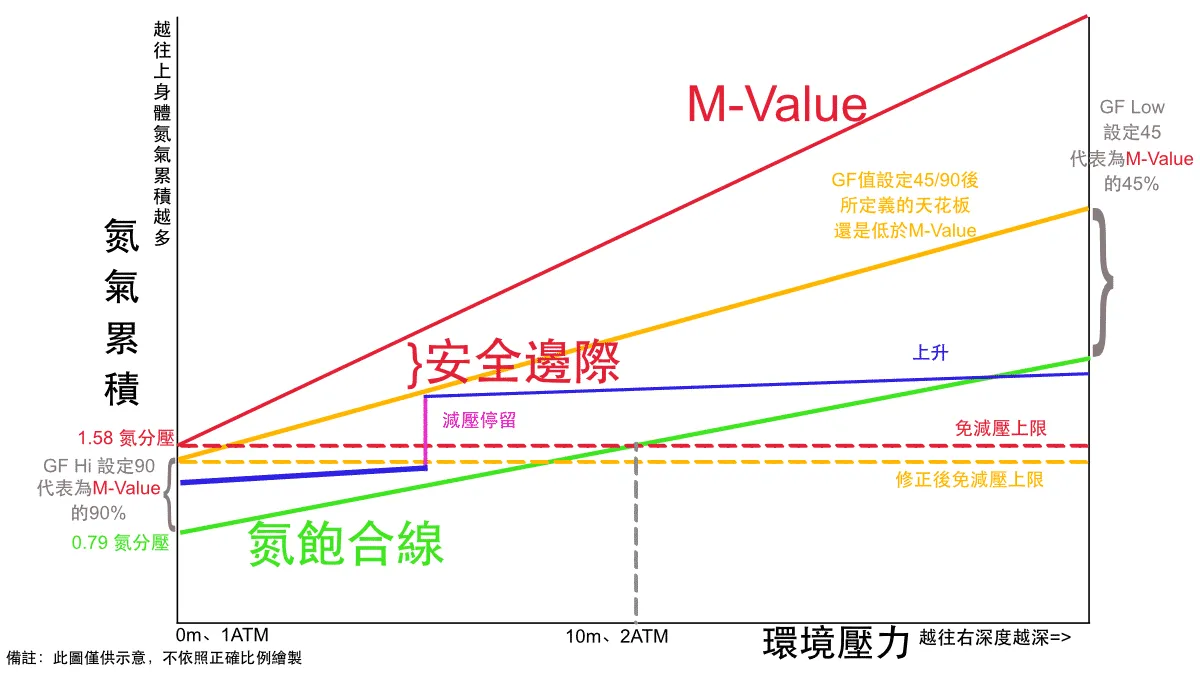
Figure 2: By comparison, with GF set to 45/90, under the same conditions you only need to perform one decompression stop — actually reducing other risk factors.
Here we'd like to address a common misconception: many divers blindly chase conservatism and set their conservatism to High (GF 35/75 on GARMIN), as shown in Figure 1. You'll notice that compared to Figure 2, this requires you to perform an additional decompression stop, and the extended decompression process may introduce more external risk factors — such as running low on gas, prolonged underwater hypothermia, strong surface currents, or becoming separated from your dive group. So, more conservative settings are not necessarily safer!
Dive fun fact: Some dive computers include a deep stop setting, which involves pausing at half of the maximum depth for a period of time. This is based on the RGBM (Reduced Gradient Bubble Model) decompression theory, with the goal of controlling the size of bubbles forming in the body.
Oxygen Exposure — PO2 Settings:
You may have heard someone say, "Setting your PO2 to 1.6 puts you at immediate risk of oxygen toxicity!" But in reality, according to NOAA guidelines for working divers performing strenuous activity, a partial pressure of oxygen (PO2) of 1.6 requires a continuous single exposure of 45 minutes, or a cumulative 150 minutes over 24 hours, before oxygen toxicity becomes a possibility. For recreational divers using 32% enriched air nitrox (EANx), you'd need to be at 40 m to even reach a PO2 of 1.6 — think about it: how many recreational divers with a single tank are going to maintain 45 minutes at 40 m? The conclusion is that within the context of recreational diving, setting your oxygen partial pressure to 1.4 or 1.6 is perfectly safe.
Let's say you're planning a deep dive using 32% nitrox. At a PO2 of 1.4, your maximum operating depth (MOD) is 34 m. But if you want to explore a wreck at 40 m, you can adjust your PO2 to 1.6, giving you an MOD of 40 m for your dive plan. Even if you do reach 40 m, you'd still need to meet the time criteria mentioned above (45 minutes in a single dive, or 150 minutes accumulated over 24 hours) before oxygen toxicity becomes a real risk.
But is a PO2 of 1.6 truly the human body's absolute maximum? Actually, during hyperbaric recompression treatment, the most basic Table 5 protocol involves a PO2 as high as 2.8! This is why a thorough, theory-based understanding matters far more than second-hand information.
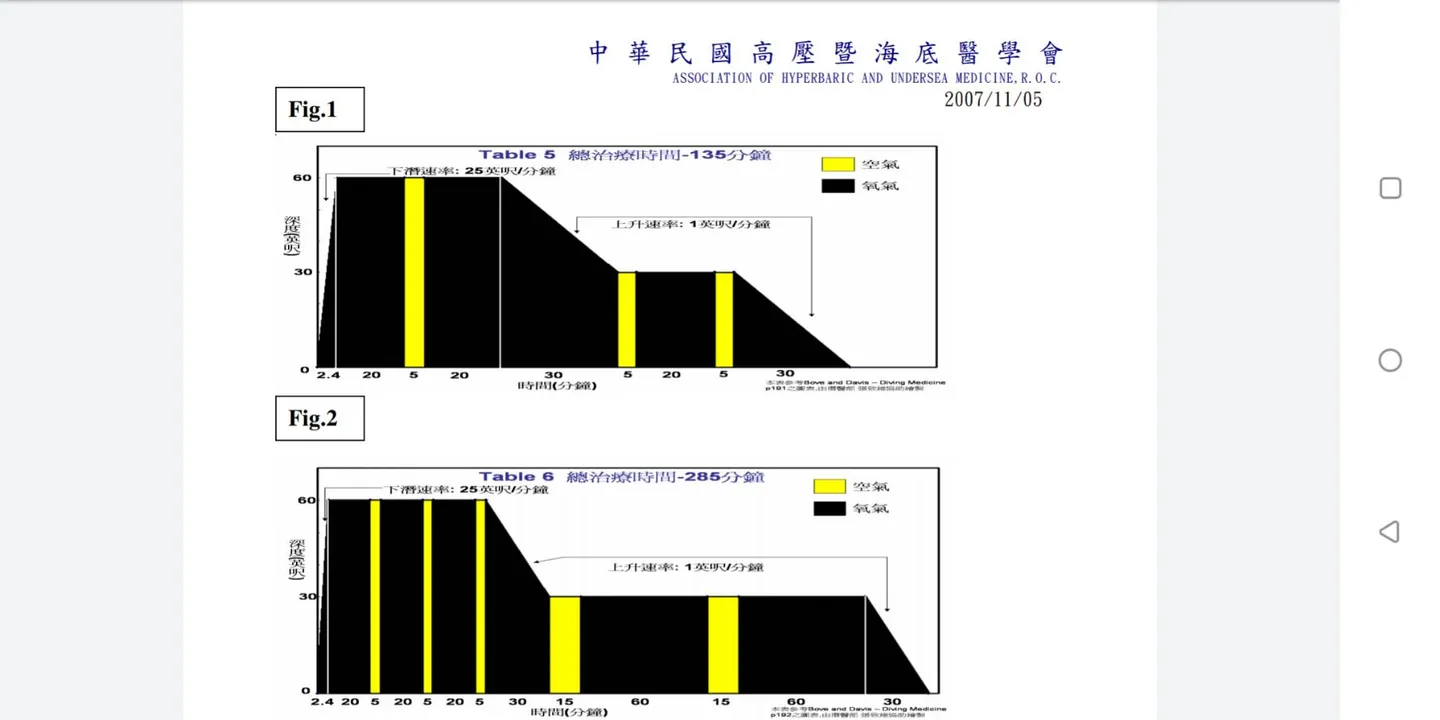
Source: Hyperbaric and Undersea Medical Association of the Republic of China
Tissues 1–16:
All GARMIN Descent dive computers feature a Tissues 1–16 chart — a useful display that many divers tend to overlook. Based on the Bühlmann ZHL-16C decompression model, it shows the nitrogen saturation levels across 16 tissue compartments in your body. (Bühlmann hypothesized that the body contains 16 different tissue compartments, ranging from fast tissues to slow tissues. Fast tissues absorb and off-gas nitrogen quickly, while slow tissues absorb and release nitrogen slowly.) The left side of the chart shows residual nitrogen in fast tissues; the right side shows residual nitrogen in slow tissues.
During a single dive, you'll typically notice that the fast tissue curve on the left is higher, while the slow tissues remain relatively flat because they don't absorb nitrogen fast enough to reach significant levels. However, during multiple dives, you may find that the fast tissue curve has leveled off, while the slow tissue curve remains elevated.

Fast tissues on the left, slow tissues on the right.
You can use this chart to monitor your body's residual nitrogen status. Your dive computer isn't only calculating nitrogen loading underwater — it continues to track the data after you surface. But what does this mean for us practically? You've probably heard of pre-flight surface intervals. Most dive computers default to a 12- or 24-hour no-fly period after your last dive. But consider this: if you used a single scuba tank for 54 minutes at an average depth of just 5 m and a maximum depth of 7.3 m, one hour after surfacing your Tissues 1–16 residual nitrogen levels would look virtually identical to those of someone who hadn't dived at all. In theory, you'd be perfectly fine to board a flight at that point.
For ease of use, dive computers simply apply a standard 12- or 24-hour no-fly interval for all divers.
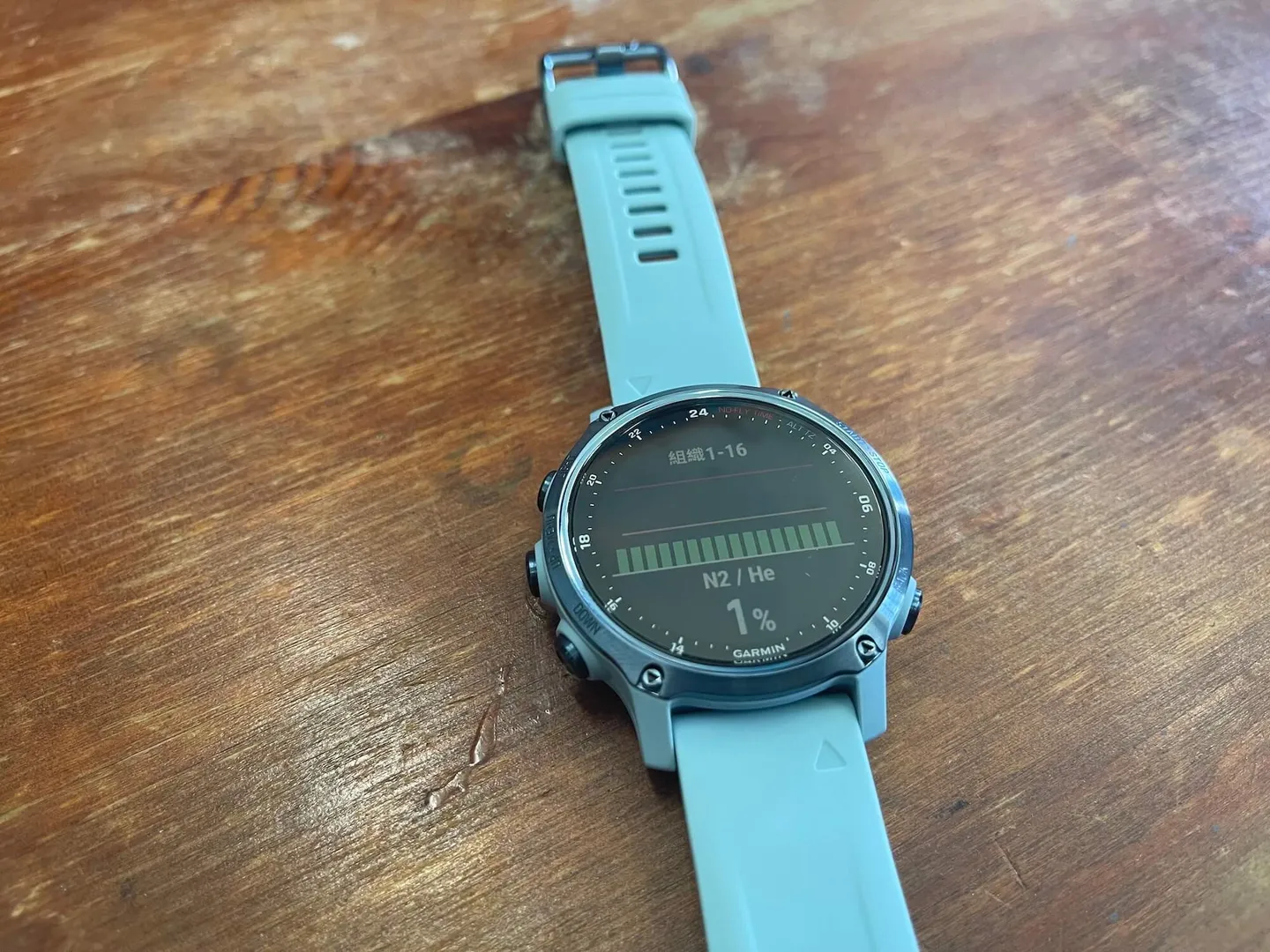
After a single-tank dive of 54 minutes at an average depth of 5 m and a maximum depth of 7.3 m, the Tissues 1–16 residual nitrogen levels one hour after surfacing are virtually identical to those of someone who has not dived.
Dive fun fact: Within the scope of recreational no-decompression diving — meaning your residual nitrogen levels don't require a decompression procedure before you can safely return to the surface — a safety stop is not the same as a decompression stop. A safety stop is not performed to off-gas nitrogen in order to meet decompression requirements. Consider this: at the surface there is only 0.79 atmospheres of nitrogen partial pressure, whereas at 5 m there is 1.185 atmospheres — meaning you actually off-gas nitrogen faster at the surface than at 5 m. So what is the safety stop good for? If you're ascending from depth, it helps keep your average ascent rate from becoming too fast, and can also reduce discomfort from reverse squeeze during ascent. Of course, in an emergency — such as a gas leak, feeling unwell, a missing dive buddy, or poor surface conditions — the safety stop can be skipped to eliminate additional sources of risk. (If you're in a decompression stop situation, however, you must follow the dive computer's procedure to complete it.)
Once again, a big thank you to the GARMIN Descent Mk2S for giving us the opportunity to test and share this watch. The entire GARMIN Descent dive computer series offers audible and vibration alerts for events such as ascent rate warnings, PO2, CNS/OTU, NDL, decompression, and gas switching. You can also customize up to 40 audible or vibration alerts based on depth or time, significantly enhancing dive safety.
As always, every dive computer uses algorithmic models to estimate values. This article has introduced common dive computer parameter settings from a theoretical and computational standpoint. If your stance is still "everyone's body is different, so I'll just use the most conservative settings for safety," then frankly, not diving at all is your safest option. If you're interested in decompression theory, we highly recommend contacting DiveMate Club instructor Lin Yu-Ping or an instructor near you, and enrolling in an enriched air nitrox specialty course. This article was written from a recreational diver's perspective as a very simple, quick-reference overview. In the realm of technical diving, parameters are adjusted far more flexibly when planning decompression dives — if that interests you, the world of technical diving is well worth exploring!
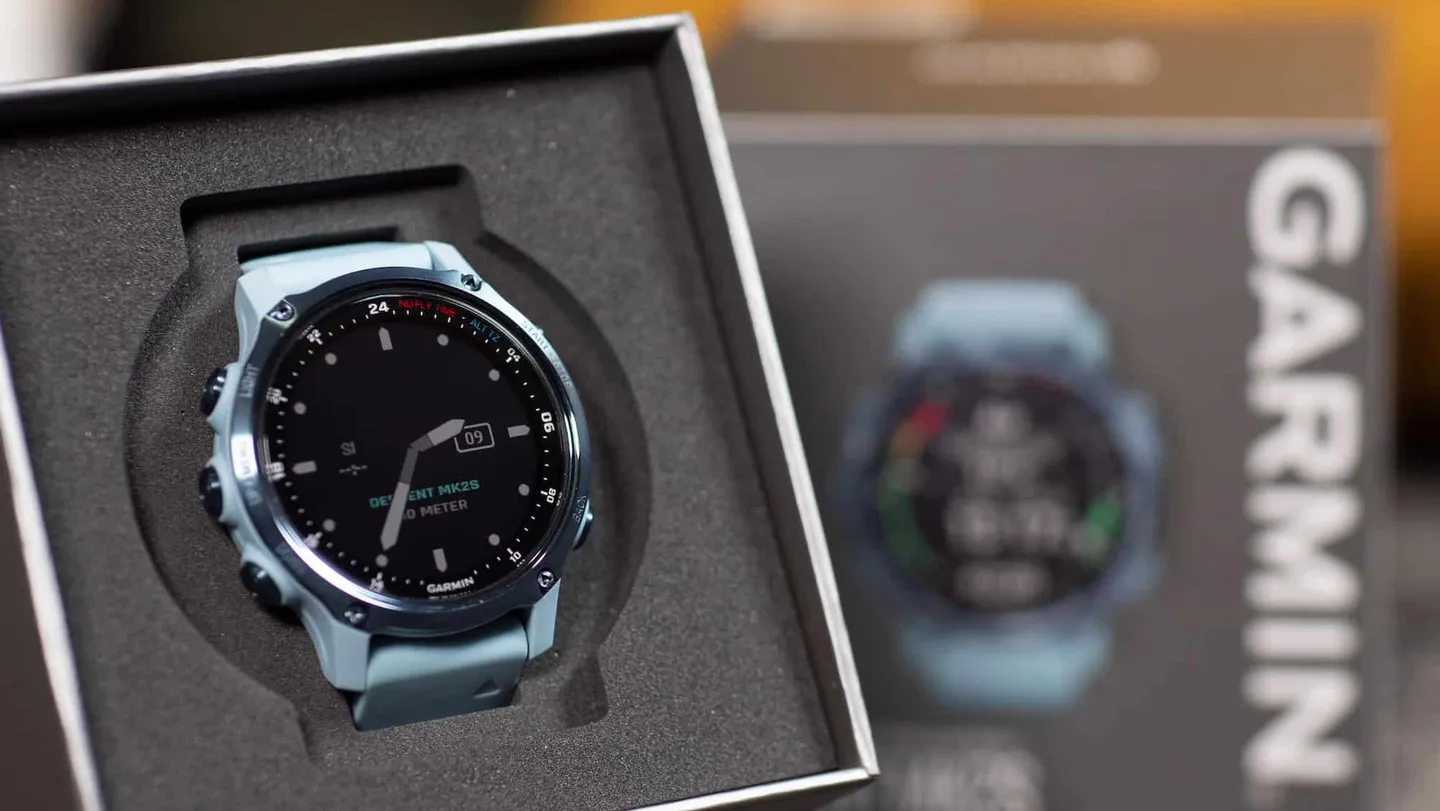
Thank you to the Garmin Descent dive computer series for supporting this article.
Related links:
- The World's Most Powerful Dive Computer Evolves — When Diving Is More Than Just a Sport: Garmin Descent Mk2 Series
- 【What's This Gear?】GARMIN Descent Mk2 Series vs Mk1 Underwater Interface Unboxing
- The Most Powerful, Feature-Complete Dive Computer — Garmin Descent Mk1
- GARMIN Dive Science
- Descent Mk2S Official Product Page
- DiveMate Club Instructor Lin Yu-Ping