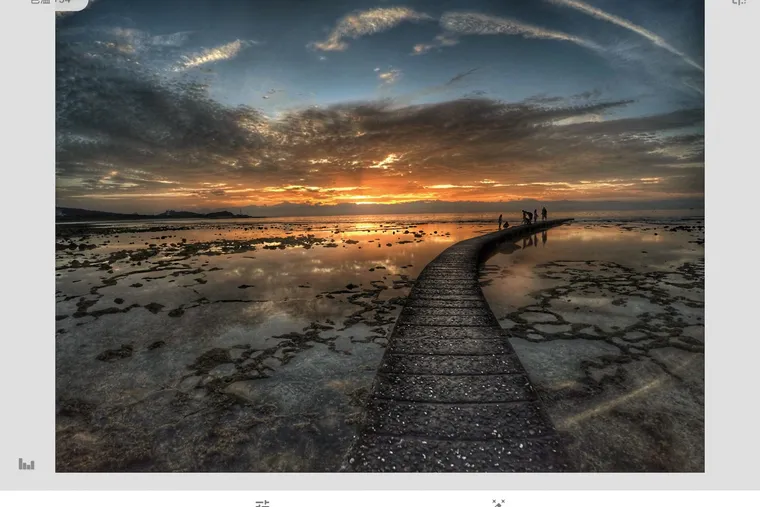
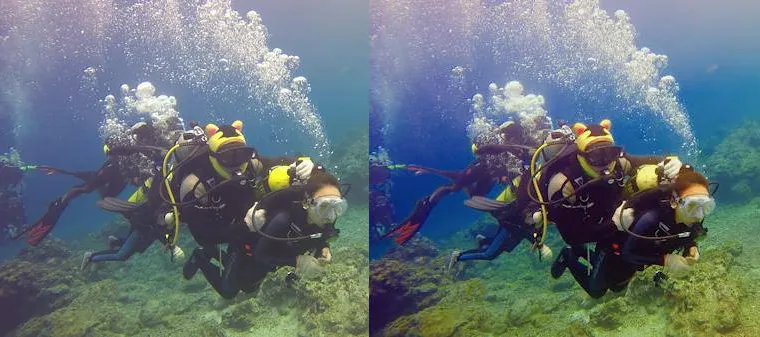
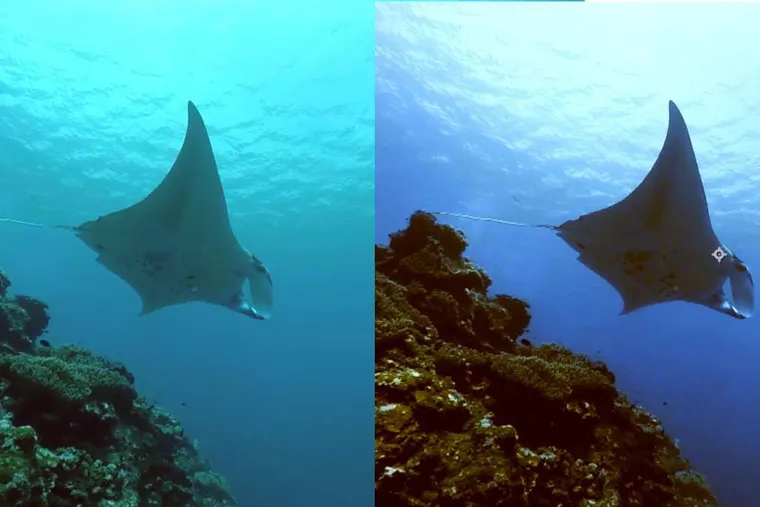
the Editor says: GoPro is probably the first piece of camera gear every new diver wants to buy. Its compact form factor, impressive performance, and wide range of accessories meet the needs of most divers — and it's practically indispensable for freedivers whether at home or traveling. The trouble is, the optical properties of seawater cause underwater images to lose their true colors. If you forgot to bring a red filter, is there any way to salvage those shots you love? Underwater photo color correction is your best solution!
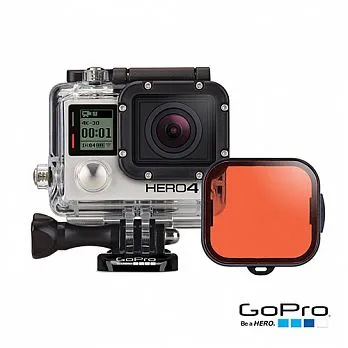
When you descend beneath the surface, red and yellow light are absorbed by the water, leaving images with a blue or green cast. To prevent this, we recommend purchasing GoPro's official dive red filter, which is designed for use at depths between 5 m and 21 m.
Underwater Photo Color Correction Techniques
If you don't have a red filter, you can still recover those missing colors in Photoshop. The sample photo used in this tutorial was shot with Protune enabled.
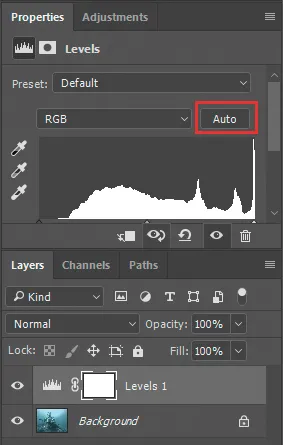
- Add an Adjustment Layer and select Levels. Hold Alt and click Auto.
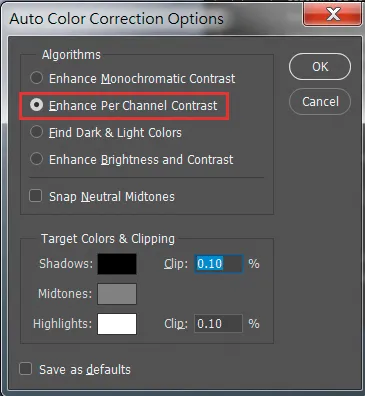
- Change the setting to Enhance Per Channel Contrast.
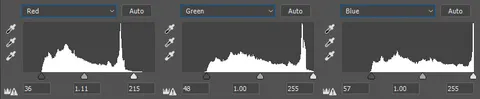
-
Switch to the Red, Green, and Blue channels individually. You'll see that the control points at the bottom have been automatically set within the range of the histogram.
-
Add an Adjustment Layer and select Color Balance. Boost the reds and yellows to restore the colors that were lost underwater.
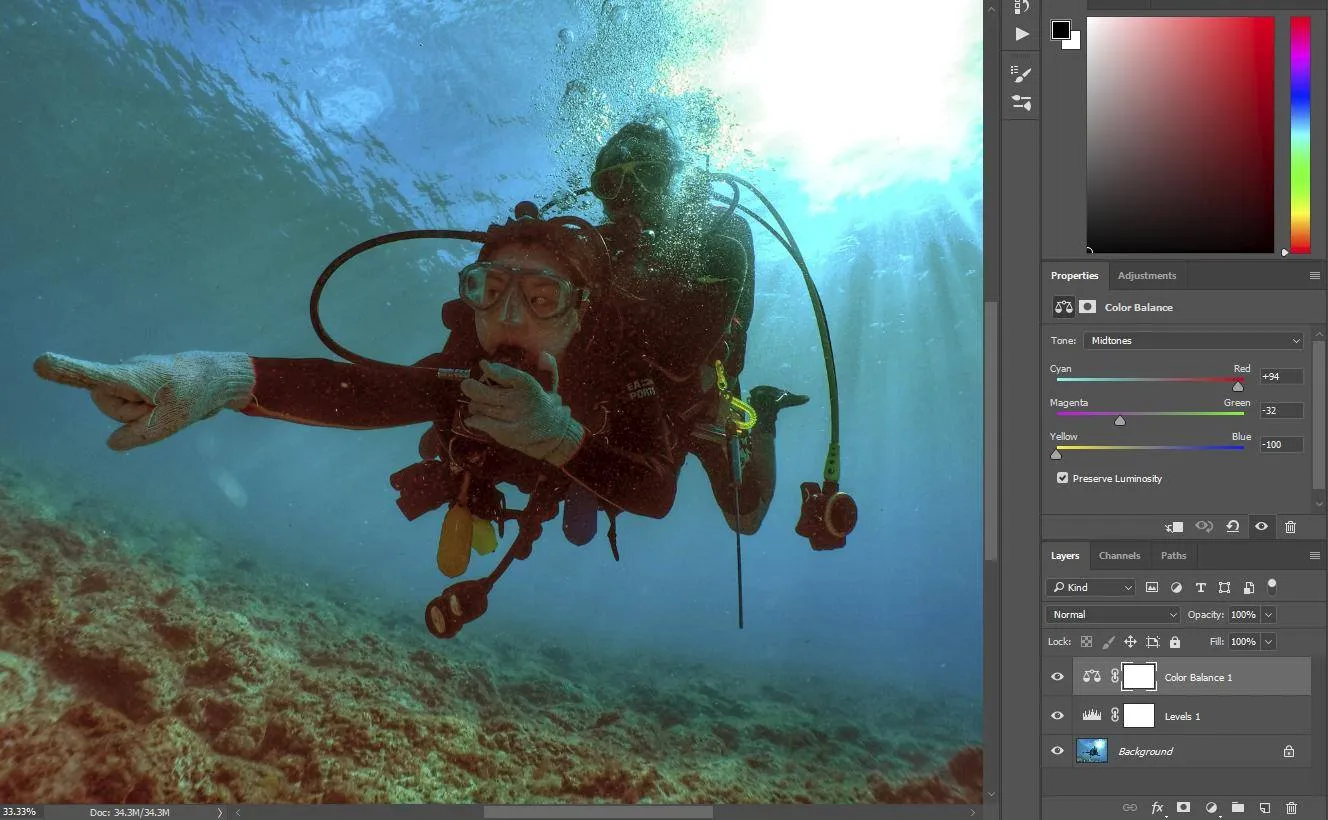
- Add an Adjustment Layer and select Brightness/Contrast. Increase the brightness value. If you only want to brighten the subject's face, add a mask layer to define the area.
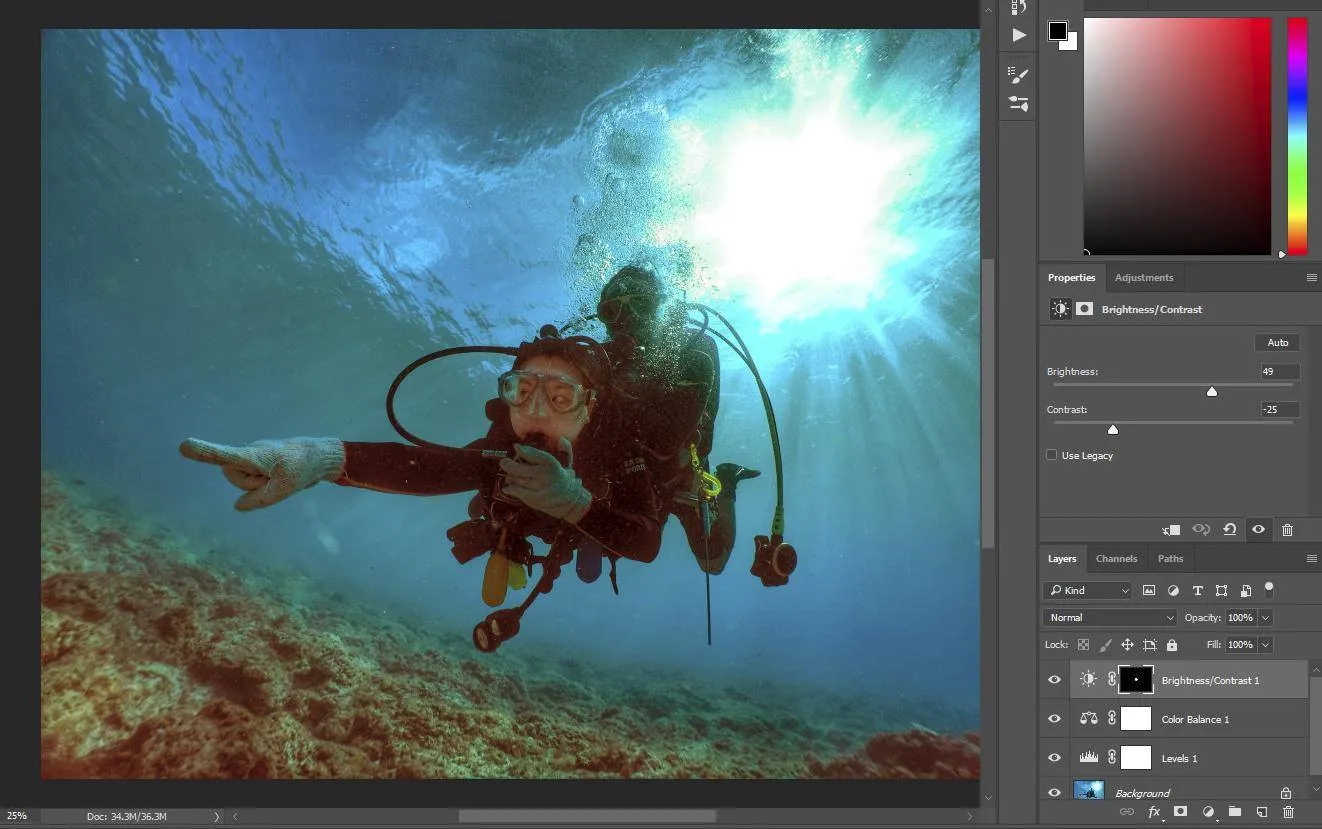
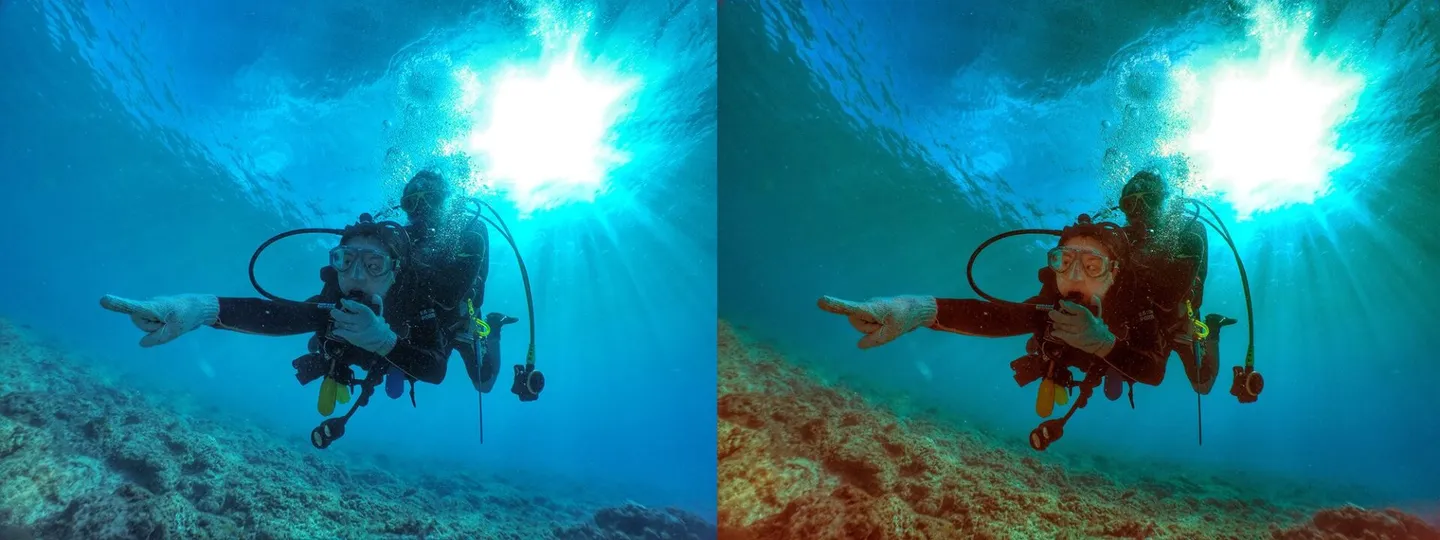
- Compare the colors before and after the adjustments.
GoPro's lightweight, compact design makes it perfect for divers to bring underwater as an activity recorder, and it works equally well across a variety of extreme sports. If you're interested in GoPro or are already a GoPro enthusiast, feel free to browse "一竿走天下,GoPro動閃攝影" at your local bookstore and discover even more creative ways to use your GoPro! I also regularly post photos and videos shot on GoPro on the 一竿走天下 Facebook fan page — check it out for more of my GoPro work.
Related links: 一竿走天下,GoPro動閃攝影
【Kyotaro Column】Black Background Underwater Macro Photography — Learn It in Just Five Minutes!